


Why does my PC feel like it's running through mud? I've had it for two years, and now it takes forever just to open Chrome. And I couldn't help but relate. Junk files, excessive startup programs, and browser caches accumulate without your knowledge, and one day your PC simply can't keep up anymore.
In my experience, at this point, the best pc cleaner is what stands between you and a full reinstall. So, in this writeup, I will recommend the 12 best computer cleaner tools for Windows 10 and 11 in 2026, tested, reviewed, and organized by use case so you can find the right one for your needs.
In this article
Part 1: Why You Need a Reliable & Best PC Cleaner
Windows takes forever to start, programs take forever to load, and your hard drive is full, and usually, there's no single major culprit. All Windows computers collect four kinds of junk that slow them down. It's
- Junk files from apps that don't clean up after themselves.
- Programs that load before you can even start using the PC.
- Registry junk from software you've uninstalled months ago.
- Browser junk (cached pages, cookies, session data) that builds up every day.
Part 2: 12 Best PC Cleaners for Windows 10/11
There are free pc cleaners that include adware, pretend to have lots of "errors" to convince you to pay, or request permissions that they don't need. All tools in this guide are code-signed from a trusted vendor and clean on VirusTotal.
💡Tips:Before installing, paste any cleaner's download URL into VirusTotal.com. If it shows several flags from various vendors, it's best to skip it.
1.WMaster Cleanup: Best Program to Clean Computer
When I began searching for the best pc cleaner, WMaster Cleanup was the first to catch my eye, not because it claims to be the best, but because it is just that: no fake error count and no pressure to upgrade. It's safe and handy for routine PC maintenance.
URL: https://www.wmastercleanup.com
Supported OS: Windows 7, 8, 10, 11
Best for:Pro and casual users who want fast, safe, one-click PC cleanup without complexity.
5 Key Features of WMaster Cleanup -A Complete PC Optimizer
WMaster Cleanup
Easiest PC Cleaner to Clean Computer Automatically
- ·Disk Cleanup: Cleans system junk, privacy traces, system logs, installer files, and temp files.
- ·Cache Remover: Clears browser cache, system cache, and application cache with one click.
- ·Duplicate File Remover:MD5 hash matching to detect exact duplicate files on your hard drive.
- ·Force Uninstall:Cleans registry keys, residual files and folders, and add-on files behind.
- ·Disk Space Analyzer:A storage map displays the folders and file types that take up the most space.

How to Use WMaster Cleanup to Clean Up Your Computer:
Step 1: Download the software
Download WMaster Cleanup from the official website and follow the prompts to install the software on your Windows PC.
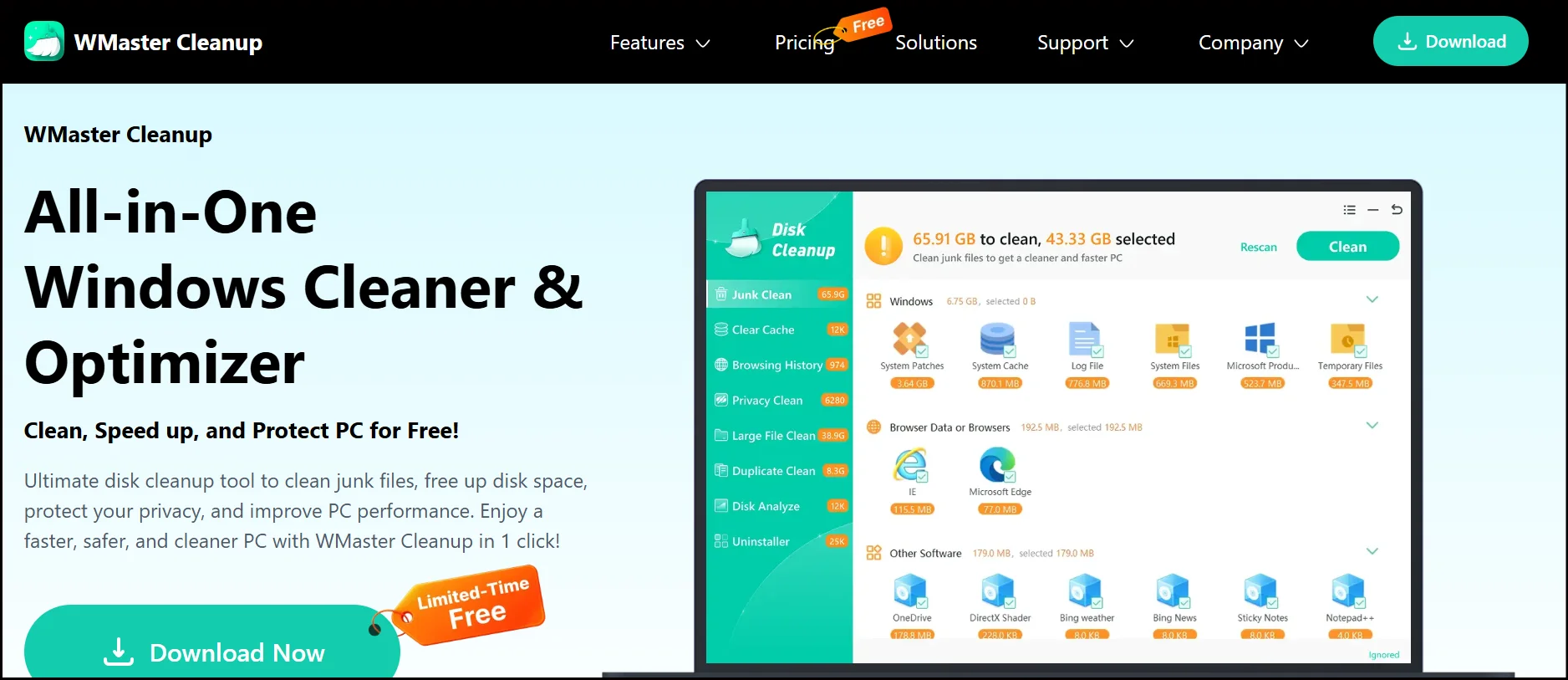
Step 2: Open Disk Cleanup
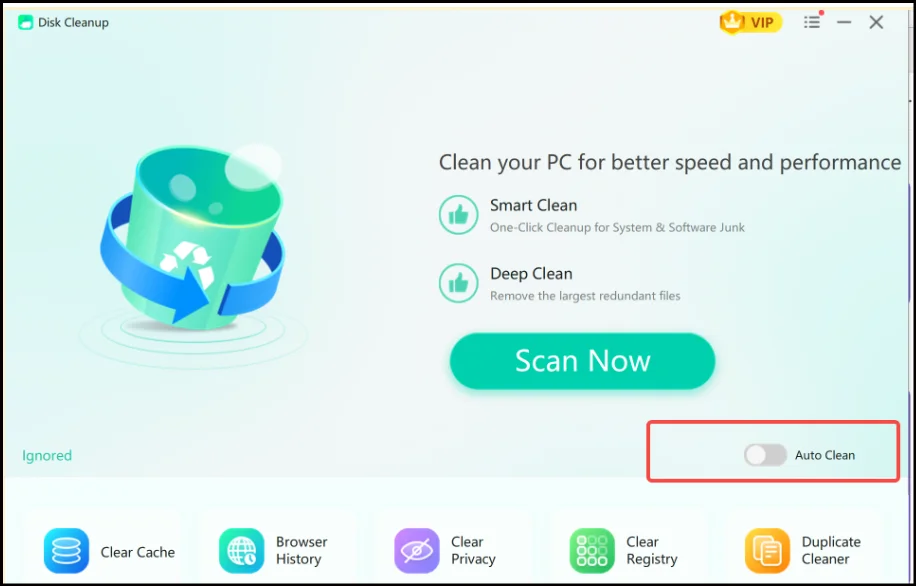
Launch WMaster Cleanup on your desktop. From the main dashboard, where you can see all the cleanup features, click Disk Cleanup to start.
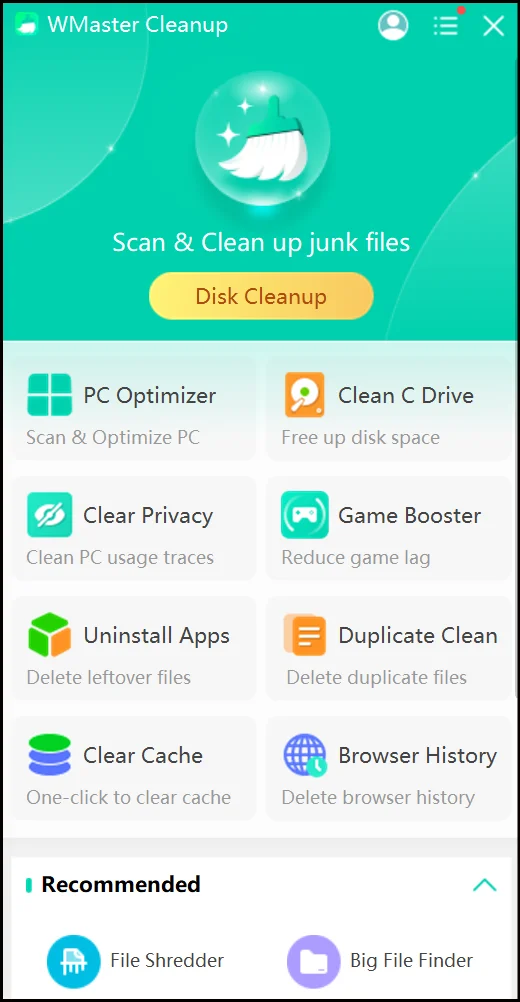
Step 3: Initiate the scan
Click Scan Now. WMaster Cleanup begins scanning all junk categories on your PC. This may take a couple of seconds.
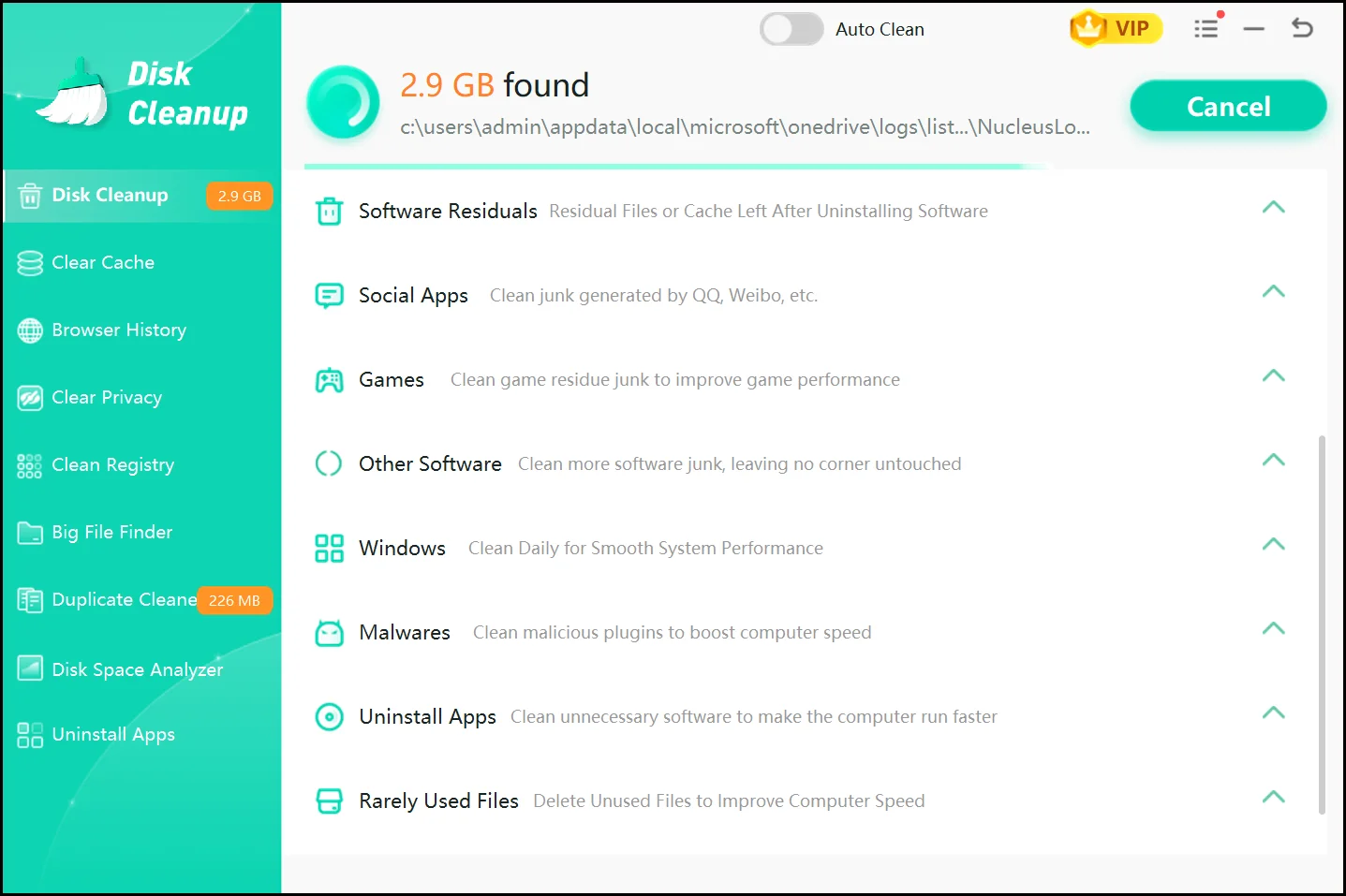
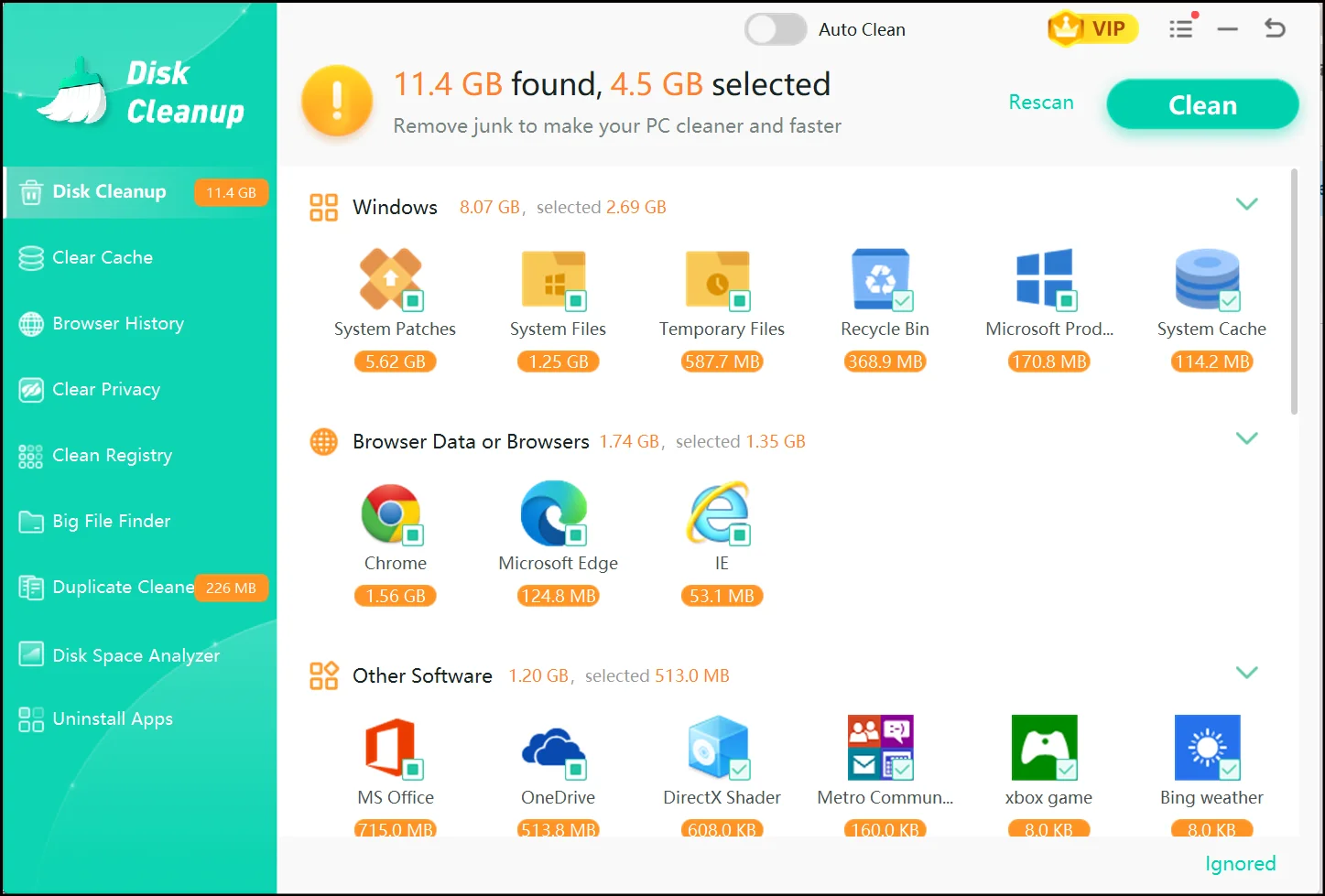
Step 4: View and click Clean
You'll see all the junk categories detected, with file sizes shown. You can select your desired items to delete at the moment, or just simply delete everything in one go by clicking Clean.
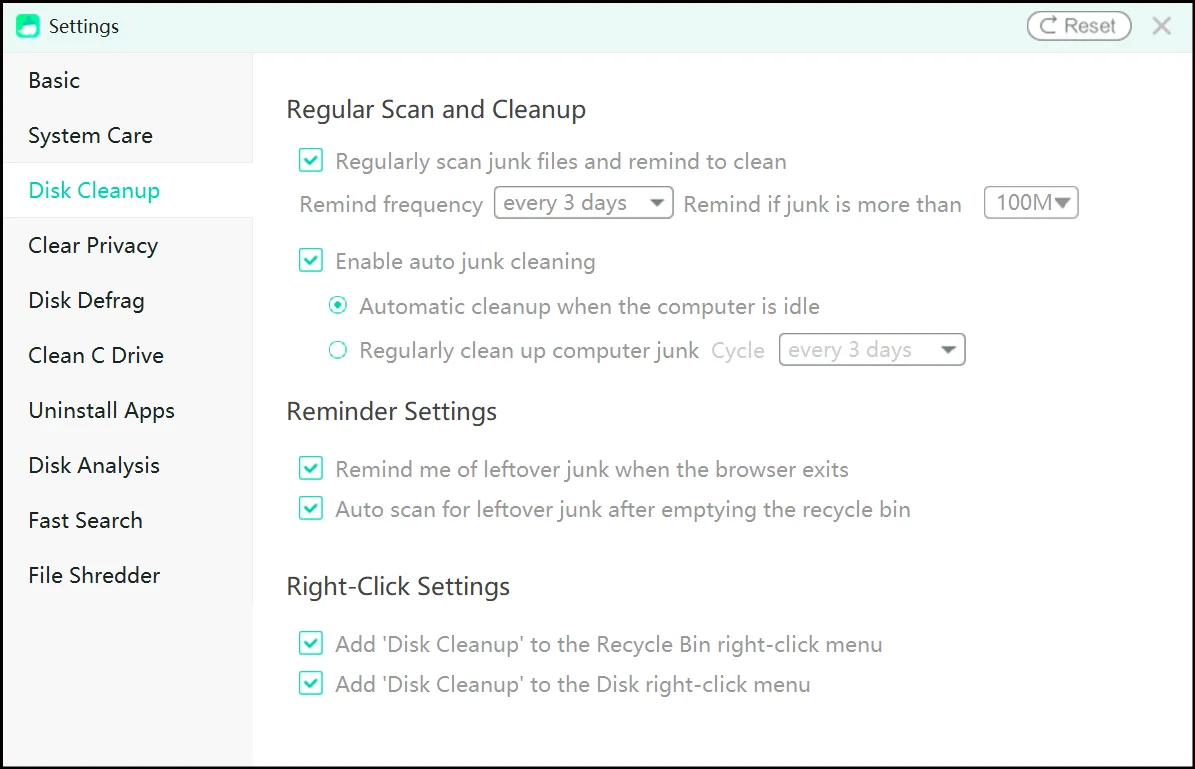
💡Tips:Turn on the Auto Clean Mode from Disk Cleanup's Scan Now interface. You can also set the cleaning cycle according to your liking as well by heading over to Settings.
If you want to take more control over the cleanup process, check out our visual guide to learn how to optimize Windows 11 performance manually.
Other 11 Best pc cleaners for Windows 10/11:
Best PC Cleaner for Gaming PCs
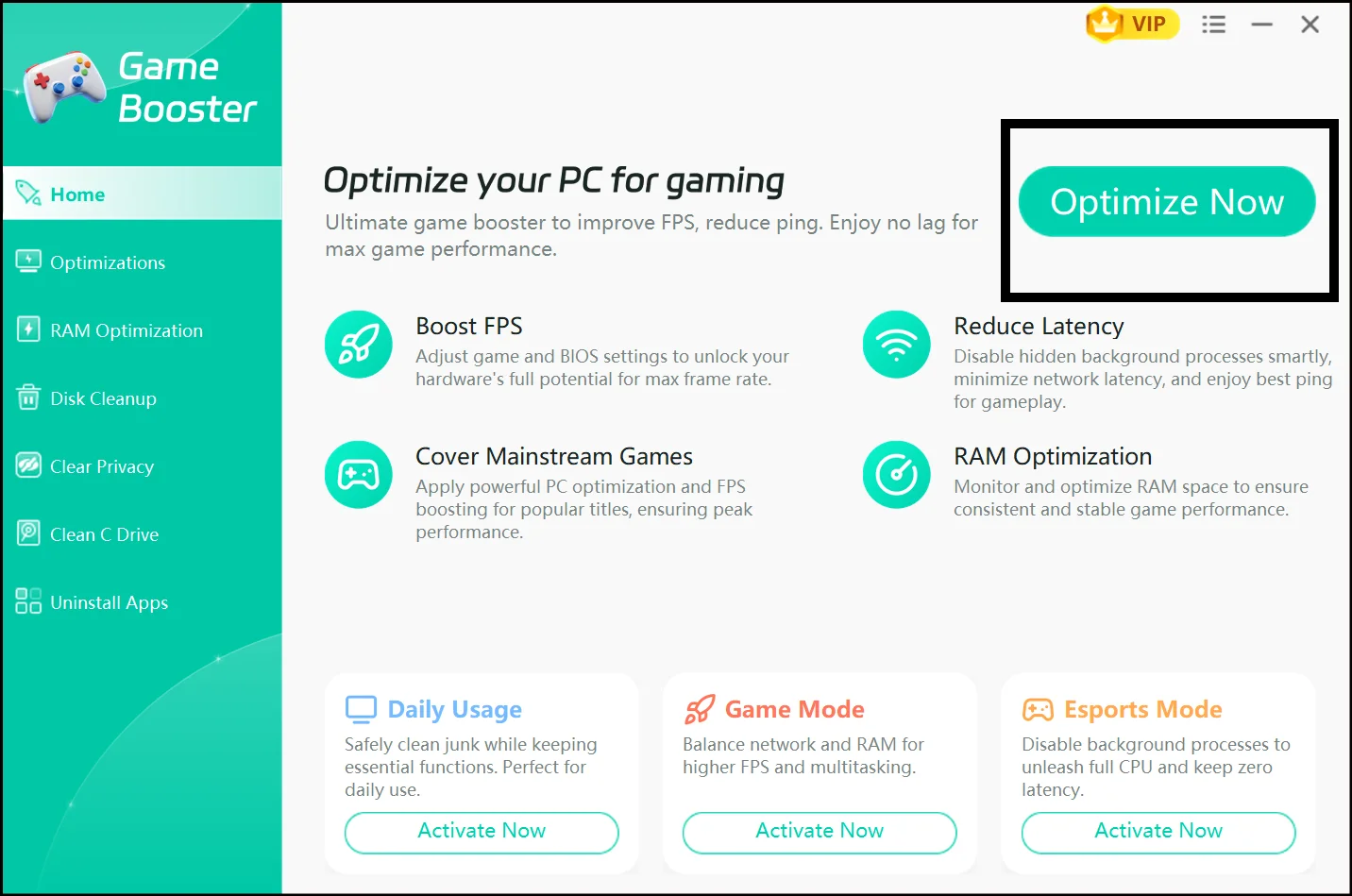
1.WMaster Cleanup Game Booster
When I tested WMaster Cleanup, I was not expecting it to have every useful feature in one place, but here we are. Along with its other amazing features, it has an impeccable Game Booster feature too. With a single click, it suspends unnecessary background processes, reallocates system resources directly to your game, and boosts FPS by up to 30% in real time.
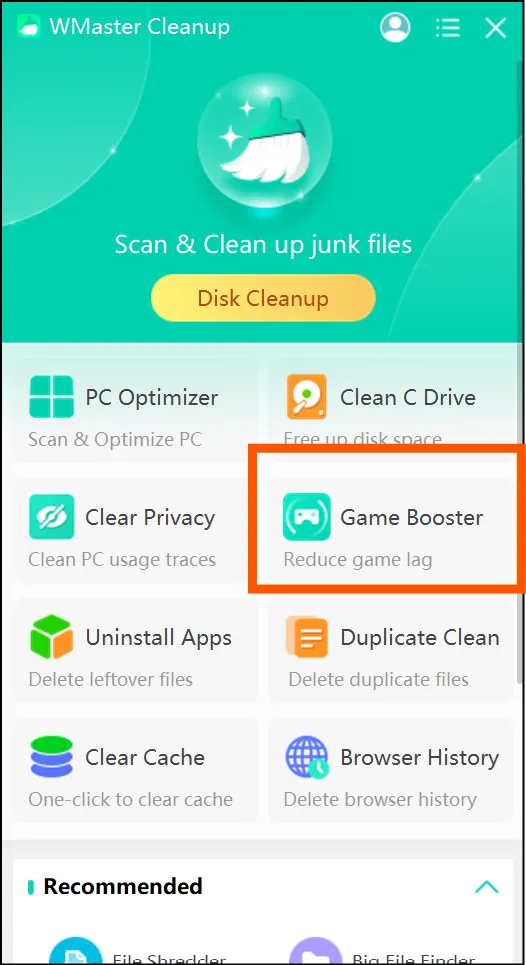
URL: https://www.wmastercleanup.com/game-booster.html
Price: limited-time free
Supported OS: Windows 7, 8, 10, 11
Pros:
- Up to 30% FPS boost with a single click, no manual configuration!
- Quick, reliable, and super fast.
- Integrates game boosting with complete PC cleaning.
Cons:
- Might need some improvements over time.
- It lacks special game library.
- Limited FPS boost for some special games.
Best for: Players who want to optimize their FPS and get full PC maintenance
User Rating: New on market,lack of enough rating
Our Test Outcome: Disk Space Freed: 3.5 GB | Boot Time Improvement: 21% faster | FPS Improvement During Gaming: Up to 30%
2. AVG TuneUp
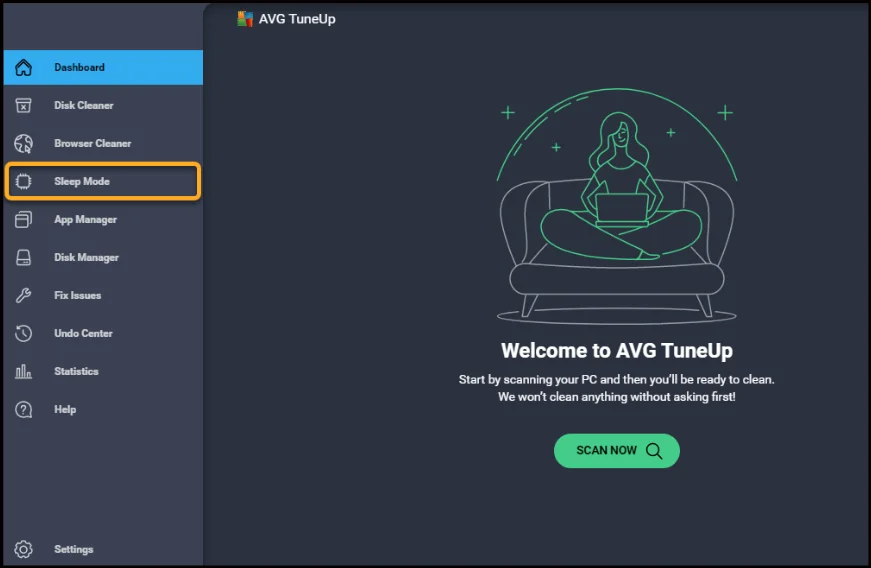
AVG TuneUp is a comprehensive PC optimizer with a handy Sleep Mode that suspends the background processes that can slow down your computer while gaming or working. It's one of the most refined options for gamers looking for more than just FPS-boosting.
URL: https://www.avg.com/en-us/avg-pctuneup
Price: Free trial | $39.99/year for 1 PC
Supported OS: Windows 10, 11
Pros:
- Sleep Mode does a good job of reclaiming memory
- Automatic maintenance in the background
- All-in-one disk cleanup, startup manager, software updater
Cons:
- Many features are only available in the paid version
- Nagware for upgrades is intrusive
- More resource-intensive than other cleaners
Best for: Gamers who also want automated routine maintenance without manual tinkering
User Rating: 4.1/5
Our Test Outcome: Disk Space Freed: 2.8 GB | Boot Time Improvement: 18% faster
Best PC Cleaner for Old / Low-End PCs
3.CCleaner
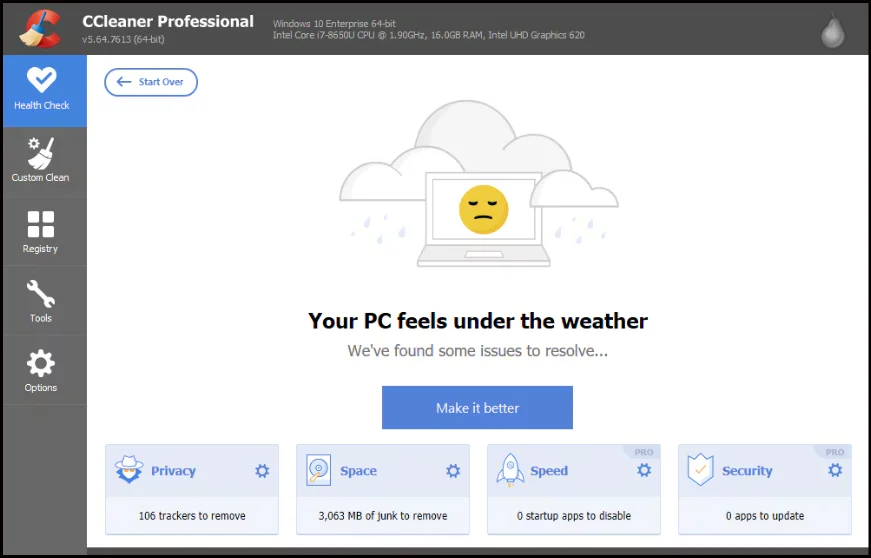
CCleaner is the most well-known PC cleaning tool, and for older computers, it's still a great option. It's lightweight, easy to use, and does a good job of removing browser junk, temporary files, and startup clutter without putting a strain on your system.
Price: Free | Pro from $29.95/year
Supported OS: Windows 7, 8, 10, 11
Pros:
- Lightweight works on old computers
- Great at cleaning browser cache and cookies for all browsers
- Startup manager is simple and effective
Cons:
- Owned by Avast/NortonLifeLock had a significant 2017 supply-chain attack
- The free version is very aggressive with upgrades
- A registry cleaner can report false positives and destabilise the system
Best for: Windows 10 users on older computers looking for a lightweight and familiar cleaner
User Rating: 4.2/5
Our Test Outcome: Disk Space Freed: 3.1 GB | Boot Time Improvement: 22% faster
4. Wise Disk Cleaner
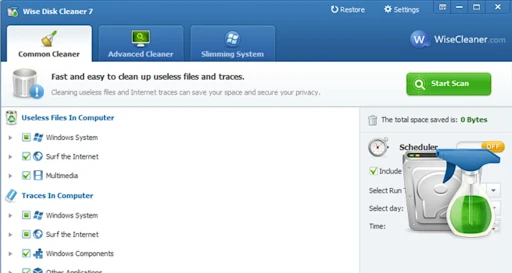
Wise Disk Cleaner is one of the lightest of the best free pc cleaner with no subscription required programs; the installer is less than 4 MB. That's important for older and slower computers. This cleanup utility cleans temporary files, system junk, and browser cache and defragments your hard drive.
URL: https://www.wisecleaner.com/wise-disk-cleaner.html
Price: Free
Supported OS: Windows XP, Vista, 7, 8, 10, 11
Pros:
- Very lightweight, great for older computers
- 100% free with no nagging for the premium version
- Performs disk defragmentation as well as junk cleaning
Cons:
- Outdated user interface compared to others
- There are fewer junk types than more advanced cleaners
- Lacks duplicate file finder and other features
Best for: People with very old or low-end Windows computers looking for a simple cleaner
User Rating: 4.0/5
Our Test Outcome: Disk Space Freed: 1.9 GB | Boot Time Improvement: 12% faster
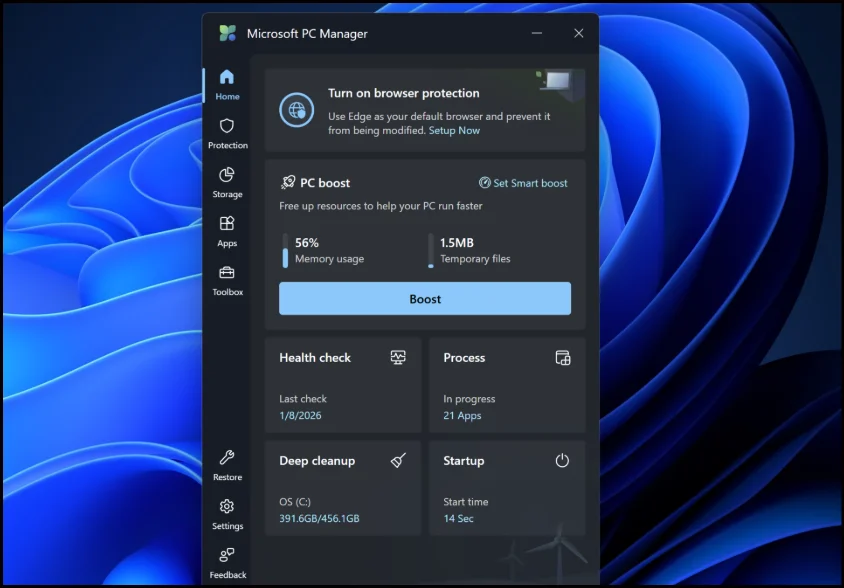
5.Microsoft PC Manager
Microsoft's free computer cleaner is better than you think. It does basic junk removal, startup programs, and real-time performance monitoring, all with the added bonus of being from Microsoft.
URL: https://pcmanager.microsoft.com
Price: Free
Supported OS: Windows 10, 11
- Microsoft-made, no trust or bundled software concerns
- Free and no paid version or upsells
- Integrates with Windows for optimal performance
Cons:
- Fewer advanced features than other tools
- Lacks a duplicate file finder and a disk space analyzer
- Limited to Windows 10 and 11, not previous versions
Best for: Budget PC users looking for a safe, lightweight cleaner from Microsoft
User Rating: 4.1/5
Our Test Outcome: Disk Space Freed: 1.4 GB | Boot Time Improvement: 10% faster
Best computer cleaner for Business and Office PCs
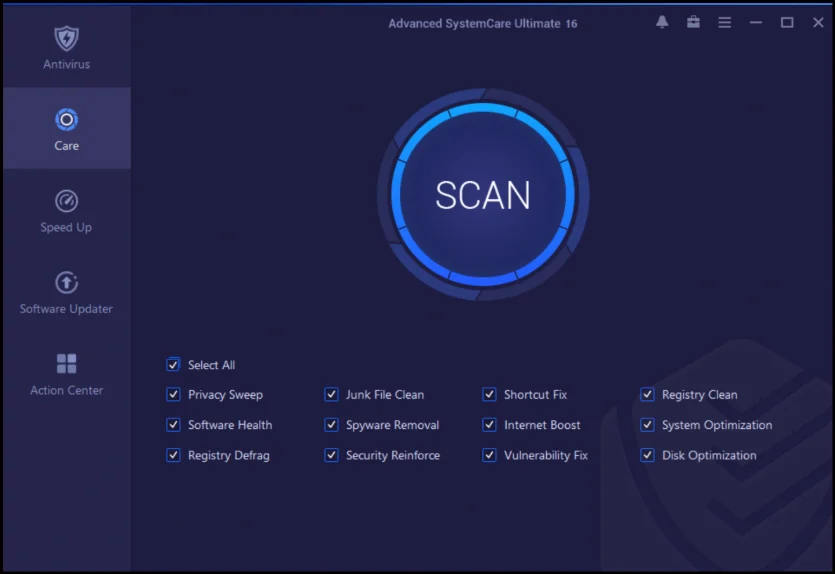
6. IObit Advanced SystemCare
Advanced SystemCare is a full-fledged PC optimizer that does everything you might expect from a business PC: junk file cleanup, startup management, privacy protection, and internet speed booster. The thing is, the Pro edition is what makes it suitable for the office.
URL: https://www.iobit.com/en/advancedsystemcarefree.php
Price: Free | Pro from $19.99/year
Supported OS: Windows XP, Vista, 7, 8, 10, 11
Pros:
- Has a suite of optimization tools
- Live monitoring identifies problems early on
- Pro edition comes with an internet speed booster and driver updater
Cons:
- The free version is very limited
- Registry cleaner identifies non-critical problems
- It can be confusing for novice users
Best for: Small business or office users looking for a maintenance suite
User Rating: 4.0/5
Our Test Outcome: Disk Space Freed: 4.2 GB | Boot Time Improvement: 25% faster
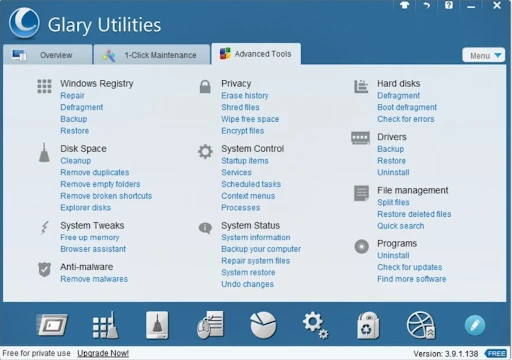
7.Glary Utilities
Glary Utilities has more than 35 tools in a single package, making it one of the most comprehensive and best pc cleaning programs. For commercial computers, it offers disk repair, duplicate file cleaner, registry cleaner, memory optimizer, and more.
URL: https://www.glarysoft.com
Price: Free | Pro from $19.97/year
Supported OS: Windows XP, Vista, 7, 8, 10, 11
Pros:
- 35+ tools in one package do it all
- 1-Click Maintenance makes cleaning up a breeze
- The free version is actually useful with no upsells
Cons:
- UI is cluttered and hard to navigate for beginners
- There's some redundancy in the features, which feels bloated
- Registry cleaners overstate the importance of many issues
Best for: Office users with technical know-how who need a multifunctional suite with fine-tuned control
User Rating: 4.2/5
Our Test Outcome: Disk Space Freed: 3.7 GB | Boot Time Improvement: 20% faster
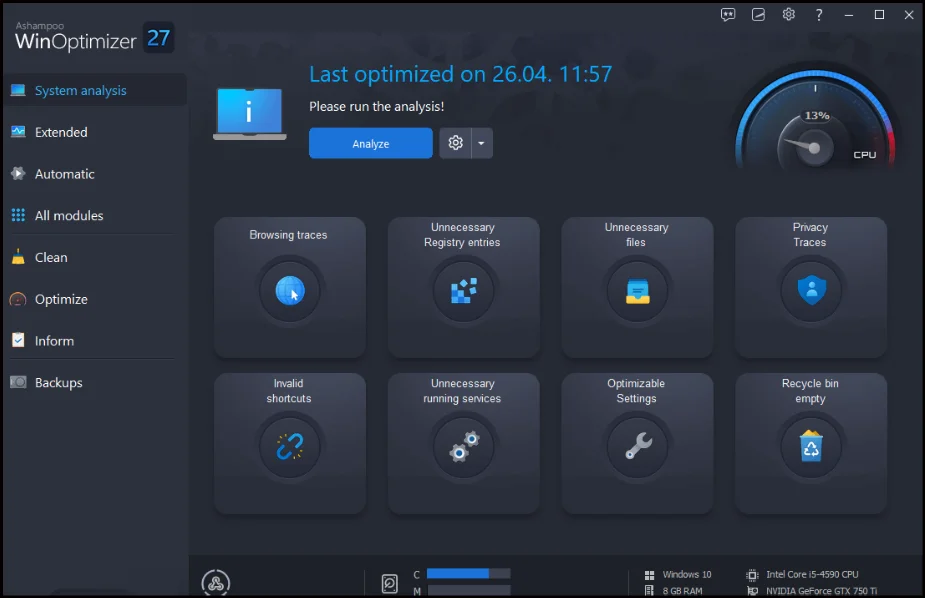
8.Ashampoo WinOptimizer
Ashampoo WinOptimizer is a tried-and-true best computer cleaning software for business users who need both cleanup and maintenance in a single package. It's comprehensive, secure, and from a company with a long history of producing clean and reliable software.
URL: https://www.ashampoo.com/winoptimizer
Price: Free version available | Paid from $29.99 one-time
Supported OS: Windows 7, 8, 10, 11
Pros:
- Attractive, user-friendly interface suitable for business users
- Includes internet tracker eraser, encryption, and privacy tools
- No subscription, just a one-time fee
Cons:
- Some features are only available in the paid version
- Scan times are slower than those of lighter tools
- Fewer automation features than similar-priced tools
Best for: Business users looking for a reliable, secure maintenance tool
User Rating: 4.1/5
Our Test Outcome: Disk Space Freed: 2.9 GB | Boot Time Improvement: 17% faster
Best PC Cleaner for Privacy and Secure Deletion
9.BleachBit
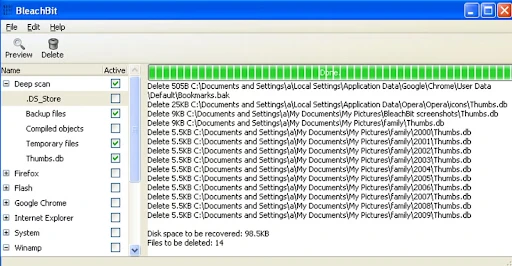
BleachBit is an open-source, best free computer cleaner for privacy-conscious users. It's more than a best freeware pc cleaner; it can securely delete files to prevent recovery, clean free disk space, and remove traces that other (closed-source) cleaners can't.
Price: Free and open-source
Supported OS: Windows XP, Vista, 7, 8, 10, 11
Pros:
- Open-source code is publicly available, with no backdoors
- Built-in secure file shredding and free space wiping
- No upsells, no bundled software, no tracking
Cons:
- Simple and scary-looking interface for non-techies
- Lacks a startup manager or system optimizer
- Cleaning options may cause apps to malfunction if not used correctly
Best for: Privacy-focused users and those with sensitive or confidential data
User Rating:4.3/5
Our Test Outcome:Disk Space Freed: 2.3 GB | Boot Time Improvement: N/A (not its focus)
10. Fortect
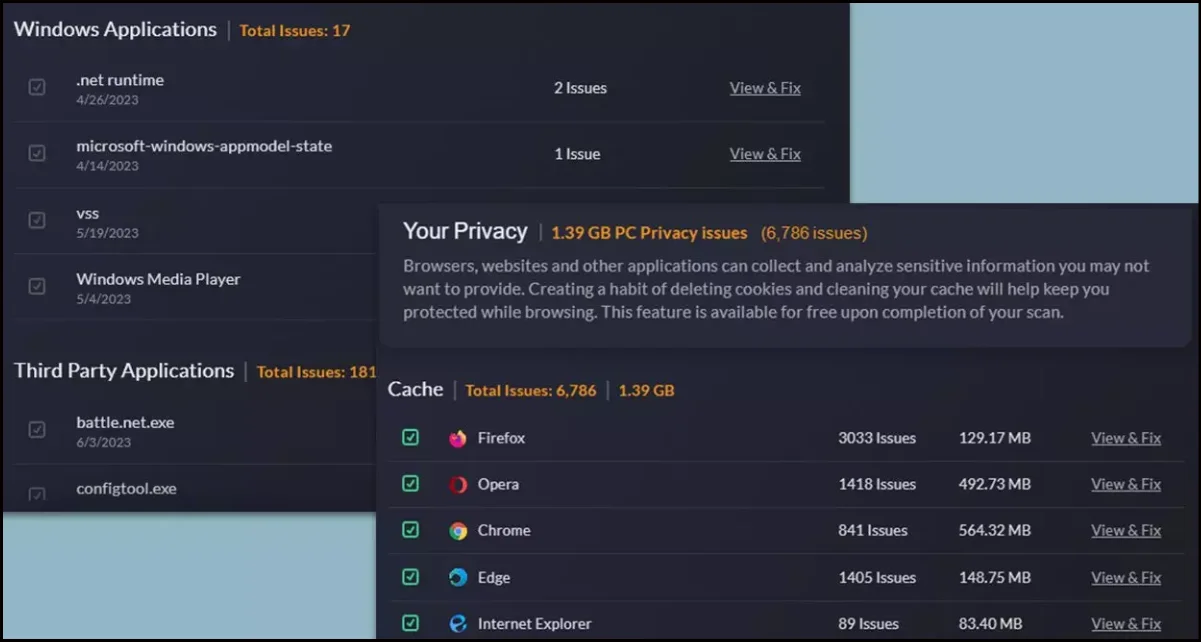
Fortect is more of a system repair and privacy tool than a cleaner. It excels at identifying damaged system files, identifying privacy issues, and securely removing sensitive information. If you're looking for a cleaner with system monitoring, it's a good choice.
Price:Free scan | Paid from $29.95/year
Supported OS:Windows Vista, 7, 8, 8.1, 10, 11
Pros:
- Scan reports are well-organised and explain all issues clearly
- Real-time malware protection and privacy cleaning
- Good at detecting registry issues that other programs miss
Cons:
- The free version is a scan-only, paid-to-clean
- More system resource-intensive scans
- Pushy sales process following the free scan
Best for: Those looking for system health reports and privacy protection
User Rating: 4.0/5
Our Test Outcome: Disk Space Freed: 2.1 GB | Boot Time Improvement: 14% faster
11. Outbyte PC Repair
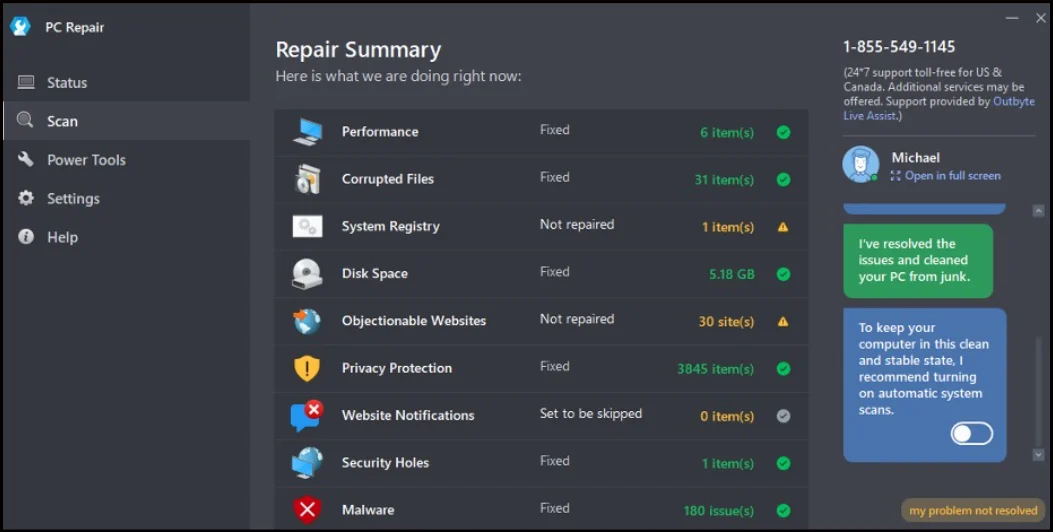
Outbyte PC Repair is a secure file deletion tool that also repairs system issues - damaged system files, old drivers, and privacy vulnerabilities. If you want to protect your privacy and repair your system, this is one of the more comprehensive tools.
URL: https://outbyte.com/pc-repair
Price: Free scan | Paid from $29.95/year
Supported OS: Windows 7, 8, 10, 11
Pros:
- Privacy and system file repair in a single package
- Driver updater and disk defrag are included in the suite
- One-click cleanup for junk, privacy, and system problems
Cons:
- Free trial only scans; repair needs a subscription
- May be aggressive with upsells following scans
- Driver updater sometimes shows current drivers as out-of-date
Best for: Those looking for privacy protection in addition to system repair and driver management
User Rating: 3.9/5
Our Test Outcome: Disk Space Freed: 2.6 GB | Boot Time Improvement: 16% faster
Part 3: Comparison Table: Which is the Best PC Cleaner?
| Tool | Price | User Experience | ContainAds | Optimize PC | Remove Duplicate Files | Disk cleanup | Clear Browser History | Force Uninstall | Game Booster | Disk Space Analyzer |
|---|---|---|---|---|---|---|---|---|---|---|
| WMaster Cleanup | Limited-time free | ⭐⭐⭐⭐⭐ | No | ✅ | ✅ | ✅ | ✅ | ✅ | ✅ | ✅ |
| Razer Cortex | Free | ⭐⭐⭐⭐ | No | ✅ | ❌ | ❌ | ❌ | ❌ | ✅ | ❌ |
| AVG TuneUp | $39.99/yr | ⭐⭐⭐⭐ | Limited | ✅ | ❌ | ✅ | ✅ | ✅ | ✅ | ❌ |
| CCleaner | Free/Paid | ⭐⭐⭐⭐ | Yes (free) | ✅ | ❌ | ✅ | ✅ | ✅ | ❌ | ❌ |
| Wise Disk Cleaner | Free | ⭐⭐⭐⭐ | No | ❌ | ❌ | ✅ | ✅ | ❌ | ❌ | ❌ |
| Microsoft PC Manager | Free | ⭐⭐⭐⭐ | No | ✅ | ❌ | ✅ | ❌ | ❌ | ❌ | ❌ |
| IObit Advanced SystemCare | Free/Paid | ⭐⭐⭐ | Yes (free) | ✅ | ❌ | ✅ | ✅ | ✅ | ❌ | ❌ |
| Glary Utilities | Free/Paid | ⭐⭐⭐⭐ | No | ✅ | ✅ | ✅ | ✅ | ✅ | ❌ | ✅ |
| Ashampoo WinOptimizer | Free/Paid | ⭐⭐⭐⭐ | No | ✅ | ❌ | ✅ | ✅ | ✅ | ❌ | ✅ |
| BleachBit | Free | ⭐⭐⭐ | No | ❌ | ❌ | ✅ | ✅ | ❌ | ❌ | ❌ |
| Fortect | Scan free | ⭐⭐⭐ | No | ✅ | ❌ | ✅ | ✅ | ❌ | ❌ | ❌ |
| Outbyte PC Repair | Scan free | ⭐⭐⭐ | No | ✅ | ❌ | ✅ | ✅ | ❌ | ❌ | ❌ |
Part 4: Use Cases and Editor's Recommendations
How I tested these tools: I tested each cleaner on two Windows computers: a mid-spec Windows 11 PC and a low-spec Windows 10 laptop with 4 GB of RAM that I use as a gaming PC too.
Best computer cleanerfor Gaming PCs:
Winner: Game Booster
Game Booster by WMaster Cleanup is my favorite for gaming PCs, and it's not only for pre-game cleanup; it is simply the best. This feature will suspend unnecessary background processes, free up system resources for your game, and improve your FPS by up to 30% in real time.
💡Tips:Pair it with Disk Cleanup and Clearing Cache for excellent gaming sessions.
Best pc cleaner for Old / Low-End PCs
Winner: Microsoft PC Manager
Microsoft PC Manager is a Microsoft product, which means it has the trust factor. Here, too, WMaster Cleanup is worthwhile: light, fast, and reliable.
Best PC Cleaner for Office and Business PCs
Winner: Glary Utilities
With Glary Utilities, you will have 35+ tools to manage your multiple office machines' cleanup. Whereas, if you require a clean interface that doesn't need tech skills, then Ashampoo WinOptimizer is better.
Best PC Cleaner for Privacy and Secure Deletion
Winner: BleachBit
Unlike competitors like CCleaner or Iolo, BleachBit prioritizes transparency and security over profit. It is the only program here whose code you can verify.
Part 5: Tips: How to Use a PC Cleaner Safely
Pre-Clean Checklist
- Make a restore point: Control Panel - System - System Protection - Create. If the clean causes problems, you can undo it immediately.
- Back up important files: A good cleaner won't delete your files, but a backup is free, and it eliminates worry.
- Set exclusions: If you have files or folders you don't want the cleaner to touch, add them to the exclusion list before running the cleaner.
Recommended Settings for Beginners
For first-time PC cleaners, be cautious:
- Clean only junk files and temp files first.
- Don't clean the registry; it won't help much, and it could cause problems.
- Look at the scan results before you click Clean.don't just blindly click.
- Don't use software that promises "one-click" solutions to hundreds of "critical errors"; that's usually overblown.
How Often Should You Run a PC Cleaner?
- Light users (browsing, Office): Once a month.
- Power users (lots of downloads, installs, games): Once a fortnight.
- Corporate computers (multiple users): Weekly, preferably automated.
- After installing or removing large software, clean up to remove installer files.
💡Tips:Don't over-clean.There's no point using a PC cleaner every day, and some (especially those with registry cleaners) can be unstable if used too often. Once a month or every two weeks is a good rule of thumb.
Part 6. Hot FAQs About PC Cleaner
Q1. Can I use a free pc cleaner?
Yes, if it's from a reputable company. It's not "free" vs "paid" that's the problem; it's "reputable" vs "sleazy." BleachBit, Wise Disk Cleaner, and Microsoft PC Manager are all reliable and safe. Make sure to check on VirusTotal before using anything new.
Q2. Will a PC cleaner make my PC faster?
If it's slow due to junk, yes, definitely. If your computer is sluggish due to a full hard drive, bloated startup programs, or a browser cache, a PC cleaner will help. If it's a hardware problem (old hard drive, low memory), a cleaner won't help, and you need to upgrade your RAM.
Q3. Will PC cleaners remove my photos?
No cleaner will delete your files. They delete temporary files, cache, cookies, and other junk. But always check the scan results before hitting Clean on any new cleaner you're trying for the first time.
Q4. Should I use CCleaner in 2026?
CCleaner works, but its ownership (Avast/NortonLifeLock) and the 2017 supply-chain attack are notable. The latest version is safe, but if you are still concerned, WMaster Cleanup is one of the exceptional CCleaner alternatives for Windows in 2026. In addition to what CCleaner offers you, it offers you a lot more, like advanced cleanup tools with no ad pop-ups.
Q5. How much space can a PC cleaner save?
I've seen anywhere from 1.4 GB to more than 4 GB on a typical PC. This varies based on how long it's been since your last clean, the number of apps you have installed, and your web browsing habits. The largest gains are often found on computers that have never been cleaned.
Final Words
When it comes to the best computer cleaner, it depends on your PC and your level of involvement. Gamers have different needs than privacy-minded users. Whereas old laptops need lightweight tools. Similarly, work computers need automation.
My favorite for regular use is WMaster Cleanup. It does disk clean-up, duplicate file removal, cache cleaning, force removal of unwanted apps, and scheduled clean-up. What's more? It just keeps your Windows system lean and works like a powerhouse for PC performance. With its built-in feature, Game Booster, you can optimize your system and ensure a lag-free, smooth gaming experience.


