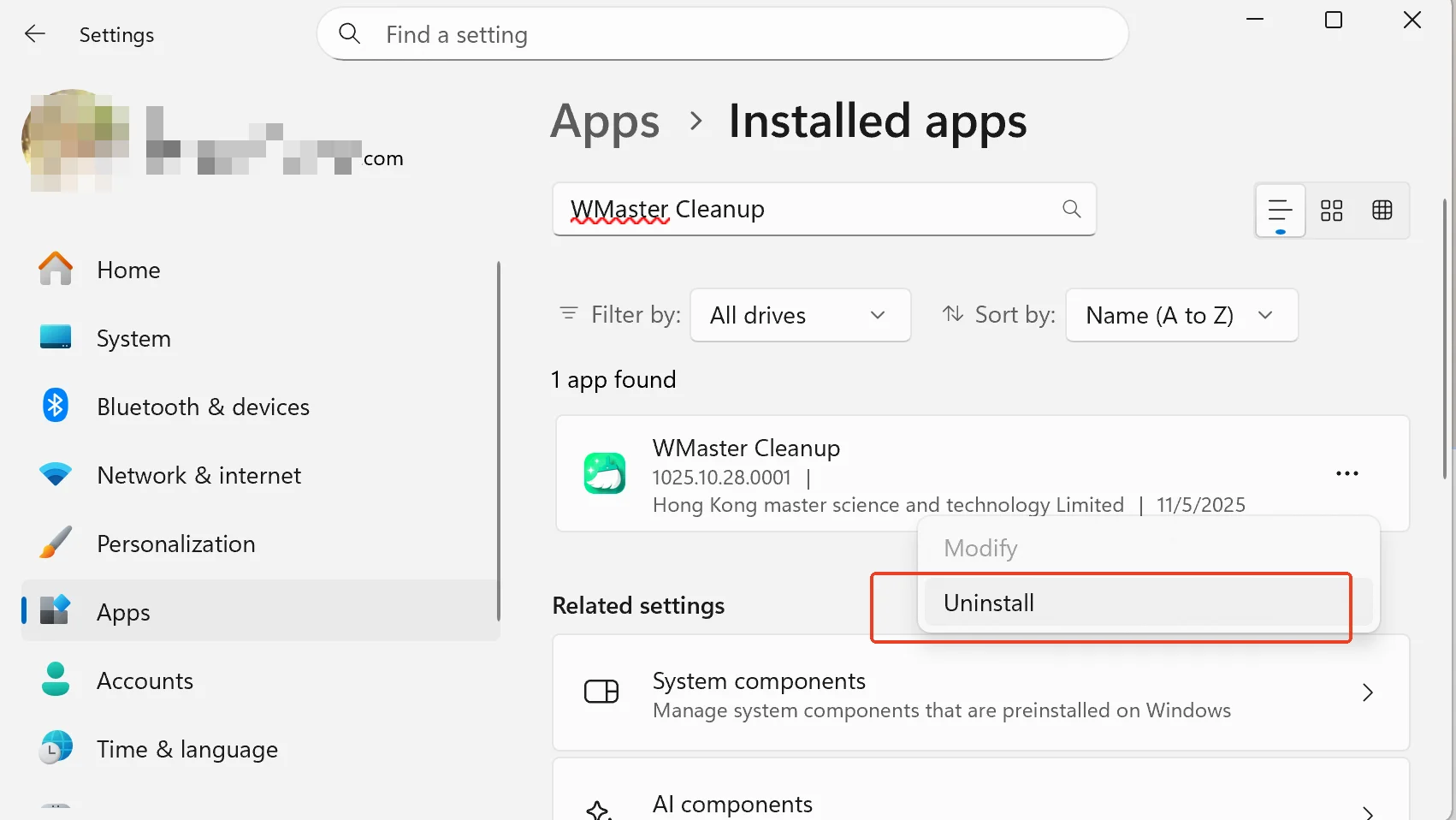
Welcome to use WMaster Cleanup. If you are not satisfied with our product, you can choose to uninstall WMaster Cleanup with the following methods.
Method 1: Uninstall WMaster Cleanup Through Control Panel on Windows 11/10/8/7
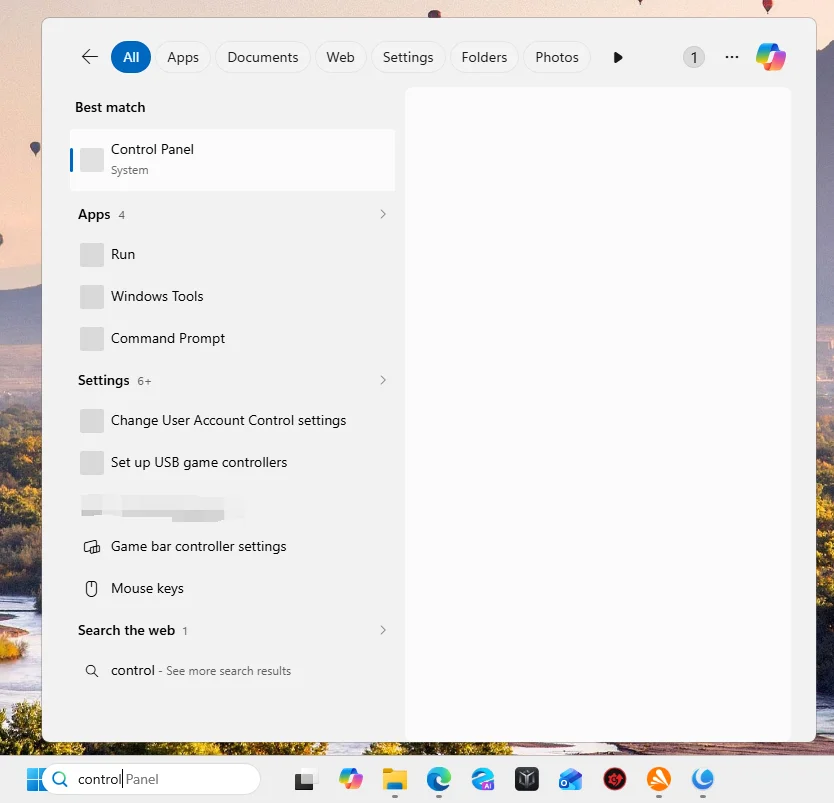
Step 1: Click "Start" on the bottom Left of your screen.
Step 2: Then click "Control Panel".
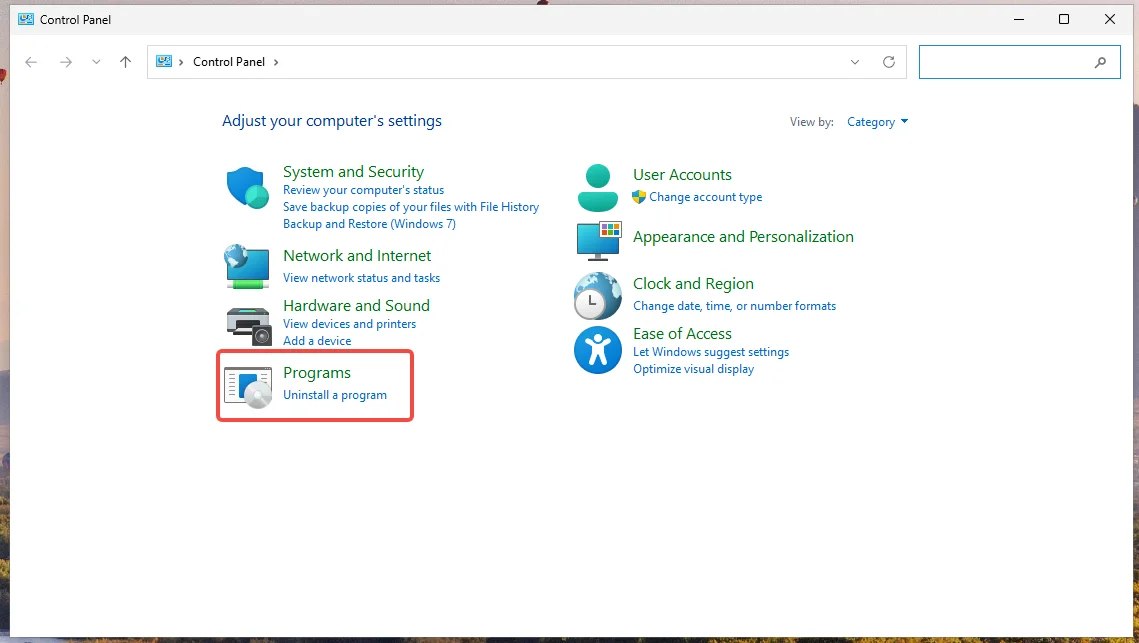
Step 3: Next click "Programs".
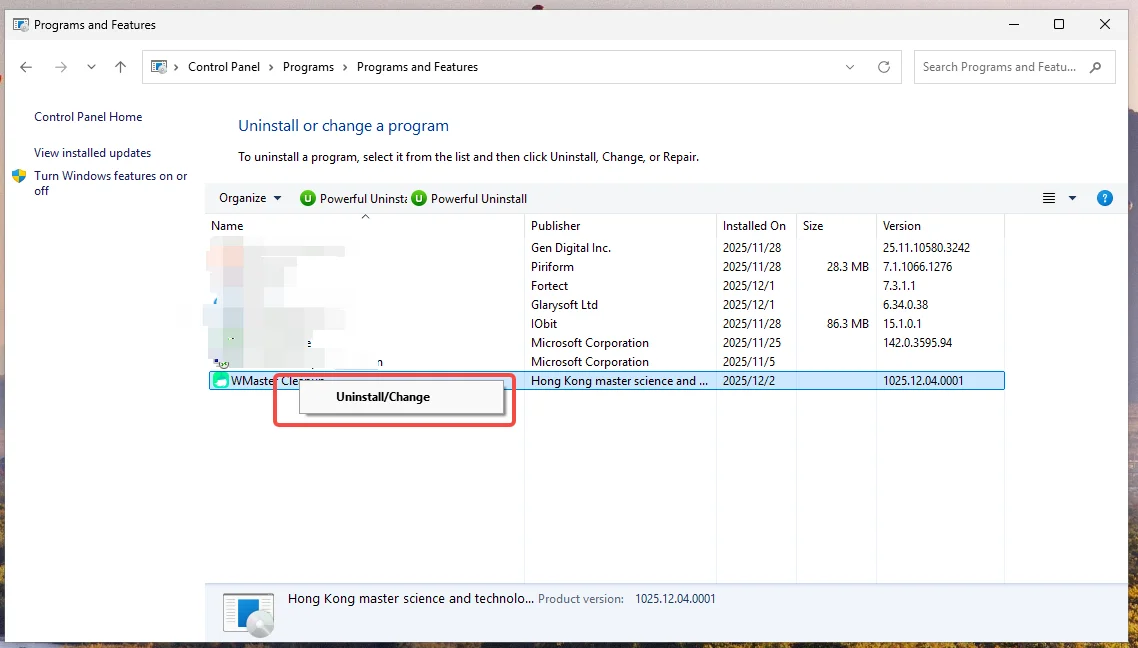
Step 4: Find the software that you wish to uninstall, then click "Uninstall/Change".
Method 2: Uninstall WMaster Cleanup on Windows 11
Step 1: Click Windows Start , find "Settings".
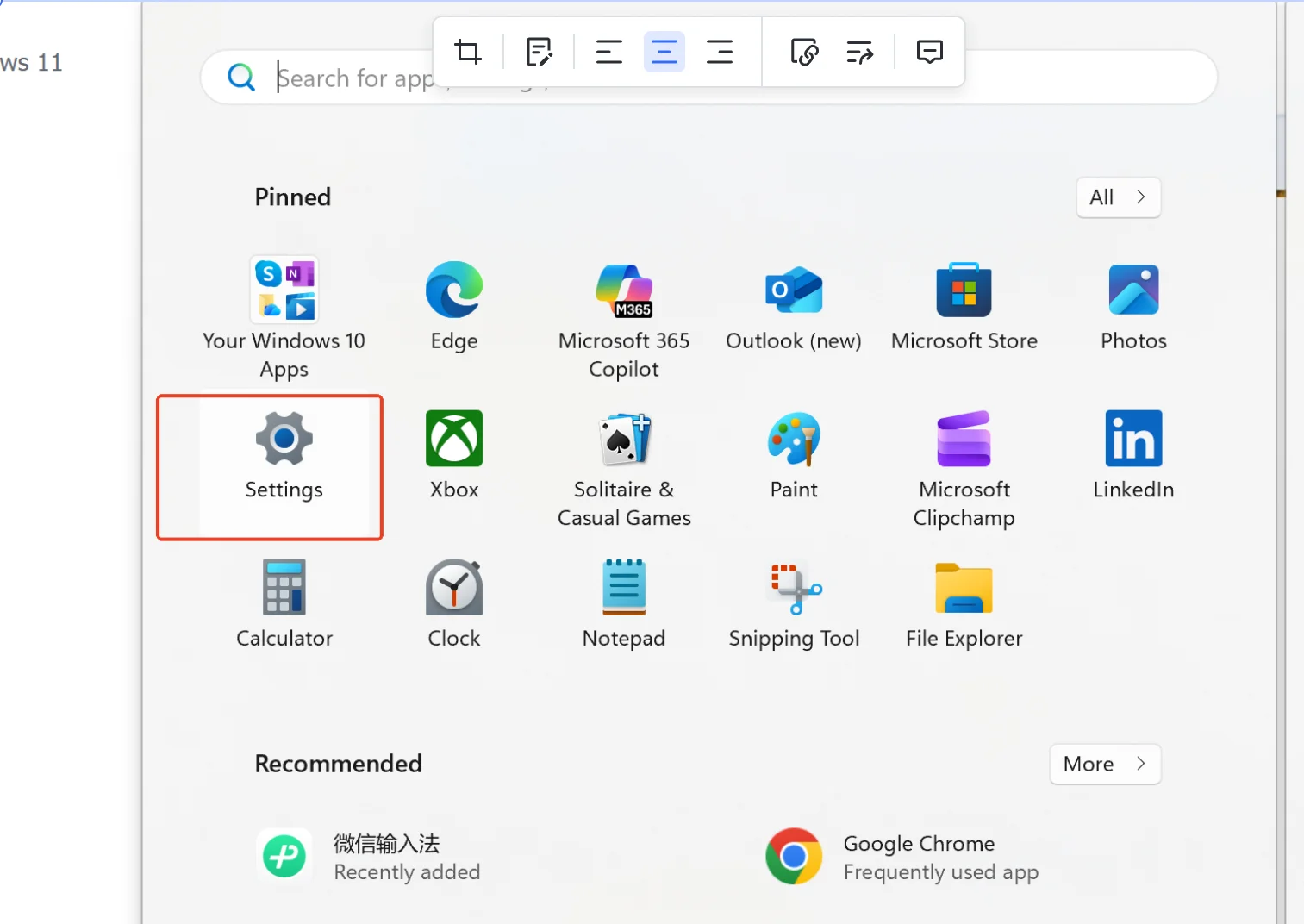
Step 2: Click"Settings", navigate to "Apps".
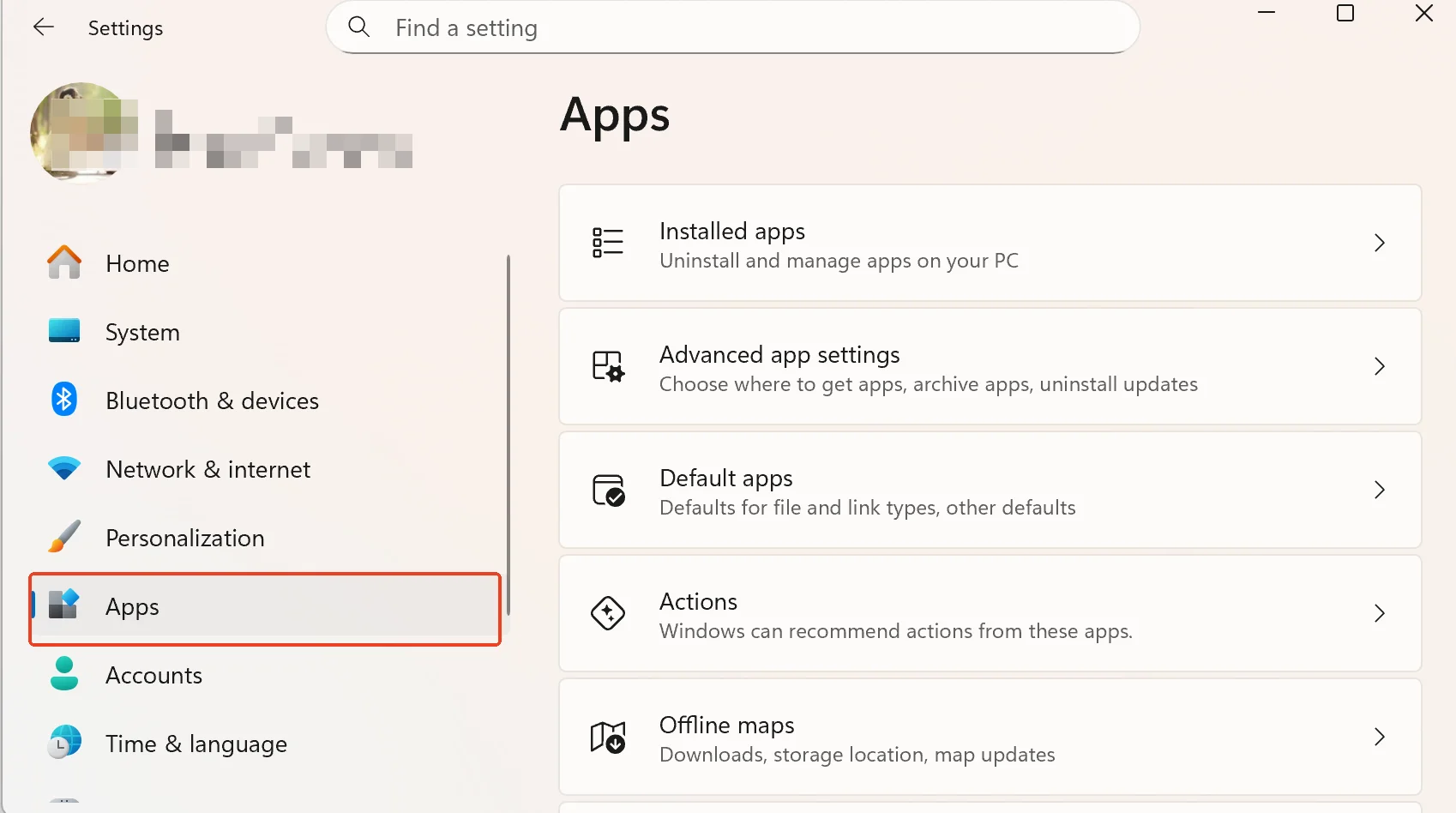
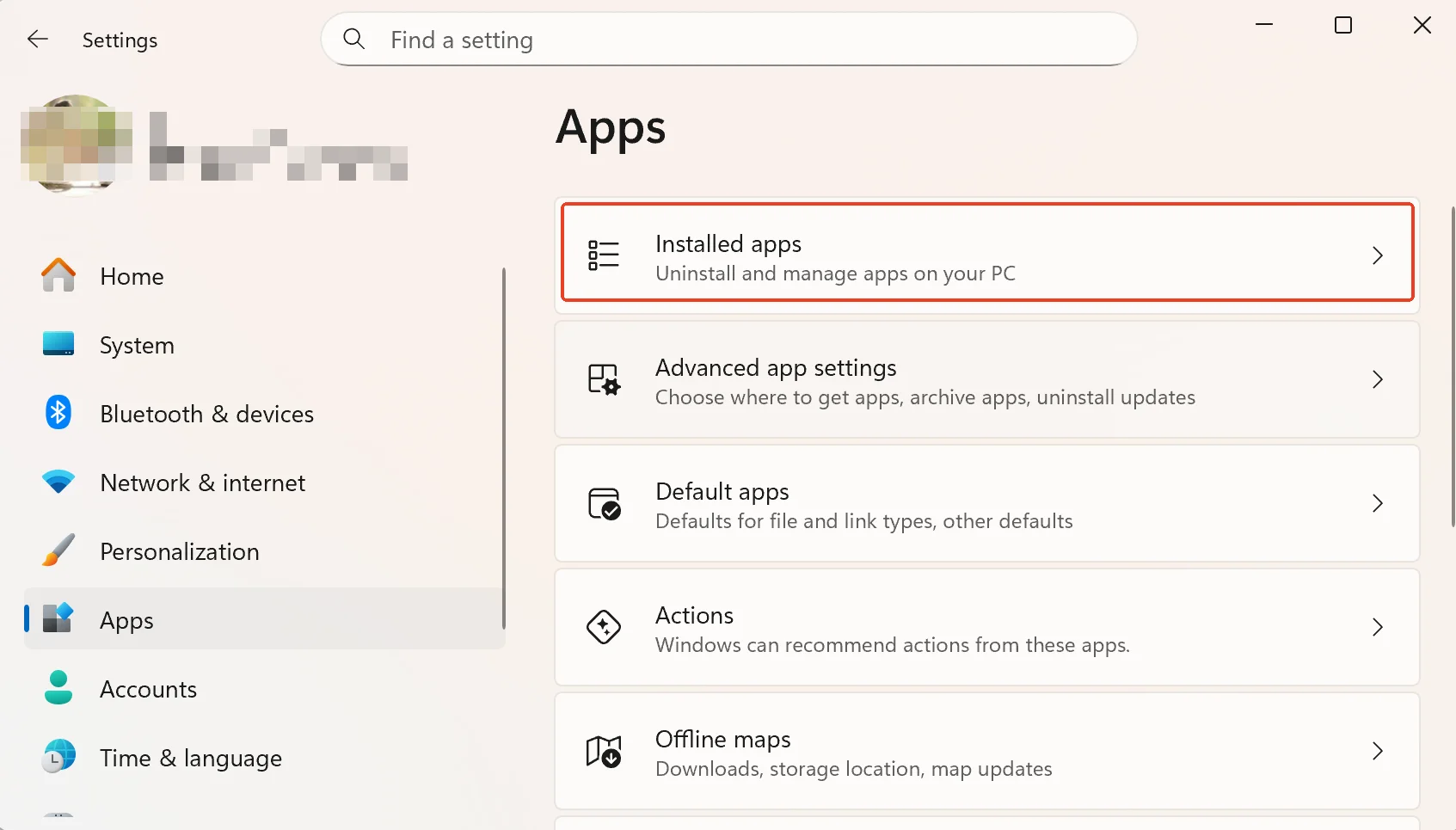
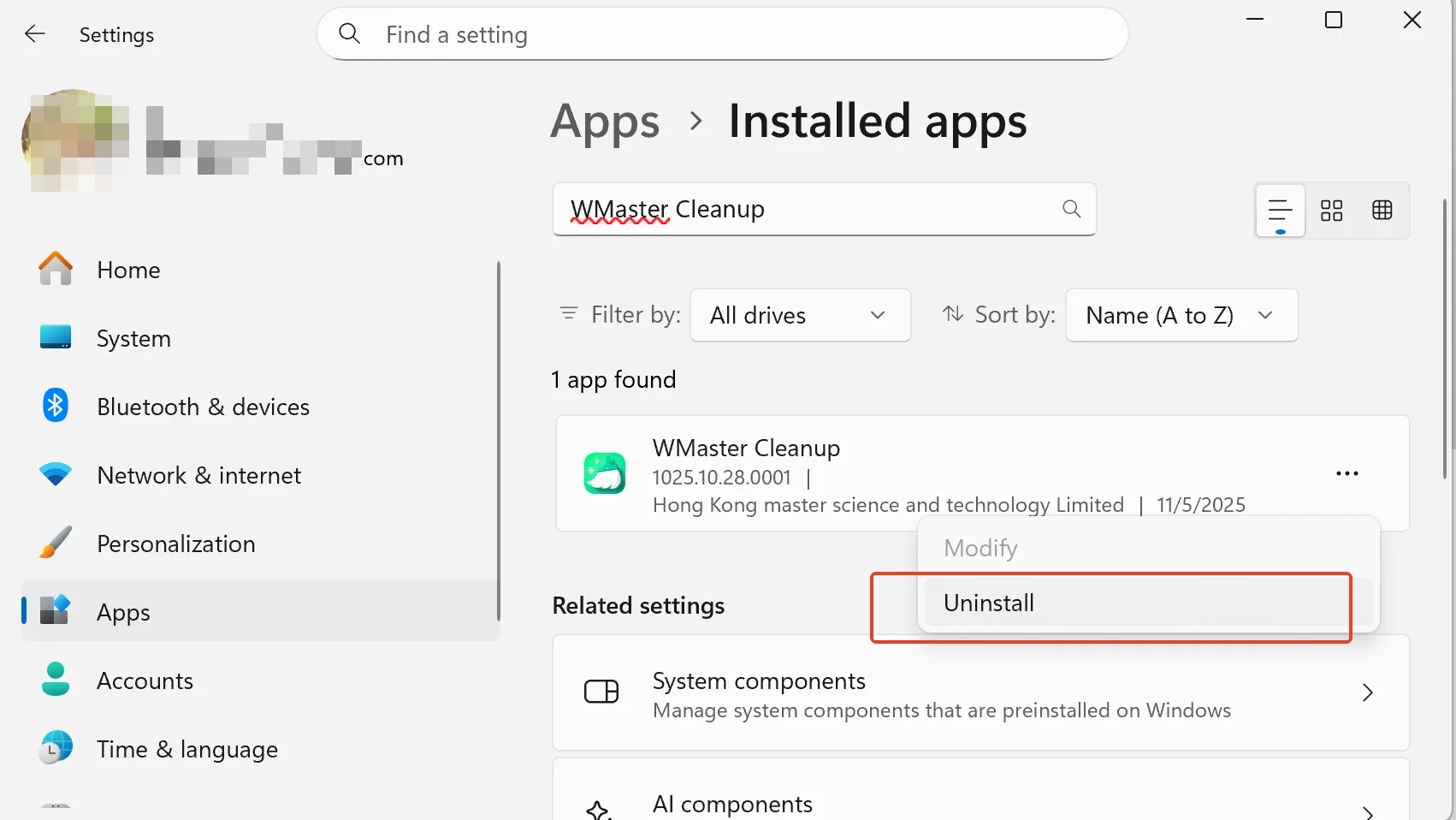
Step 3: Click "Installed Apps", search by typing the words" WMaster Cleanup".
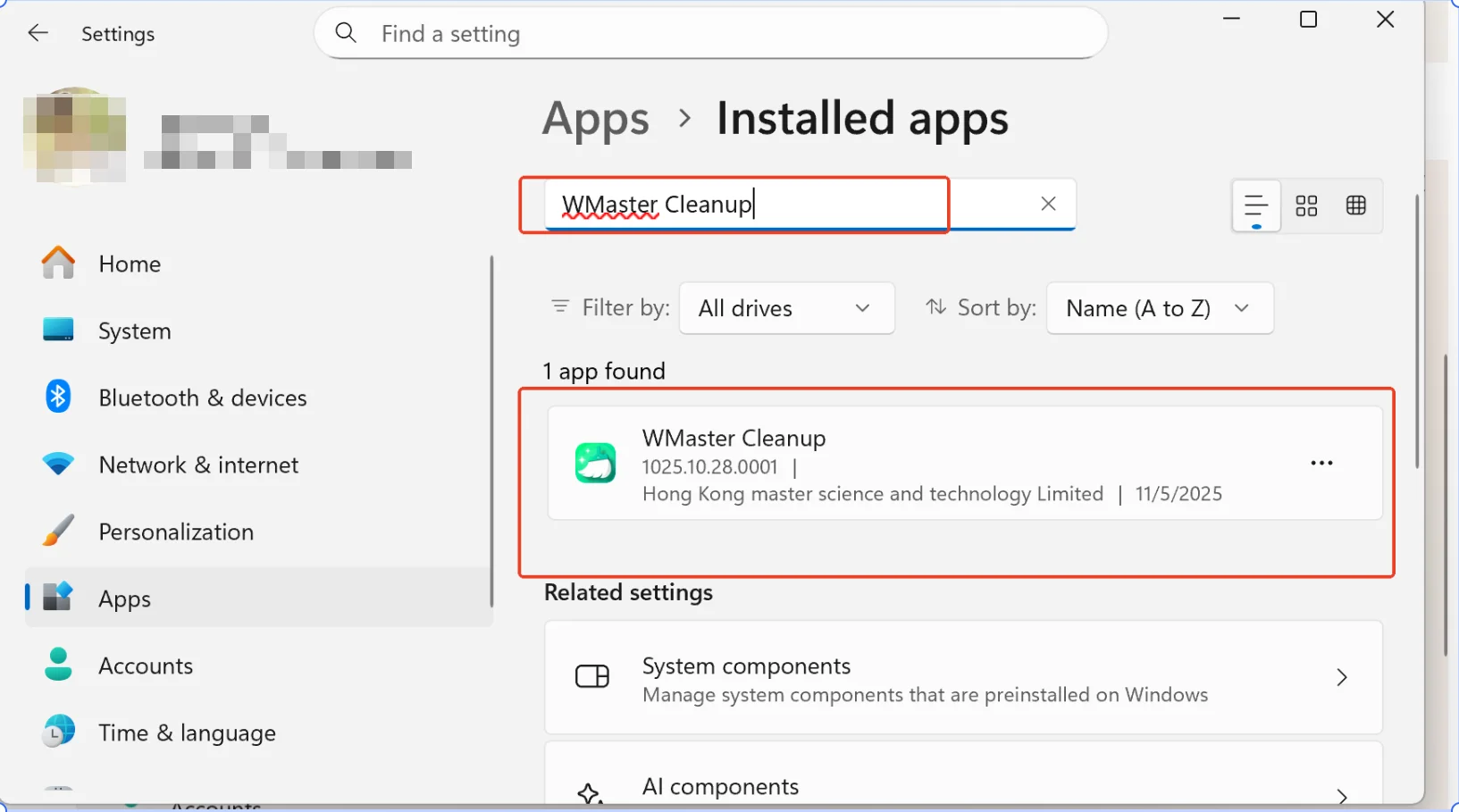
Step 4: Click the three dots behind the WMaster Cleanup, and finally click"Uninstall".
Method 3: Quickest Way to Uninstall WMaster Cleanup on Windows 11
Step 1: Go to the search bar , search for typing the words "WMaster Cleanup".

Step 2: Then you will see the “Uninstall WMaster Cleanup” option, click it.
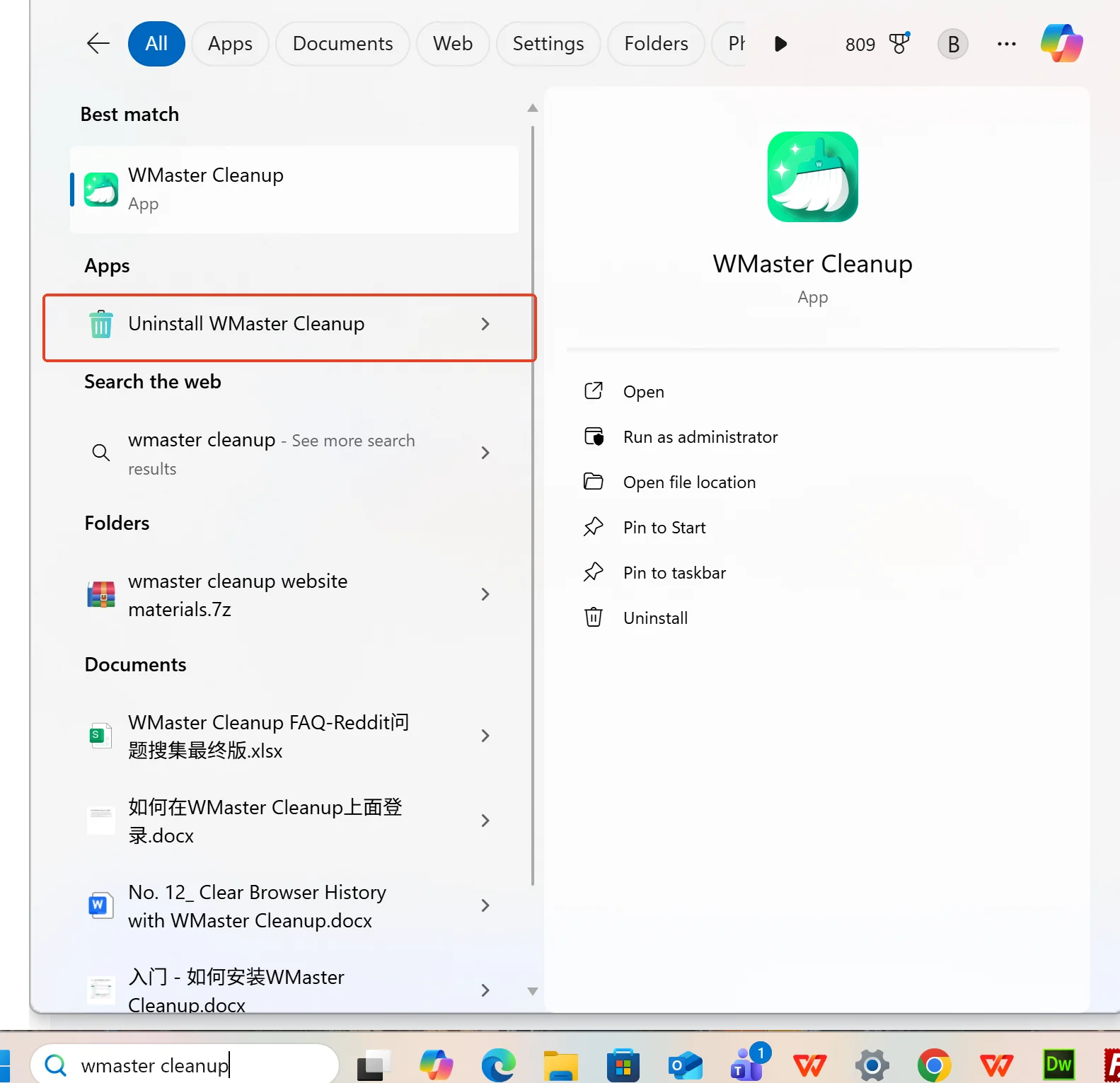
Step 3: Finally, click "Uninstall".