


Whenever you re-download, sync, compress, or add a filter to your video, your device saves a new version rather than editing the original one. This redundant file creation quickly fills up your device's storage. Here, a reliable duplicate video finder is useful for scanning your entire drive to find duplicate videos in minutes.
After trying and testing some of the top-rated tools, in this writeup, I have listed the top 10 video duplicate finders in 2026 for you-no matter what device you use, Windows, Mac, or mobile, or if you prefer an online solution.But first, let's know about what a duplicate video finder is and why you need it.
In this article
- What Is a Video Duplicate Finder?
- Why You Need a Duplicate Video Finder?
- The 10 Best Video Duplicate Finders for Windows/Mac/Online/Mobile
- Comparison Table: 10 Video duplicate finders at a Glance-Which Is the Best Duplicate Video Finder
- Why Is It Beneficial to Clean Duplicate Videos?
- FAQs About Video duplicate finders
Part 1: What Is a Video Duplicate Finder?
A video duplicate finder is an app or tool that scans your storage, including external disks, local drives, cloud folders, etc., and helps you identify video files that are visually similar or identical. These tools generally rely on
- hash-based algorithms to detect exact matches
- perceptual hashing to identify similar content
Once the duplicate videos are detected, this software also helps you safely remove them from your devices, freeing up plenty of storage space.
Why Duplicate Videos Are a Bigger Problem Than Photos?
Photos are small. A burst of 20 shots might take up 40-50 MB total. But one duplicate 4K video clip? That's easily 4-8 GB of storage used by a single file on your device. The scale of the problem is entirely different, and it compounds fast.
- Duplicate videos take much more storage space compared to duplicate photos.
- Google Drive, iCloud, and Dropbox all charge by storage. Every duplicate video sitting in your cloud is money wasted every single month.
- Tools like Plex and Kodi have to index every file in your library. Duplicates force them to process the same content twice-or more-making browsing noticeably slower.
- Large video files fragment your storage over time. The more fragmented your drive, the slower your read and write speeds get across everything- not just video playback.
Part 2: Why You Need a Duplicate Video Finder?
Duplicate videos silently eat up GBs of storage, which increases your cloud backup costs and clutters your media library. To resolve these issues, a duplicate video finder can scan your drive and remove them in minutes. Duplicate videos don't just appear out of nowhere; they build up over time.
- Importing a memory card more than once is one of the most common problems, as it takes just a moment to make two identical copies of the same footage.
- Downloaded content is another major offender: streaming saves, re-downloads, and browser captures have a habit of landing in different folders without you realizing the file already exists somewhere on your drive.
- Video editing can also add a layer of clutter for you, as every exported draft or rendered version of a project leaves behind a near-duplicate of the original, accumulating files.
- Cloud sync services like Dropbox and Google Drive can make things worse. When you link your same account to multiple devices, synced copies can appear in more locations than you desire.
What Should You Look for in a Video Duplicate Finder ?
To find the best video duplicate finder, look for exact and similar video detection, support for a wide range of video formats, and safe deletion options such as the Recycle Bin or backup support.
Here are a few things to help you pick the right duplicate finder.
- Should recognize major video formats without gaps- MP4, AVI, MKV, MOV, WMV, FLV, and HEVC/H.265.
- The tool shows both files at once so you can easily choose which to delete.
- Take out manual work by auto-selecting duplicates based on their size, date, or folder.
- It should enable you to delete all selected duplicates inone click rather than file by file.
- The video duplicate findershould quickly scan a large video library without eating up your CPU or RAM.
- Moves deleted video duplicates to the Recycle Bin or Trash so that you can recover them.
- You should be able to keep a recovery option open in case you accidentally delete something that you actually need.
- The interface should be simple and intuitive enough that both pro and non-techie users can run a full scan.
Part 3: The 10 Best Video Duplicate Finders for Windows/Mac/Online/Mobile
Best Video Duplicate Finder- WMaster Cleanup
For Windows users, my first recommendation would be WMaster Cleanup, which is a Windows-based PC optimizer tool that does more than just finding and deleting duplicates . What sets it apart from other duplicate scanners is its full optimization suite and features, like disk cleanup, clearing cache , application uninstallation , and duplicate detection all in one place.
I tested WMaster Cleanup on my Windows 11 system with a 1.2 TB media library of over 5,000 video files. It finished the scan in under 5 minutes and flagged 14.3 GB of duplicate videos-including re-encoded files that every other free duplicate video remover I tested completely missed.
WMaster Cleanup
Remove Duplicate Videos in One Click
- · Hash-Based Exact Match: You can scan video files to find all exact copies without false positives.
- · Perceptual Similarity Scan: Detects re-encoded videos, which hash-only tools cannot.
- · Preview for safe deletion: Pulls up both files side by side so the wrong copy never gets removed.
- · Smart Auto-Mark Rules: lets you auto-mark files as duplicates based on your criteria.
- · Recycle Bin Support: Deleted files go to the Recycle Bin, giving you a full recovery window.

How to Use WMaster Cleanup to Find and Delete duplicate video- Step by Step
Step 1: Download and Install WMaster Cleanup
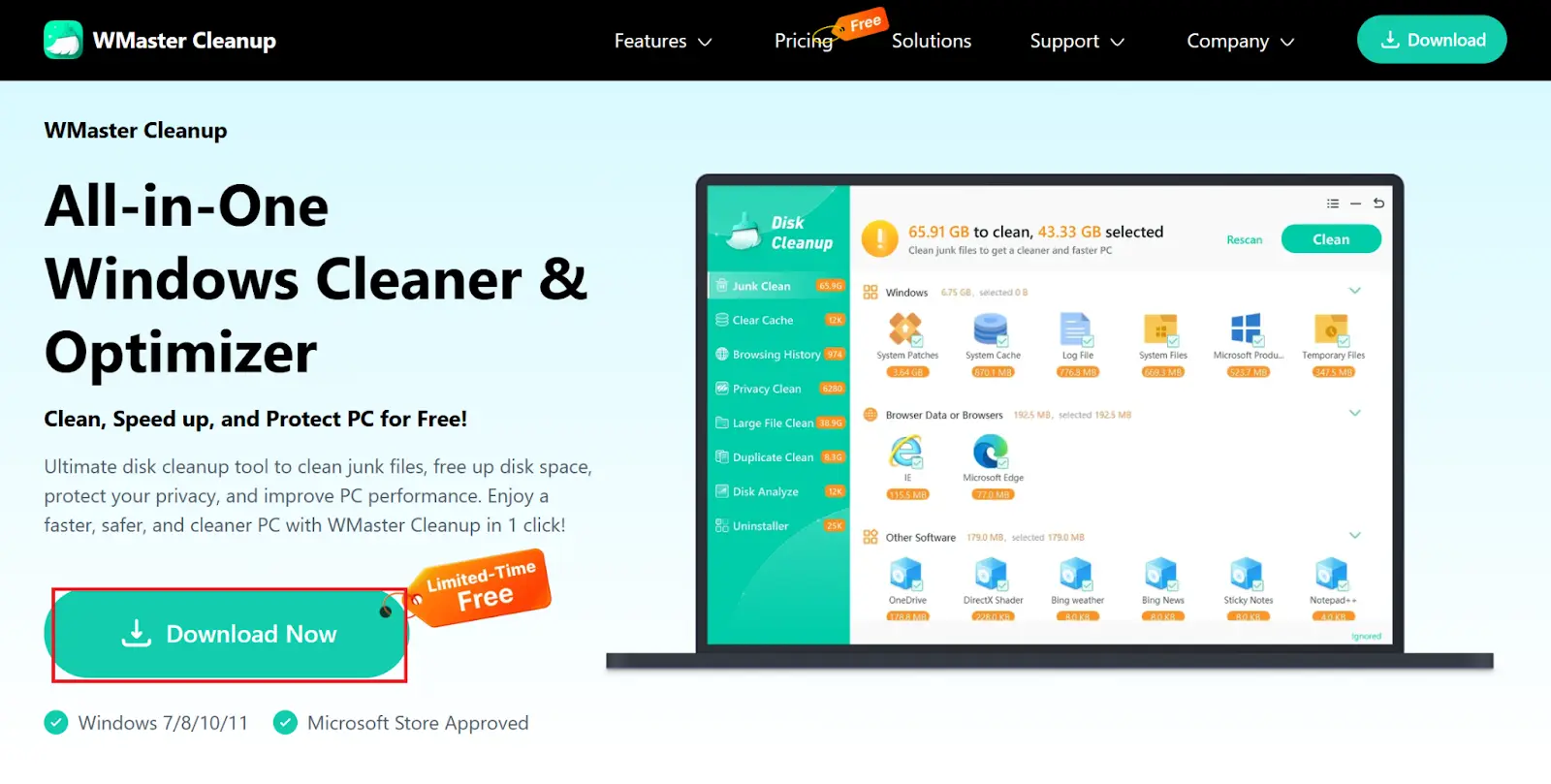
Visit WMaster Cleanup's official website. Click Download Now to download the tool. Once downloaded, install the tool on your device.
Step 2: Select Duplicate Clean and Choose Videos
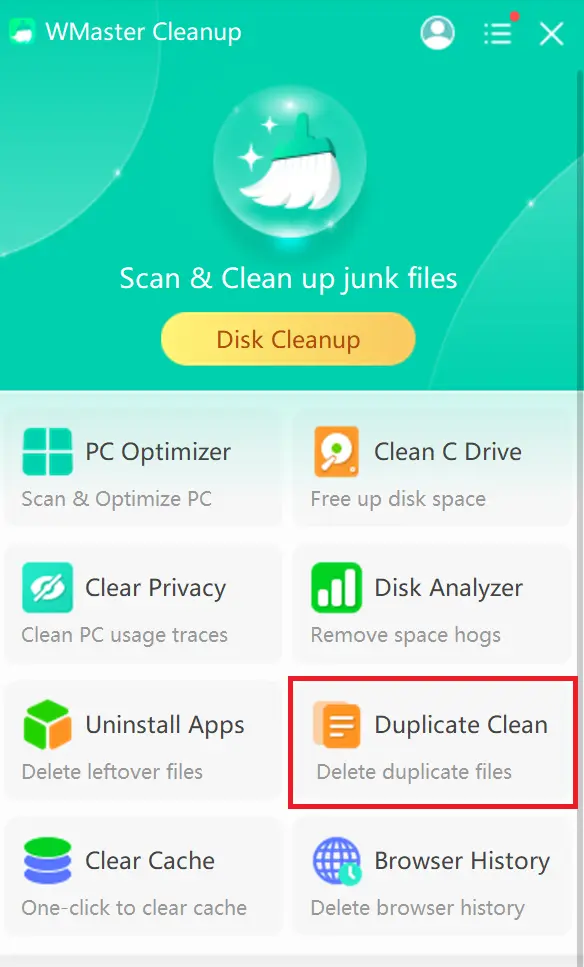
Head to WMaster Cleanup. Now, select Duplicate Clean on the home screen.
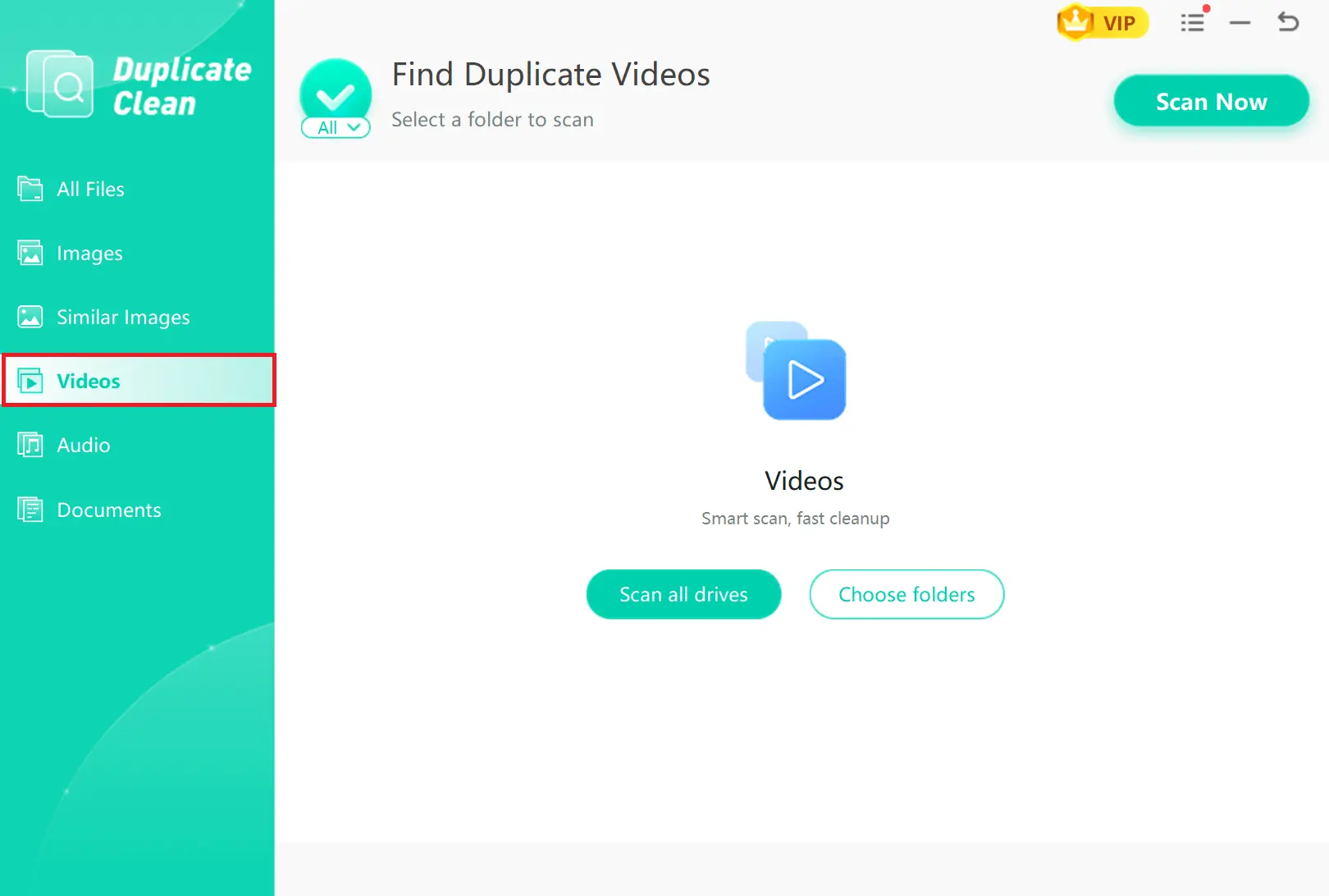
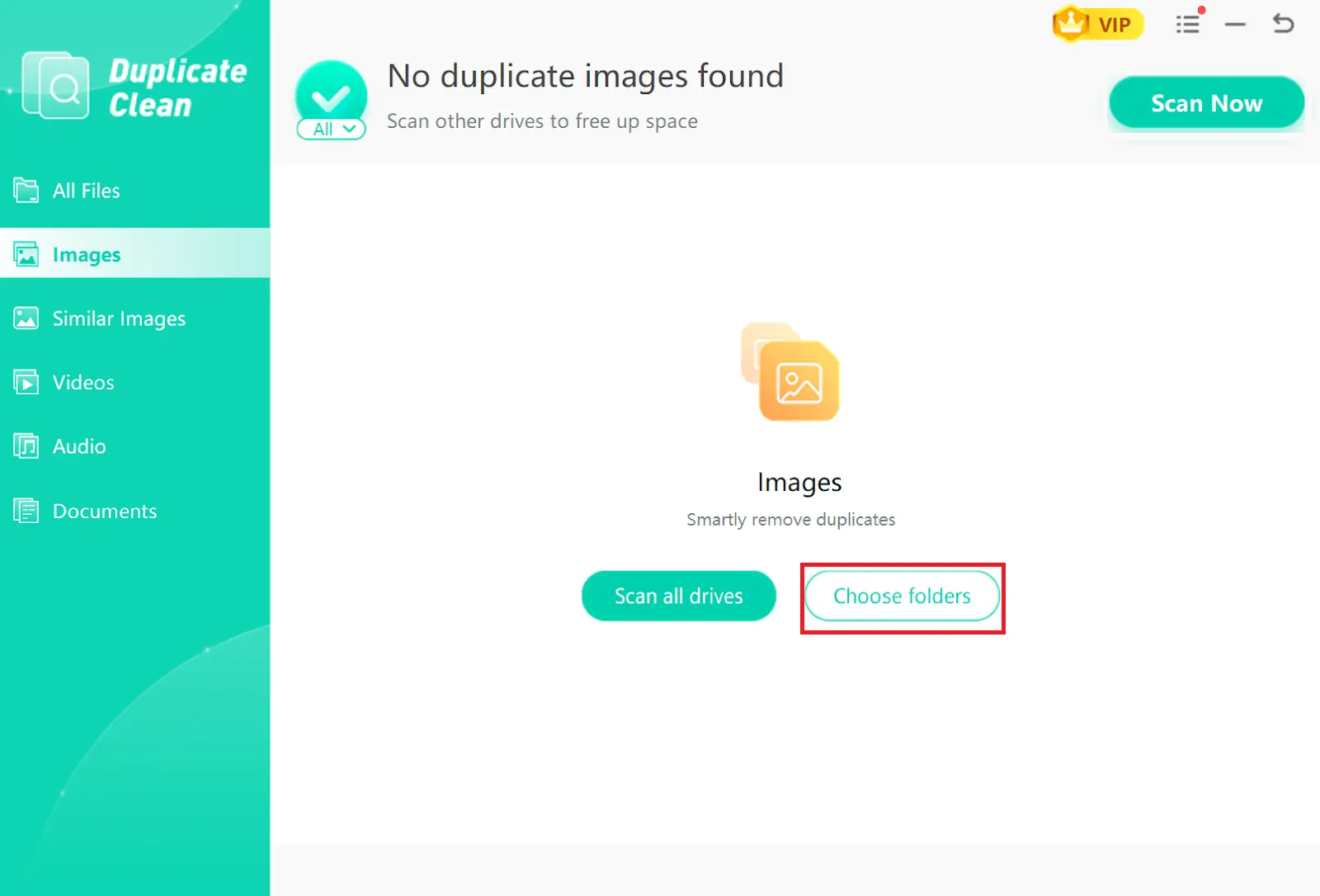
Next, click Videos on the left-side menu to filter your scan to video files only.
Step 3: Select the Folders for Scanning
Next, select "Choose Folders" and add the folders you wish to scan. The scan starts automatically once folders are selected.
Step 4: Delete the Duplicate Videos
Look through the flagged duplicates and confirm the selection looks right. Click To Trash, then hit Confirm, and they are gone.
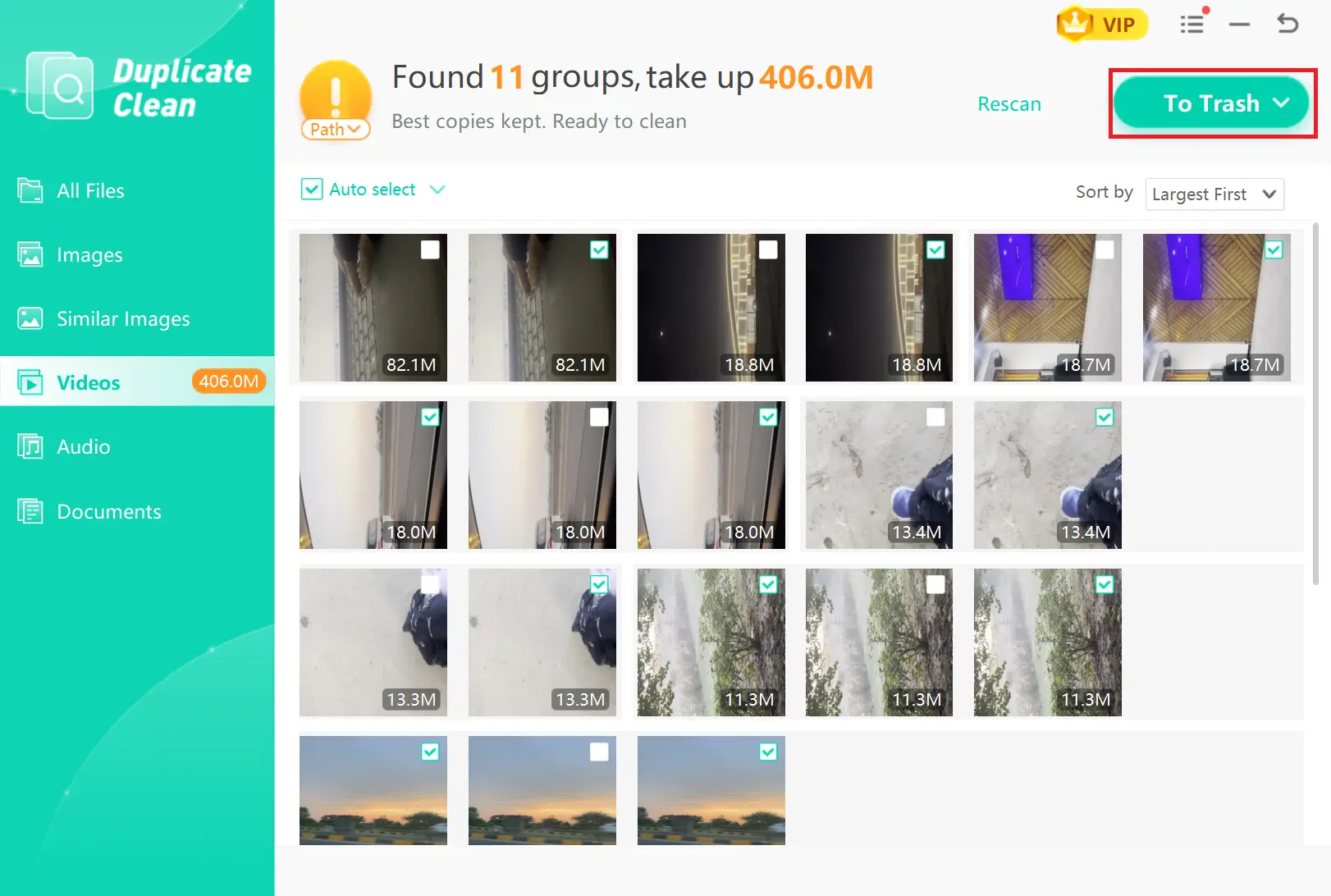
💡Tips:Don't forget to remove the deleted duplicate videos from the Recycle Bin to permanently delete them from your device.
If you are looking for an all-in-one tool that can deeply clean your Windows PC , WMaster Cleanup can remove junk files, temp files, hidden files, and all the digital clutter within a few seconds.
2.Duplicate Cleaner Pro (Windows)
Website: Duplicate Cleaner Pro
Price $54.95
Rating ★★★★☆ (4.3/5)
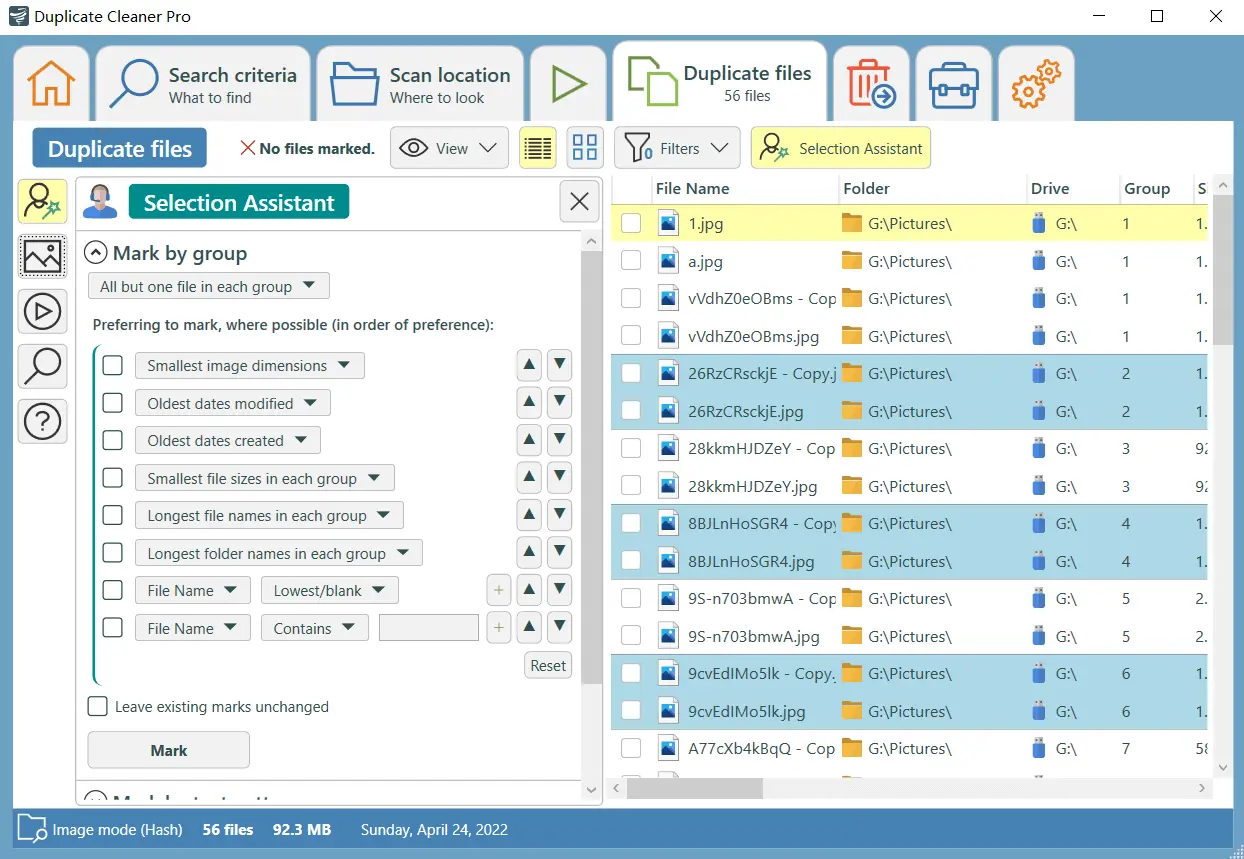
Duplicate Cleaner Pro is one of the most established Windows duplicate finders on the market, offering a dedicated video comparison engine alongside its standard file scanning module. It uses CRC hash matching to catch duplicates.
Pros
- You are enable to find compressed video duplicates
- You can apply multiple modes for file viewing
- This tool supports multiple video formats
Cons
- The interface is a little complex for non-techies
- The tool feature are overwhelming for beginners
- Most users finds it a bit expensive
3.dupeGuru (Windows)
Website dupeGuru
Price Free (Open Source)
OS Windows / Mac / Linux
Rating ★★★☆☆ (3.4/5)
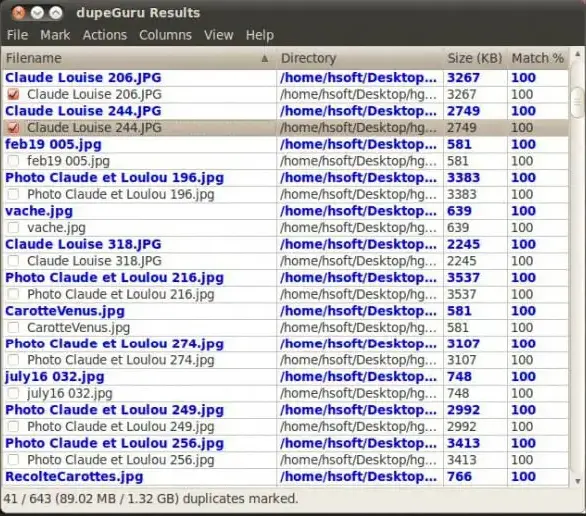
dupeGuru is a free, efficient video duplicate finder free that helps you find duplicates in minutes. Being an open-source tool, this is highly accessible and is available across Windows, Mac, and Linux. The best part? dupeGuru is customizable, so you can tweak it to find duplicates your way. Users have generally considered this tool completely safe to use.
Pros
- This tool is free and open source
- It's non-complex and lightweight
- You can customize the settings
Cons
- It lacks a built-in preview
- The tool is not very user-friendly
- You can use it across different platforms
4.Easy Duplicate Finder (Windows)
Website Easy Duplicate Finder
Price Free (limited) / $29.95 Pro
Rating ★★★★☆ (3.9/5)
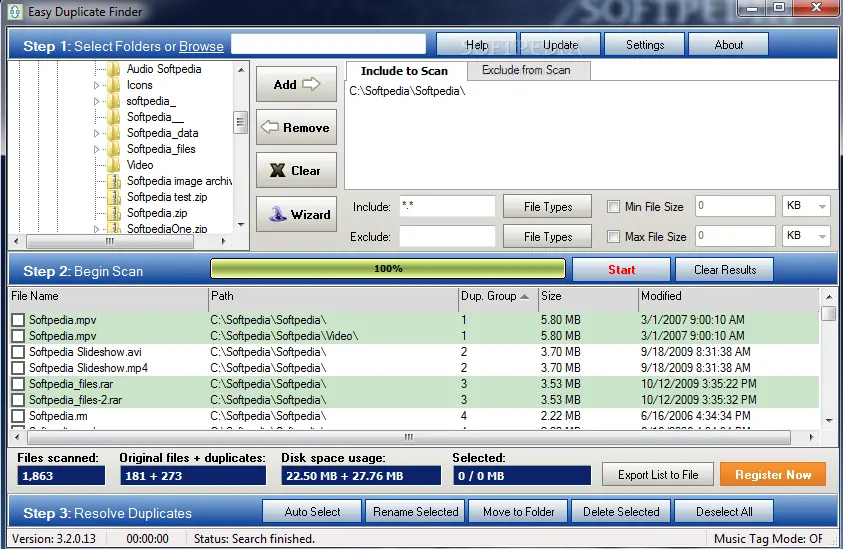
Easy Duplicate Finder works exactly as the name suggests. It makes the whole task of finding duplicate videos easy for you by sorting out duplicate files by file type for easy viewing. You even get an auto-select feature on this tool for easy selection and removal.
Pros
- You can easily use it as a beginner
- The tool operates across multiple cloud drives
- It is customizable
Cons
- The free version offers limited features
- The scan speed is relatively slower
- It doesn't offer support for the Photos app
5.Gemini 2 (Mac)
Website Gemini 2
Price $19.99/year or $29.99 one-time
Rating ★★★★☆ (4.5/5)
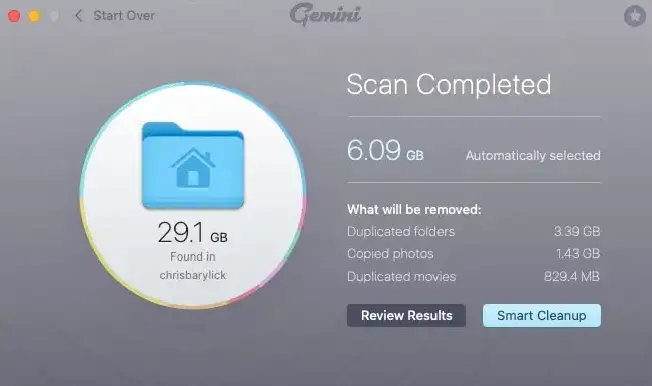
Gemini 2 by MacPaw is the go-to duplicate finder for Mac users who want a polished, native macOS experience. It scans for exact and similar duplicates using an algorithm that checks file contents- not just names. For videos, Gemini 2 offers Smart Cleanup (automated selection based on best quality).
Pros
- Users finds it quick and reliable
- Enables you to auto-select duplicate videos
- You can search with customization
Cons
- There is no Windows version
- This tool offers less precision
- You won't get any additional filters
6.Duplicate video finder-(Mac)
Website Duplicate video finder
Price Free (with in-app purchases)
Rating ★★★☆☆ (3.2/5)
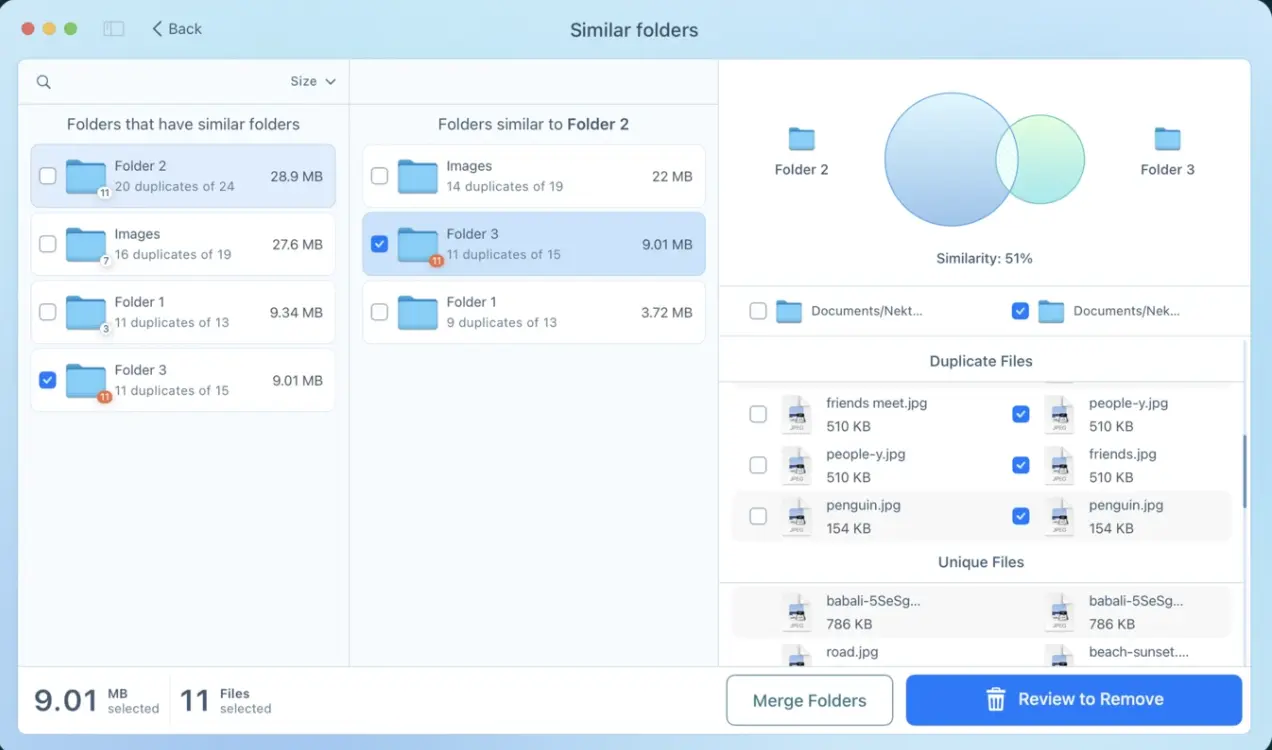
Duplicate video finder is the right fit if you want to remove video duplicates across different files and folders on your device. This tool even provides cleanup hints to speed up duplicate detection and deletion.
Pros
- The tool is completely free to download
- You can customize the settings
- It even features detailed video previews
Cons
- You won't get similar/perceptual video detection
- You only enjoy scan across limited file formats
- It requires in-app purchases
7.MacCleaner Pro (Mac)
Website MacCleaner Pro
Price $29.95 one-time
Rating ★★★★☆ (4.5/5)
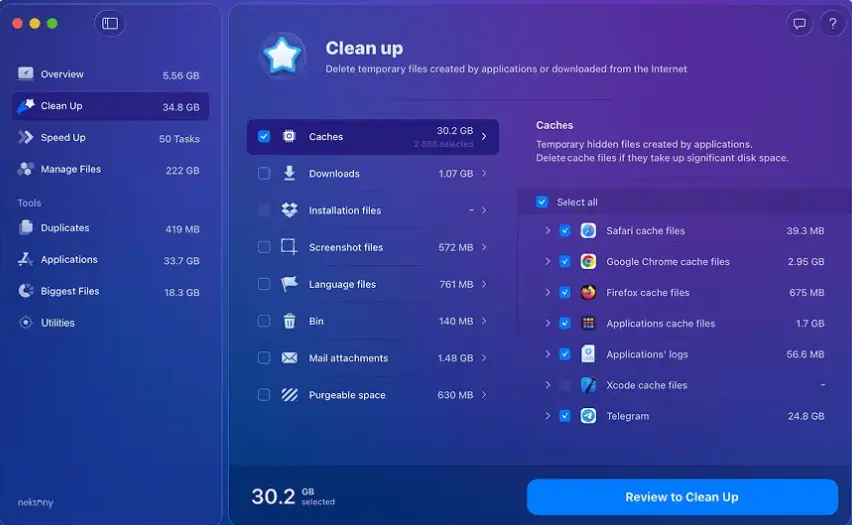
MacCleaner Pro by Nektony is a full Mac optimization suite with a capable duplicate finder built in. Its video scanning module supports MP4, MOV, MKV, and AVI files and offers both exact and similar matching modes. The side-by-side preview panel is one of the best on macOS.
Pros
- Offers a detailed side-by-side preview
- Supports a broad format range
- Requires a one-time payment only
Cons
- The tool is bit expensive for some users
- It has slightly overwhelming interface
- Relatively slower than other tools
8.Filerev (Online & Google Drive)
Website Filerev
Price Free (up to 1,000 files) / $5,$20 paid plans
Rating ★★★☆☆ (3.5/5)
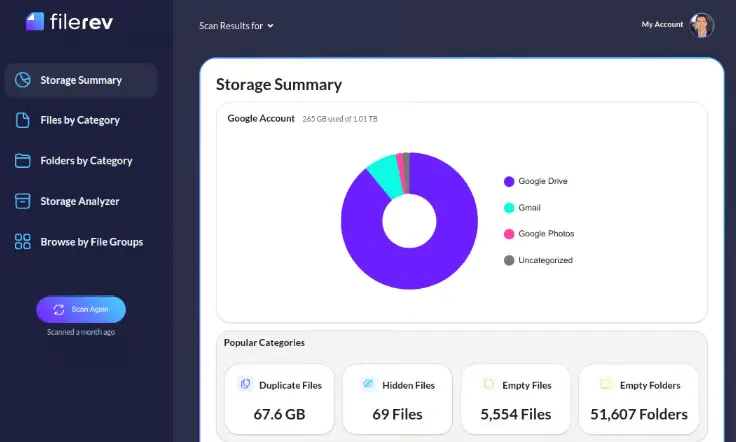
For users who are very conscious about their privacy and device security, Filerev is the right video duplicate finder. Using this tool, you can sort your files out by their size. Additionally, it offers multiple advanced cleaning features, including a hidden files finder and cleaning, bulk deletion, disk analyzer, etc.
Pros
- You don't need any installation
- Its free tier covers around 1000 files
- You can delete multiple files in one go
Cons
- The tool is limited to Google Drive only
- You can not preview your videos
- It offers you a limited free plan
9. Duplicate Files Fixer Online
Website Duplicate Files Fixer
Price Free (web scan) / $29.99 desktop upgrade
Rating ★★★☆☆ (3.0/5)
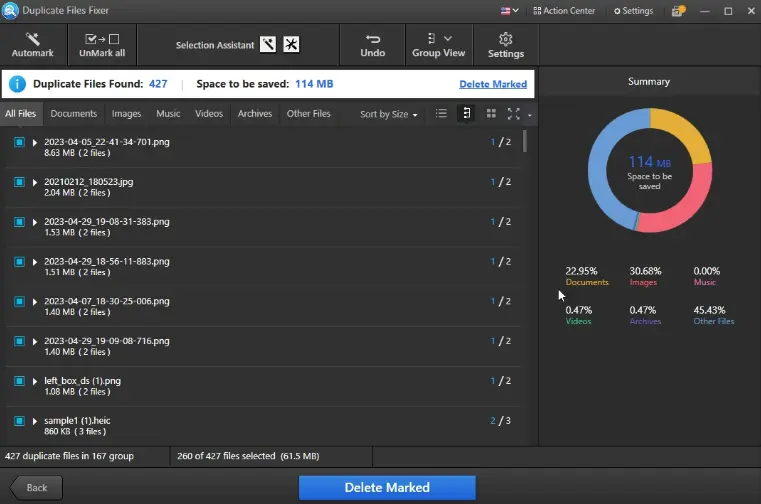
Duplicate Files Fixer offers a web-based scanner for uploaded files and a more capable desktop version. The online version requires you to upload files to the server for analysis, which raises clear privacy concerns for personal video content. Its scanning logic is basic.
Pros
- No installation required for basic use
- Both Windows and Mac users can use it
- It offers you internal and external storage scan
Cons
- You may find it slower than local desktop tools
- You cannot scan re-encoded videos
- Some users complain about privacy concerns
10. Remo Duplicate Photos Remover (Mobile & Android/iOS)
Website Remo Duplicate Photos Remover
Price Free (limited) / $9.99 full version
Rating ★★★☆☆ (3.0/5)
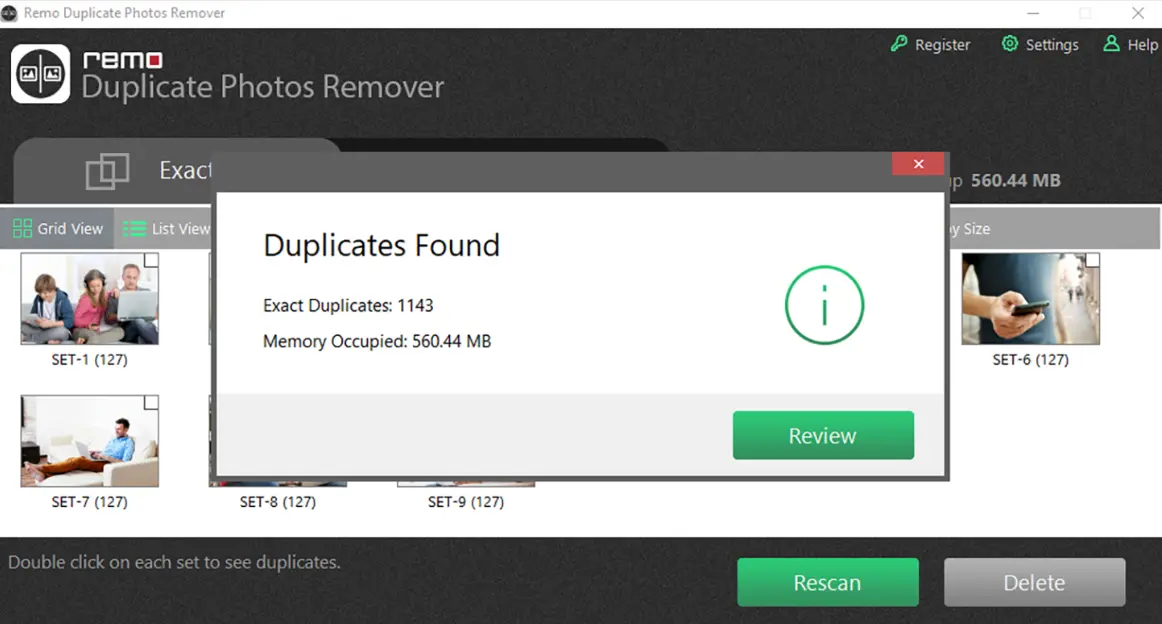
Remo Duplicate Photos Remover is primarily a photo deduplication app, but it includes basic video duplicate detection on both Android and iOS. With a simple, intuitive interface, this app to delete duplicate videos lets you scan for duplicate videos across your devices. You can even preview the video duplicates.
Pros
- Works for both Android and iOS users
- Users find it simple and intuitive
- It offers you video previews
Cons
- Limited to on-device storage
- Not as accurate as desktop tools
- There is a limitation in free version
If you are on PC, head over to our other writeup that specifically written for Windows and Mac users about exploring the top 12 Best Free Duplicate File Finders in 2026
Part 4: Comparison Table: 10 Video duplicate finders at a Glance
| Tools | Similar Video Detection | Side-by-Side Preview | Auto-Mark Rules | Exact Duplicate Matching | Price | Operating System |
|---|---|---|---|---|---|---|
| WMaster Cleanup | Yes | Yes | Yes | Yes | Limited-time free | Windows 7/8/10/11 |
| Duplicate Cleaner Pro | Yes | Yes | Yes | Yes | $39.95 | Windows 10 version 14393.0 or higher |
| dupeGuru | Yes | No | No | Yes | Free | Windows, Mac, & Linux |
| Easy Duplicate Finder | Yes | Yes | Yes | Yes | Free / $29.95 | Windows & Mac |
| Gemini 2 | Yes | Yes | Yes | Yes | $19.99/yr | Mac |
| Duplicate video finder | Yes | No | No | Yes | Free | Mac |
| MacCleaner Pro | Yes | Yes | Yes | Yes | $29.95 | Mac |
| Filerev | No | No | No | Yes | Free | Browser |
| Duplicate Files Fixer Online | Yes | No | Yes | Yes | $19.99 | Windows & Mac |
| Remo Duplicate Photos Remover | Yes | No | No | Yes | Free / $9.99 | Android, iOS, Mac, Windows |
Part 5: Why Is It Beneficial to Clean Duplicate Videos?
Cleaning up duplicate videos on your device will help you manage your videos more efficiently and in a more organized way. And at a lower cost! In addition, cleaning up duplicate videos has a number of other important benefits, like
- Deleting duplicate videos means you know that you are working with the most recent and relevant file.
- Cleaning and organizing your video library regularly will save costs associated with data storage and maintenance
- Saves your time and effort spent on sorting duplicate files so that you can quickly find specific videos.
- You can store more unique videos without expanding your storage capacity by deleting duplicates.
- You can simplify your video library and make it easier for you to find specific files.
- You can efficiently edit, browse, and process videos faster if your device has fewer unnecessary files.
Part 6: FAQs About Video Duplicate Finders
Q1: Is there a free duplicate video finder that actually works for large libraries?
Yes, for Windows users, I highly recommend WMaster Cleanup, a free (for a limited time) tool that puts no cap on file count, so a library of 10,000+ videos is not a problem. You can run both hash-based exact matching and perceptual scanning, a combination not available in most tools.
Other than that, if you want a purely open-source option, dupeGuru works too. Although it's a cross-platform tool, it has some downsides, like slow scanning for large libraries and an outdated interface.
Q2: Will a duplicate video remover delete my files permanently?
Probably no! If you are using the right tool, like WMaster Cleanup (Windows) and Gemini 2 (MacOS), along with some other tools, don’t directly delete the files. These reliable tools send deleted files to the Recycle Bin or Trash so that you can recover your files if deleted accidentally. However, not all tools function in this manner; some delete immediately without providing a recovery option.
Q3: Can a video duplicate finder find my re-encoded or compressed duplicate videos?
It depends! If you use a tool with perceptual or content-based matching, it can do the job. However, if you use hash-based tools (which only provide exact matches), they will miss re-encoded files entirely; these files appear as separate even if their content is identical.
For your reference, WMaster Cleanup (Windows), Duplicate Cleaner Pro (Windows), Gemini 2 (MacOS), and MacCleaner Pro all offer you similarity-based detections.
Q4: Are online duplicate video finder s safe to use?
Honestly, for most online tools, you are uploading your files to a third-party server, which is a privacy risk for personal or sensitive video content. But you can utilize tools like Filerev that use cloud storage APIs (e.g., Google Drive) that are relatively safer, as your files don't leave Google's servers. Still, if you prefer high security, a desktop tool is always the safer and faster option.
Q5: What's the best app to delete duplicate videos on Android?
Remo Duplicate Photos Remover and Google Photos are the best apps for you to delete duplicate videos on Android devices. Other than that, for deeper scanning of your camera roll, you can also use a desktop tool connected via USB, which is more thorough.
Final Thoughts
Now you know duplicate videos are a silent storage killer. After testing multiple duplicate finders across devices, I would highly recommend WMaster Cleanup, which stands out as the best one for Windows users. It combines hash-based exact matching with perceptual similarity scanning.
WMaster Cleanup also offers you a clean side-by-side preview, batch deletion, and sends deleted items to the Recycle Bin to prevent accidental deletion.
For Mac users, I would recommend Gemini 2. On mobile, Google Photos covers basic passive deduplication during sync, while Remo Duplicate Photos Remover works better for actively cleaning up your camera roll. Similarly, if you prefer online service and need cloud-only cleanup, Filerev does the job without requiring any installation.


