


Have you ever scrolled through your photo gallery and felt totally overloaded? Actually, many duplicates accumulate due to burst mode, downloads from social media, or edits you make and never meant to save twice. You are not alone if you have ever thought about the best software to get rid of duplicates and organize photos.
The thing is, using a reliable duplicate photo cleaner to delete duplicates is not just about clearing device space; it is also about saving lots of time and effort. So, in this write-up, I will share the top 12 duplicate photo cleaners for 2026 so that you can take full control over your photo gallery.
In this article
- Why You Need a Duplicate Photo Cleaner
- Key Features of a Good Duplicate Photo Cleaner
- 3 Duplicate Photo Cleaners Free for Windows 10/11
- Top 3 Duplicate Photo Cleaners for Mac
- 3 Duplicate Photo Cleaners for Mobile
- 3 Duplicate Photo Cleaners Online or Extensions
- Learn Safe Workflow for Deleting Duplicate Photos
- Tips to Keep Your Photos Library Clean
- FAQs About Duplicate Photo Cleaners
Part 1: Why You Need a Duplicate Photo Cleaner
Imagine you are just back from a shoot or vacation where you snapped dozens of photos from slightly different angles, or you have downloaded images from various platforms, like social media, email, Google, or cloud storage. Over time, beyond clutter, these duplicates:
- Accumulates lots of unneeded files.
- Deplete your device storage.
- Complicate your search for the perfect shot.
- Make your device performance slow.
- Your storage cramped, and your backup process longer.
Other than that, sharing photos with family or clients can be embarrassing if there are duplicates. Thus, cleaning up these duplicates frees space and makes it easier for you to browse, edit, and share, while sharpening your photo collection.
Part 2: Key Features of a Good Duplicate Photo Cleaner
A useful duplicate photo cleaner not only identifies identical photos but also near-identical photos to free up device storage space and organize photo collections. Other than that, accurate results, a user-friendly interface, and customizable searching options are also some features to look for. Below are the features that ensure a smooth and effective cleaning process:
- Smart Detection: Detect exact and similar images even if their filename and metadata differ.
- Preview Options: Preview images side-by-side before deleting to prevent accidental deletion.
- Format Support: It support all major image file types, like JPEG, PNG, RAW, and more.
- Library and Cloud Service: Sync with the local folders, external drives, and cloud storage.
- Batch Deletion: A powerful duplicate cleaner deletes multiple duplicates at once to save time.
- User Experience: The interface should be simple to navigate and suitable for even non-techies.
- Scan Speed: Quickly and efficiently search large libraries without slowing down the device.
- Backup and Restore: Backup and restoring options to protect data from accidental deletion.
- Customize Searching: Let the user select which folder to scan or which file type to target.
Part 3: 3 Duplicate photo cleaners Free for Windows 10/11
I was managing a large photo collection, which was challenging as well as frustrating for me! As it was taking up valuable storage space and lowering my device performance, I decided to search for a free duplicate cleaner for my Windows 11 Pro that can smartly identify and remove duplicates and similar photos. In this section, I will recommend to you the top three free duplicate cleaners that I preferred, and I will be highlighting their features, advantages, and drawbacks.
- WMaster Cleanup-Easy Duplicate Photo Cleaner for Windows 11/10
URL: https://www.wmastercleanup.com/
OS: Windows 7, 8, 10, 11
WMaster Cleanupis a complete solution to manage photo libraries on Windows 10/11! With the combination of powerful detection capabilities and a beginner-friendly interface, it supports RAW files, making it an ideal choice for professional photographers. Its smart algorithms ensure high accuracy to detect duplicate and similar photos even if their filename, metadata, format, or size differs, or if they are slightly edited.
In addition to its impressive features, this amazing tool is currently FREE for a limited time. So, whether you are a casual user or an imaging master, WMaster Cleaner can help you maintain a neat and clean digital photo library on your Windows seamlessly.
Key Features of WMaster Cleanup to Remove Duplicate Photos
WMaster Cleanup
Find and Delete Duplicate Photos in One Click
- · Uses dual-engine speed-up technology to detect and remove duplicate photos.
- · Our digital report shows duplicate photos, along with the recoverable space available.
- · Finds and removes duplicate photos in both local and external drives.
- · Delete multiple duplicate and similar-like photos in one go.
- · Supports over 40 duplicate file formats, including PNG, JPEG, JPG, ICO, BMP, and GIF formats.

How to use WMaster Cleanup's duplicate photo cleaner:
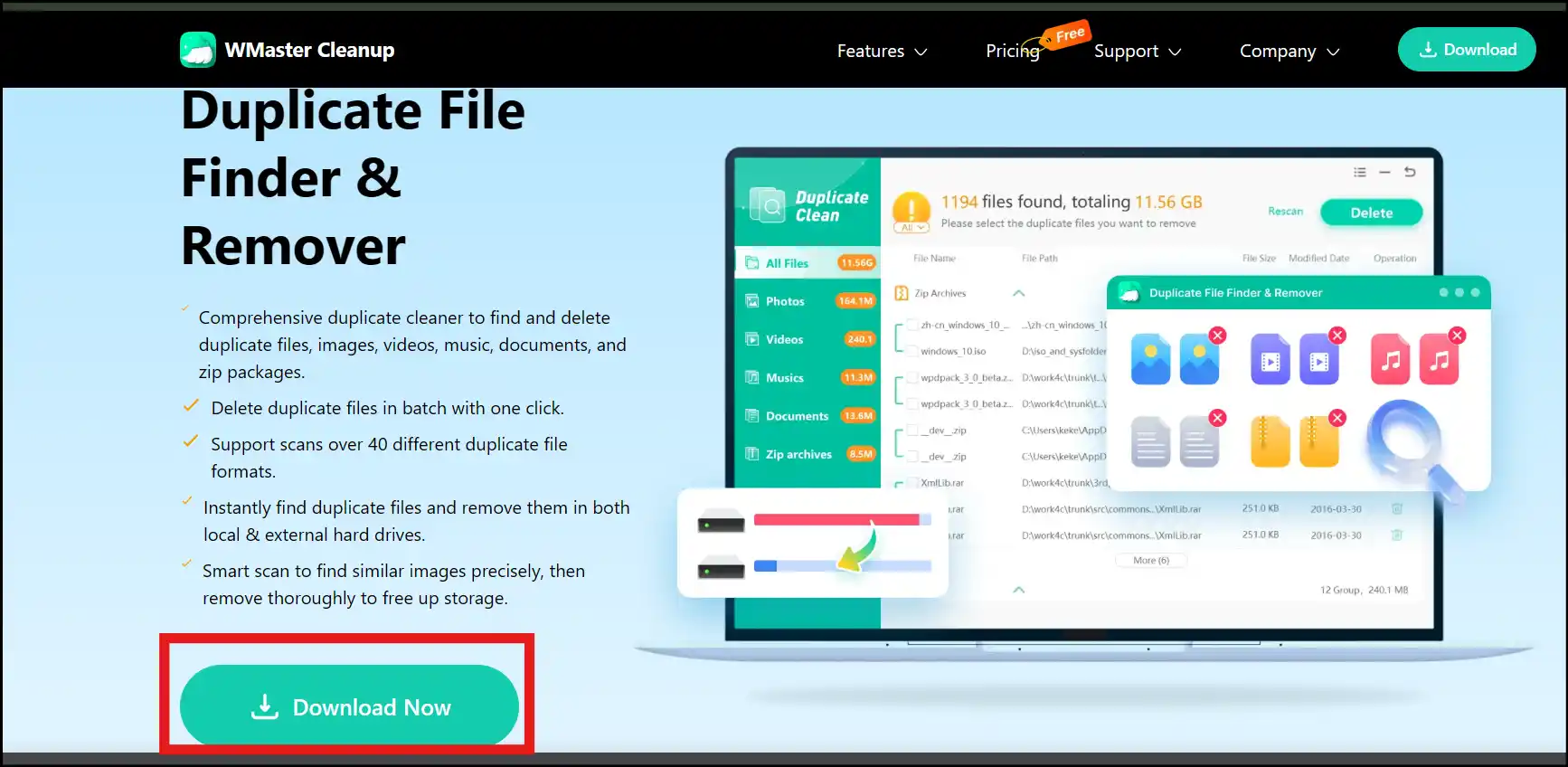
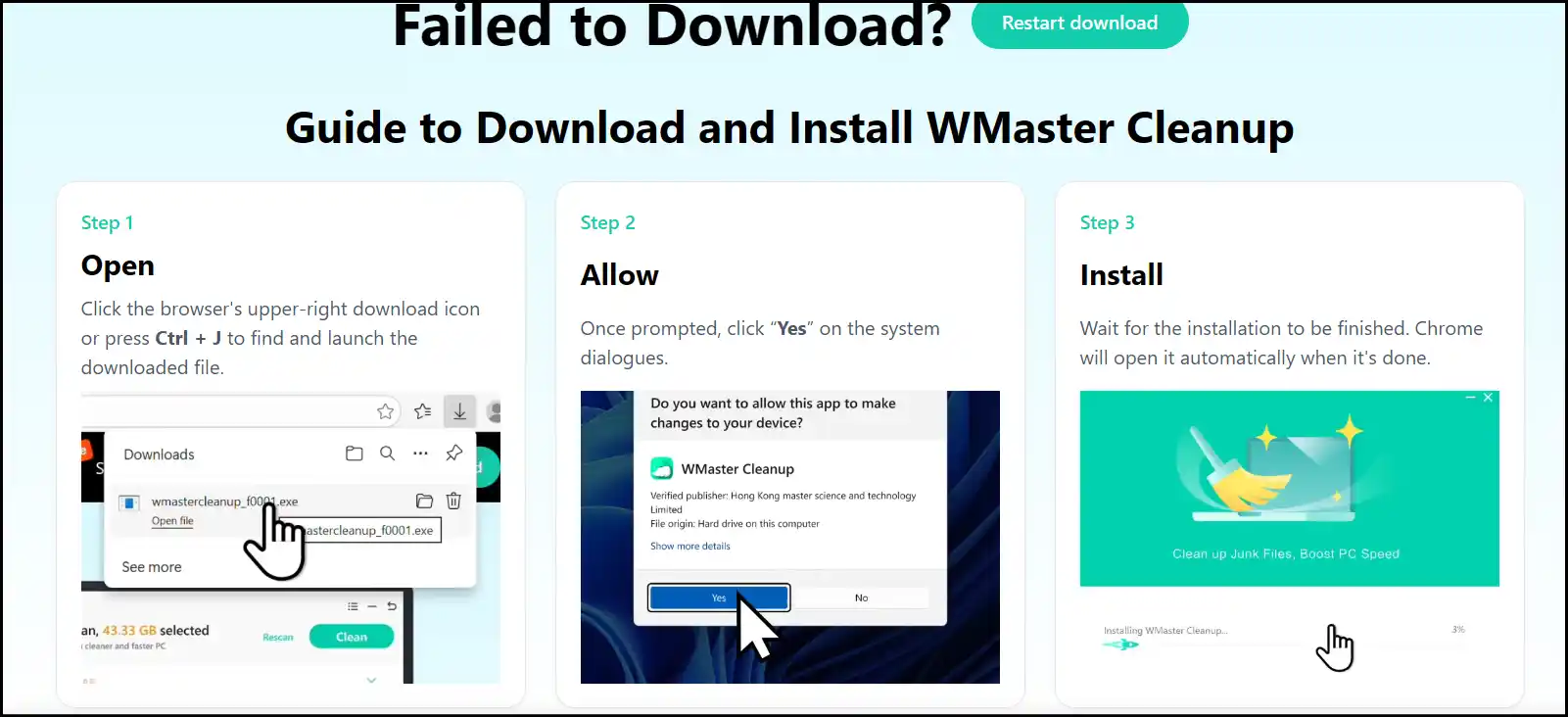
Step 1: Download and Install: Visit the WMaster Cleanup Duplicate File Remover prodcut pageand tap on "Download Now" to start the downloading process. Once completed, follow the installation prompts to set up the software on your PC.
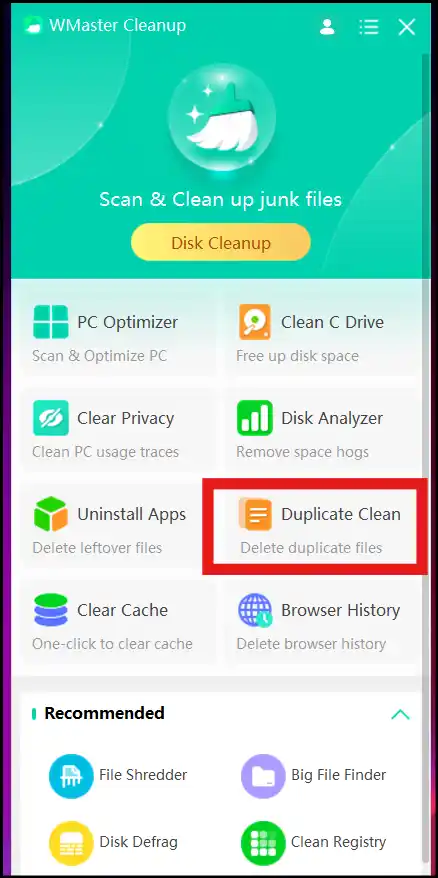
Step 2: Launch and Open Interface: Now launch the software on your desktop and click "Duplicate Clean" to open the tool's interface.

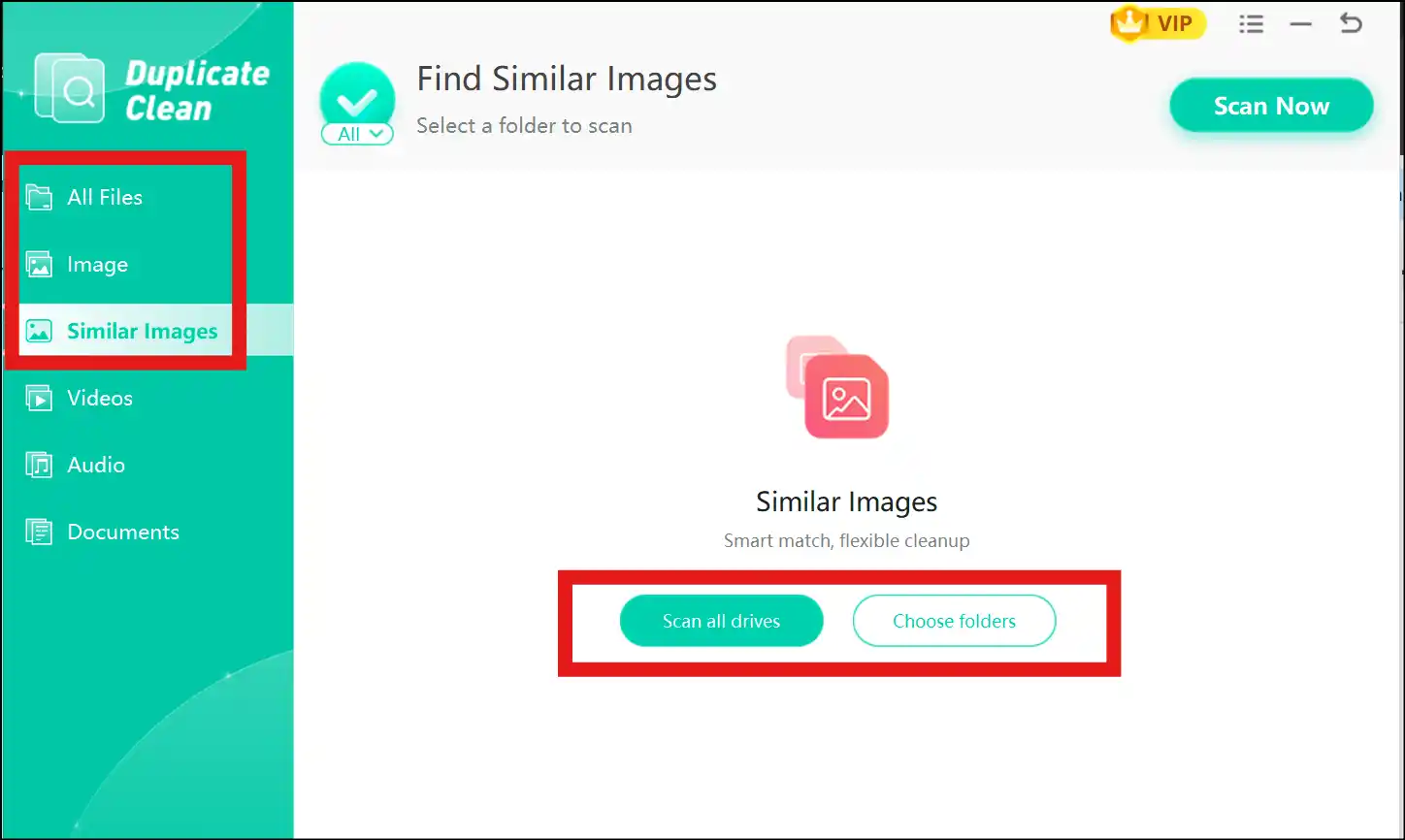
Step 3: Select All Drives or Folder Now you have an option to "Scan all drives" or "Choose Folder" to identify and delete duplicate photos for a cleaner and faster PC.
💡Tips:If you are choosing "Image", it will find exact duplicates, and if you are choosing "Similar Images," it will identify almost-similar images. To search for all types of duplicates at once, click "All Files".
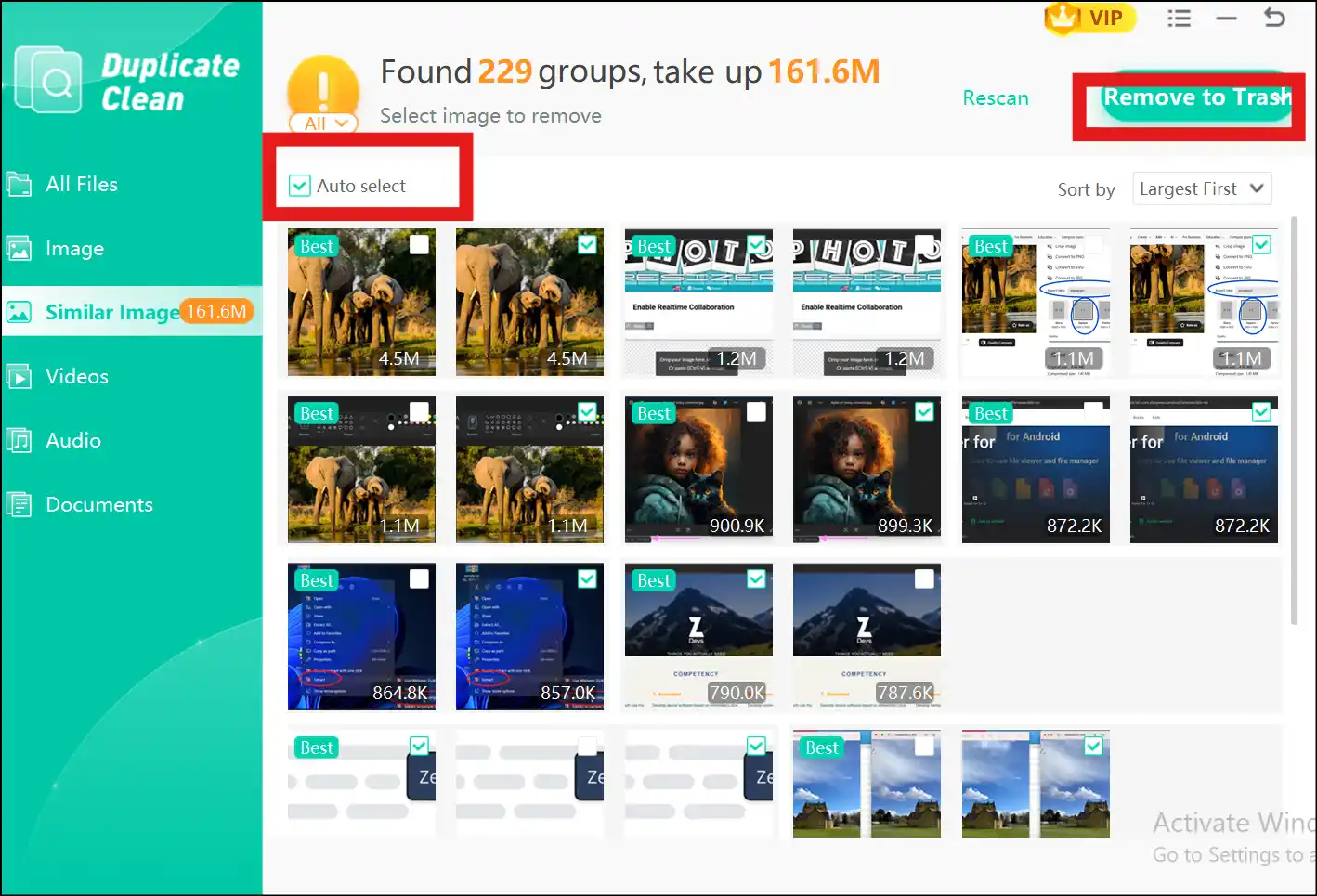
Step 4: Select Duplicates and Remove: You are all set to select duplicate and similar photos manually or auto-select all at once. Once done, tap "Remove to trash" to delete them from your system.
💡Tips:You can restore your deleted duplicate photos from the Recycle Bin.
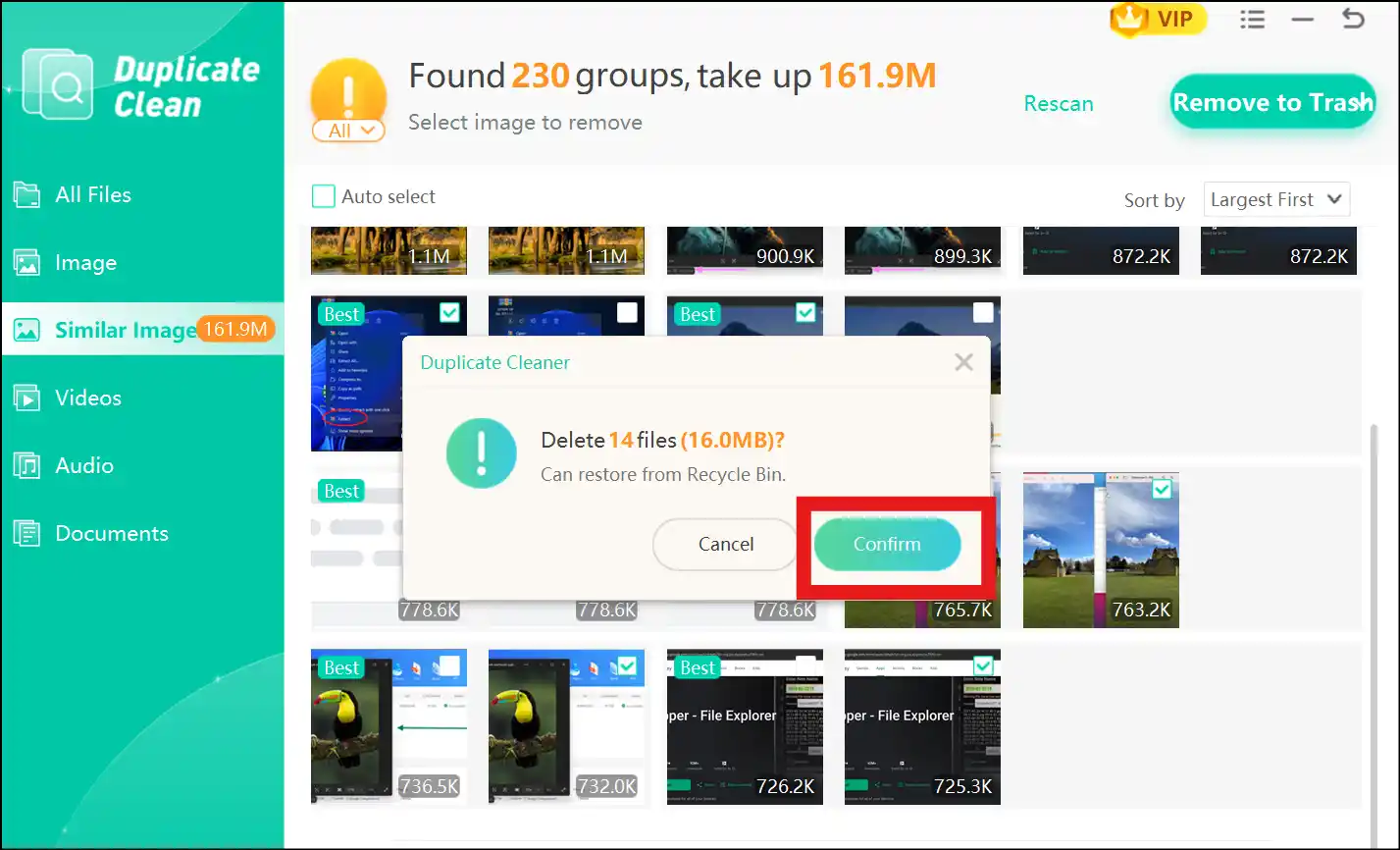
Step 5: Confirm the Deletion: Click "Confirm" to start the deletion process instantly. Don't forget to preview the selected duplicate photos before initiating the deletion process.
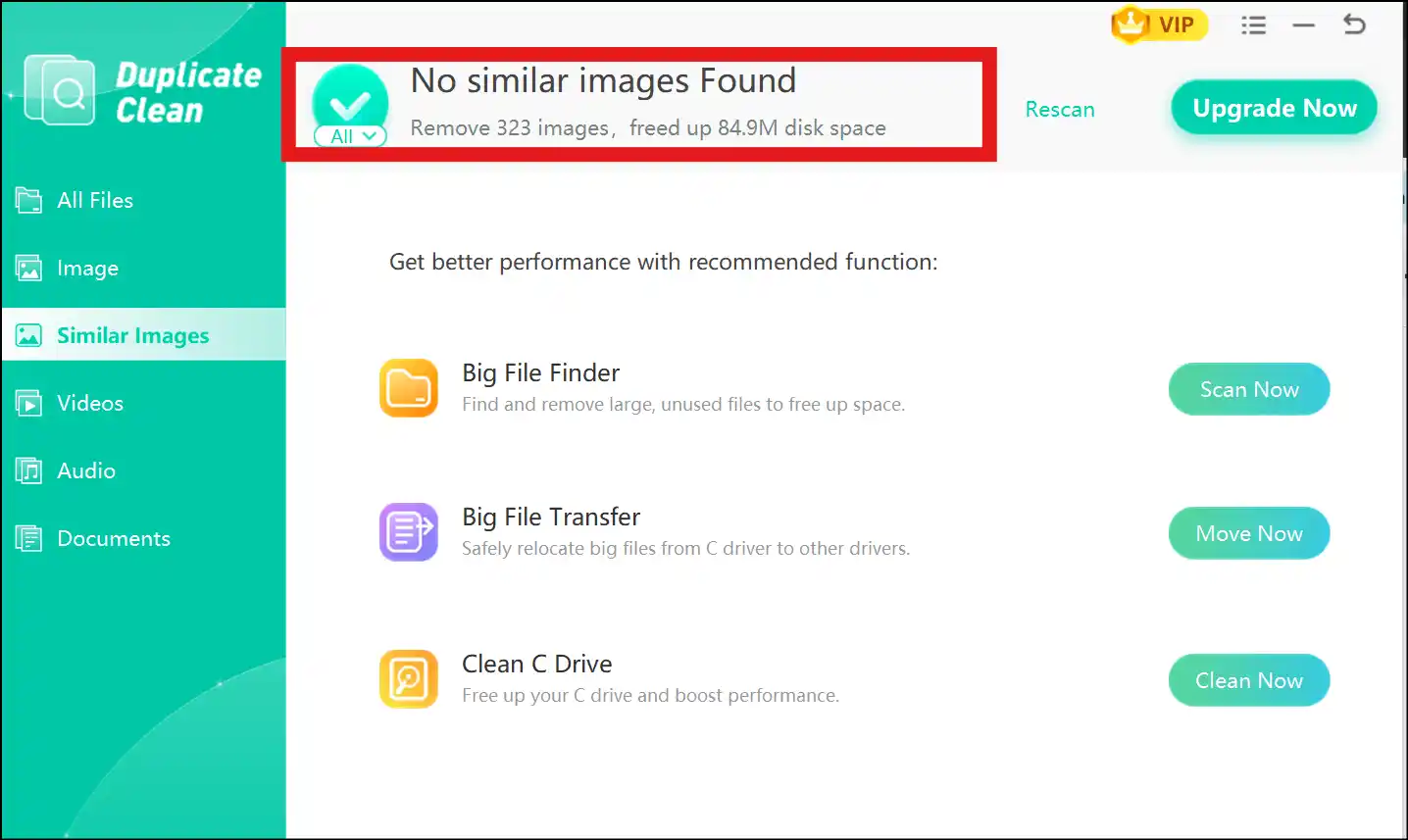
💡Tips:On the top of the interface, find out how much storage space you got after you complete the deletion process.
2.Quick Photo Finder-Get Rid of Duplicate Photos
URL: https://www.quickphotofinder.com/
OS: Windows 10/11
Quick Photo Finder is intended for those who prioritize speed, simplicity, and efficiency. It uses advanced algorithms to find and remove duplicates and similar photos. The user interface is ideal for all skilled users. Although this tool has a paid version with rich features, a free version can accommodate users with small photo libraries.
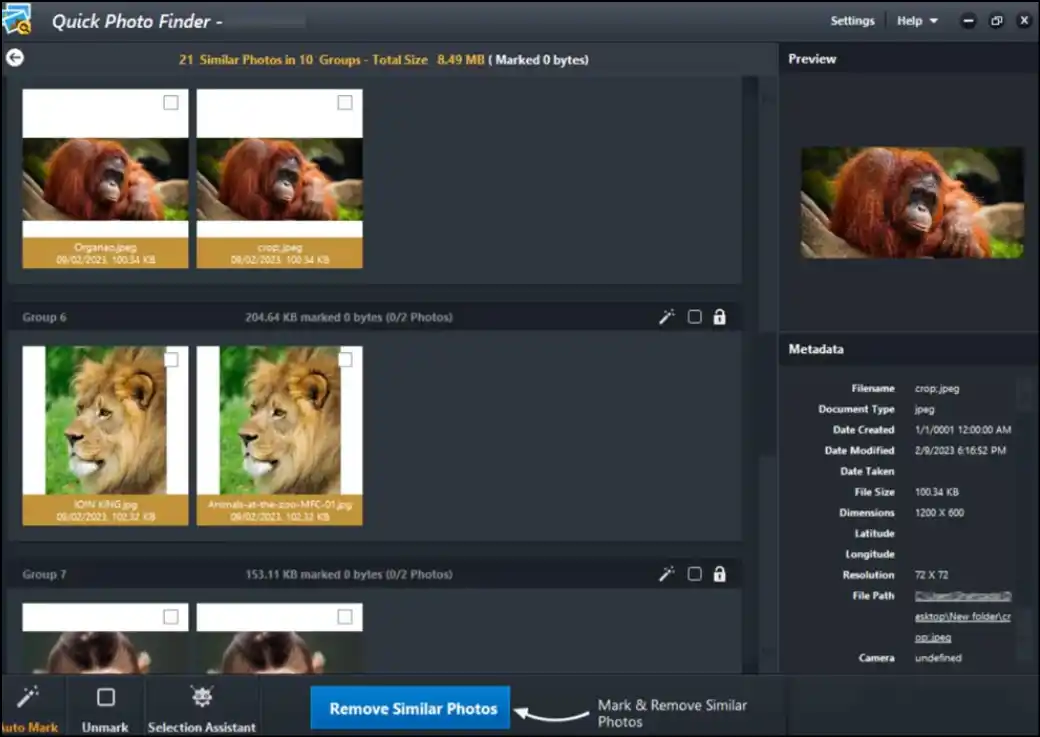
Pros:
- The user experience is simple with a minimal learning curve
- It can detect and remove exact photos as well as similar photos
- The scanning speed to identify and remove duplicate photos is comparatively high
Cons:
- The free version offers you a limited number of duplicate photos to delete.
- The user needs to purchase the paid version to use advanced features.
- There is a limited support for RAW or high-resolution photos
3. Remo Duplicate Photos Remover-Regain Your Storage Space
URL: https://www.remosoftware.com/remo-duplicate-photos-remover
OS: Windows 7, 8, 10, 11, Mac, Android, iOS
Remo Duplicate Photos Remover is a cross-platform duplicate photos cleaner, which can deeply scan, including RAW files. The user interface is suitable for all skill-level users. Along with offering a batch processing feature, its smart detection minimizes false positives, ensuring safety and efficiency. It only identifies duplicate photos without touching other files or harming your PC.
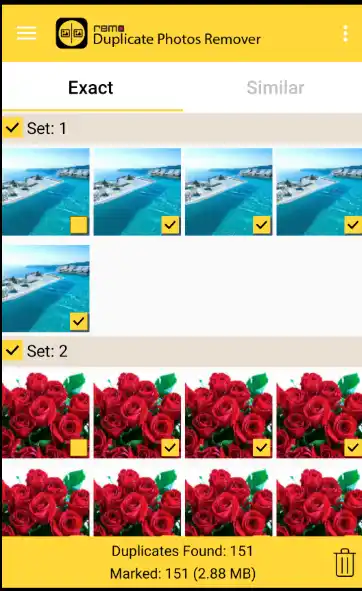
Pros:
- It can deeply scan exact and similar photos even if their filenames differ
- It can find and delete any image file type, including JPG, JPEG, PNG, TIFF, GIF, etc.
- During auto-select, it always retains the original photo and selects the rest.
Cons:
- It works relatively slowly when dealing with larger photo libraries
- Some advanced features require a paid upgrade
- Ads in free version may be annoying for some users
Part 4: Top 3 Duplicate Photo Cleaners for Mac
As I am someone who is always downloading, taking screenshots, and editing images for work, I have accumulated loads of duplicate and similar photos. These unnecessary photos were taking up storage space on my iMac 2024 and causing everything to lag. So, I decided to search for and try some duplicate photo cleaners that can help me clean up my device space, make it run smoother, and get organized. Here are my three top recommendations based on speed, accuracy, efficiency, and ease of use.
- PhotoSweeper
PhotoSweeper is a feature-rich duplicate photo cleaner, specially designed for professional photographers and enthusiasts who deal with large photo libraries. It uses a powerful search engine to find and delete both exact and similar photos. It offers many features, like an intuitive interface, a review of detected photos, and batch processing features.
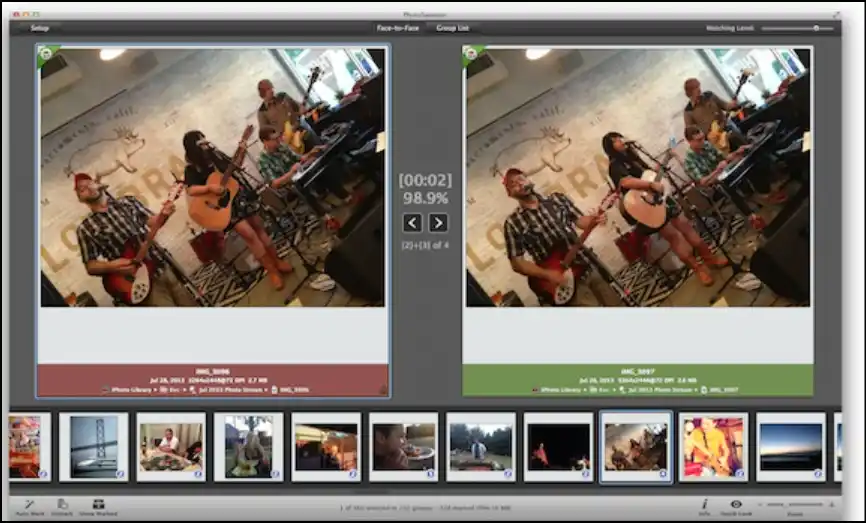
Pros:
- Customizable searching to detect duplicate and similar photos
- Supports all major file types, including RAW formats, which are ideal for experts
- Finds and deletes duplicate and similar photos from both local and external drives
Cons:
- Using this feature-rich tool can be overwhelming for first-time users
- It does not support cloud integration to manage photos across multiple devices
- A free trial is available; to continue using the software, the user needs to make a one-time purchase
2. Cisdem Duplicate Finder
URL: https://www.cisdem.com/duplicate-finder.html
Cisdem Duplicate Finder is a powerful tool to find and delete duplicate photos with a high rate of accuracy. By using advanced algorithms, it excels in finding similar photos even if they have been compressed, edited, renamed, or resized. Moreover, it also supports all major duplicate photo file types and raw formats, which is ideal for professional users.
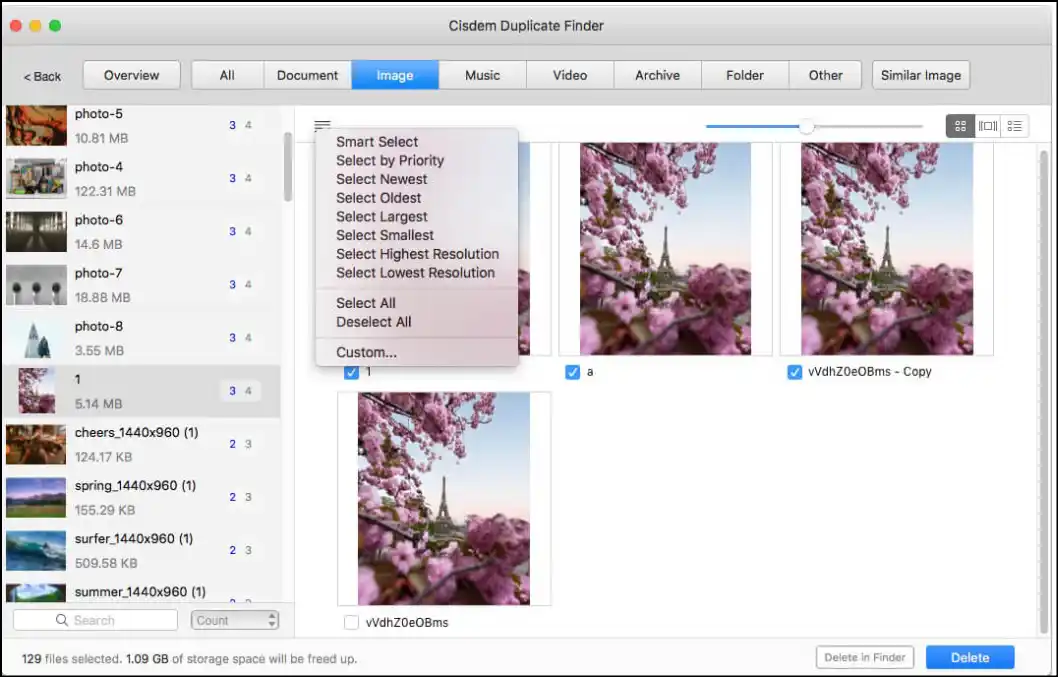
Pros:
- It is highly effective at detecting similar photos, regardless of formats, size, and edits
- It supports raw files and high-resolution images-ideal for professional photographers
- Supports cloud services, like OneDrive, Dropbox, iCloud, and Google Drive
Cons:
- The tool may slow down when scanning extensive photo libraries
- It does not offer any photo management and editing options
- There are limited options to make customizable search for scanning duplicate photos
3. Photos Duplicate Cleaner
URL:https://apps.apple.com/us/app/photos-duplicate-cleaner/id592704001?mt=12
Photos Duplicate Cleaner is an easy-to-navigate software available on the Mac App Store, which uses smart algorithms to quickly detect exact and similar photos. This free duplicate photo cleaner offers an auto-select feature that selects all the duplicates except the original file for easy deletion.
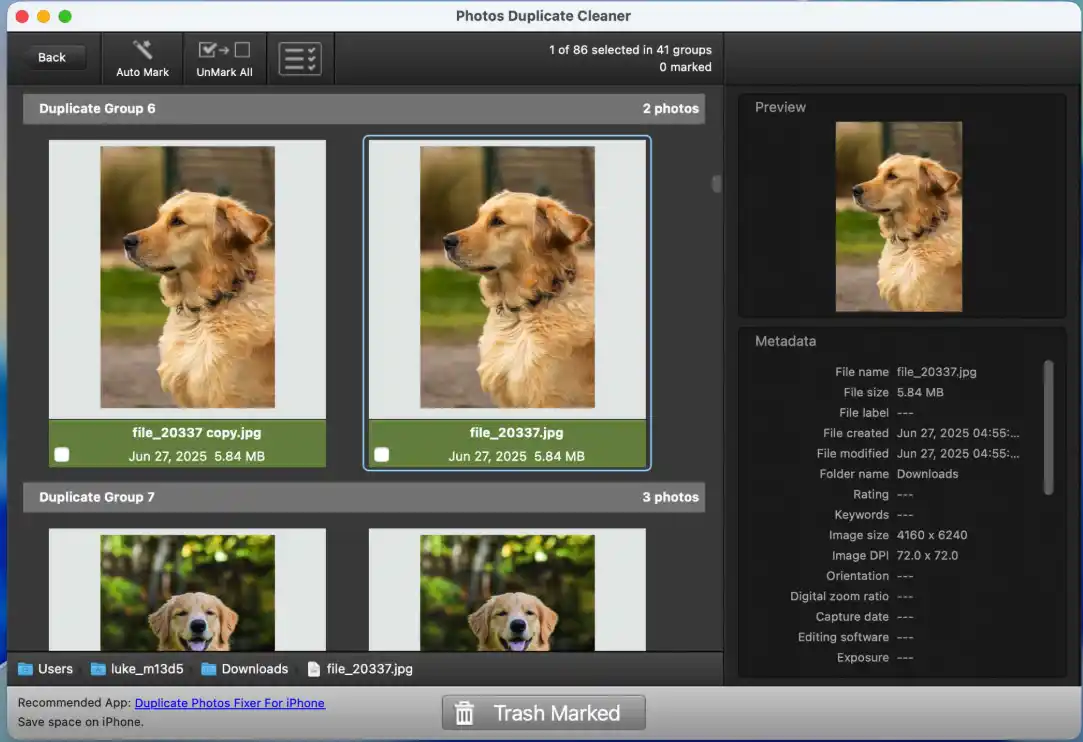
Pros:
- The user interface is extremely simple, even suitable for first-time users
- User can select or unselect photos or groups before initiating the deletion process
- It supports Raw photo formats, which is befitting for professional use
Cons:
- The tool offers limited options for customized searching to scan duplicates
- The software may crash several times when handling large photo libraries
- It lack advanced photo management features, like photo editing or photo organization
Part 5: 3 Duplicate Photo Cleaners for Mobile
As I use both an Android (for my personal use) and an iPhone 16 Pro (for my office use), I noticed that duplicate photos were piling up, cluttering my devices' storage, and making them slower. Whether they are screenshots, selfies, camera shots, or various versions of edited images, these duplicates were making it difficult for me to find what I actually want. So, I tried some duplicate photo cleaners after reading users' reviews and after testing, I found these top three tools to be most effective.
- Duplicate Photos Fixer
URL: https://www.duplicatephotosfixer.com/
Operating System: Android & iOS
Duplicate Photos Fixer is a versatile mobile app that works for both Android and iPhone to find and delete exact and visually similar photos. This powerful app supports all major file types, including raw image formats, which is ideal for professional users who want to clean up their photo gallery.
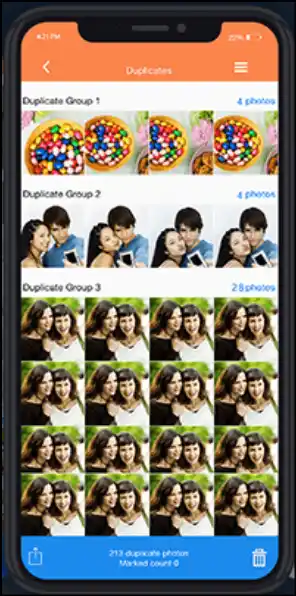
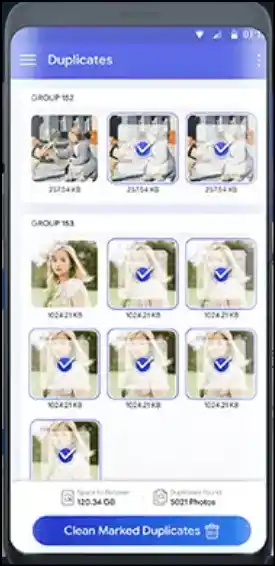
Pros:
- It provides auto-select option to select all duplicate for easy deletion
- It offers preview feature of detected duplicates and similar photos
- The app categorizes the detected duplicates and similar photos for easy selection
Cons:
- The free version offers limited feature and needs upgrades for full access
- This app does not include any additional features to edit images
- False positives occur occasionally which require manual review
2. Photo duplicate cleaner
URL: https://play.google.com/store/apps/details?id=com.duplicate.photos.cleaner.files.remover&hl=en
Operating System: Android
Photo duplicate cleaner is an extremely straightforward app for Android users that quickly scans and deletes duplicate and similar photos from a large photo library to free up device storage space. It employs smart algorithms to scan files and supports raw images, suitable for both casual and professional users. Likewise, its review options for detected duplicates make informed deletions.
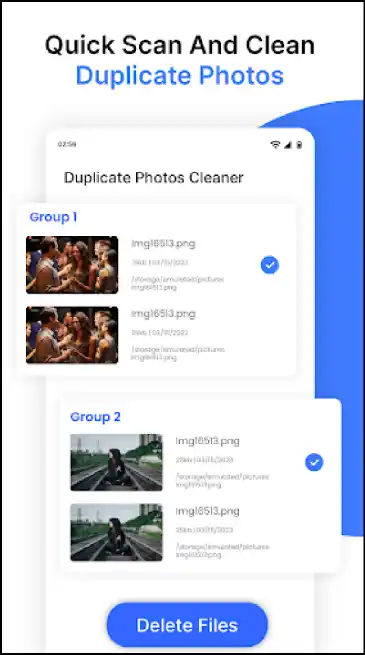
Pros:
- The scanning process to find and delete duplicate and similar photos is quick
- Ideal for professional camera users as it supports all image formats, including raw photo format
- The interface is sleek and user-friendly, suitable for all skill-level users
Cons:
- The users need to make in-app purchases to use advanced features
- The free version has ads and restrictions, which is frustrating for some users
- It does not have any advanced photo management features
3. Clever Cleaner
URL: https://apps.apple.com/us/app/clever-cleaner-ai-cleanup-app/id1666645584
Operating System: iOS
Clever Cleaner is a free duplicate photo cleaner for iPhone users that is powered by AI. It focuses on cleaning up device storage by finding and removing duplicate and similar photos. With its intuitive interface, the app supports raw image formats, suitable for professional use. Moreover, it also offers a preview option after detecting duplicates to prevent accidental deletion.
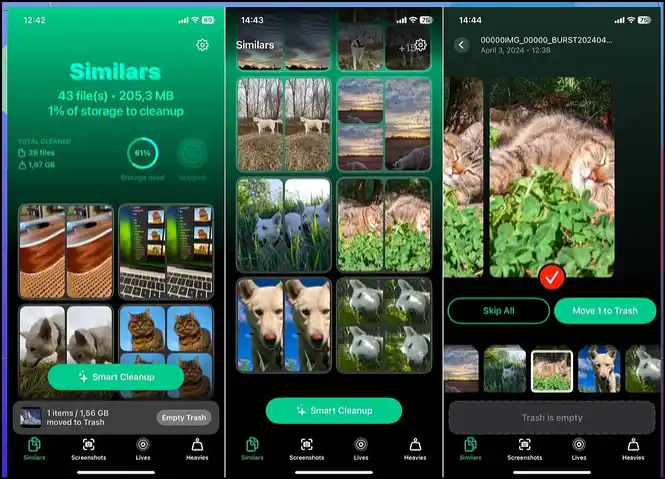
Pros:
- This app uses AI to detect exact and similar photos with a high accuracy
- The sleek, modern, and user-friendly interface accomodate both casual and pro users
- Supports all major duplicate photo file types, including raw formats
Cons:
- The scanning may take longer when working with large photo library
- It mainly focused on cleaning duplicates without extensive photo management tools
- Manual review is needed, as some false positives may occur
Part 6: 3 Duplicate photo cleaners Online or Extensions
Sometimes, it is overwhelming to manage duplicate photos that are stored across cloud services or when you just want a quick solution without installing anything on your device. Fortunately, there are some tools and browser extensions that are making it easy to clean up duplicate and similar photos directly from your browser. So, after trying all three of these online tools, I can confidently say that whether you use Chrome or Google Drive, these options are simple, effective, and save lots of time.
- Pixduplicate
URL: https://www.pixduplicate.com/
Pixiduplicate is a straightforward online tool designed to find and delete duplicate and similar photos from your local storage. This tool uses algorithms that make everything happen on your device, which means your images will never leave your device. Although it is perfect for those who want a simple web-based solution, it may lack advanced features in a free version.
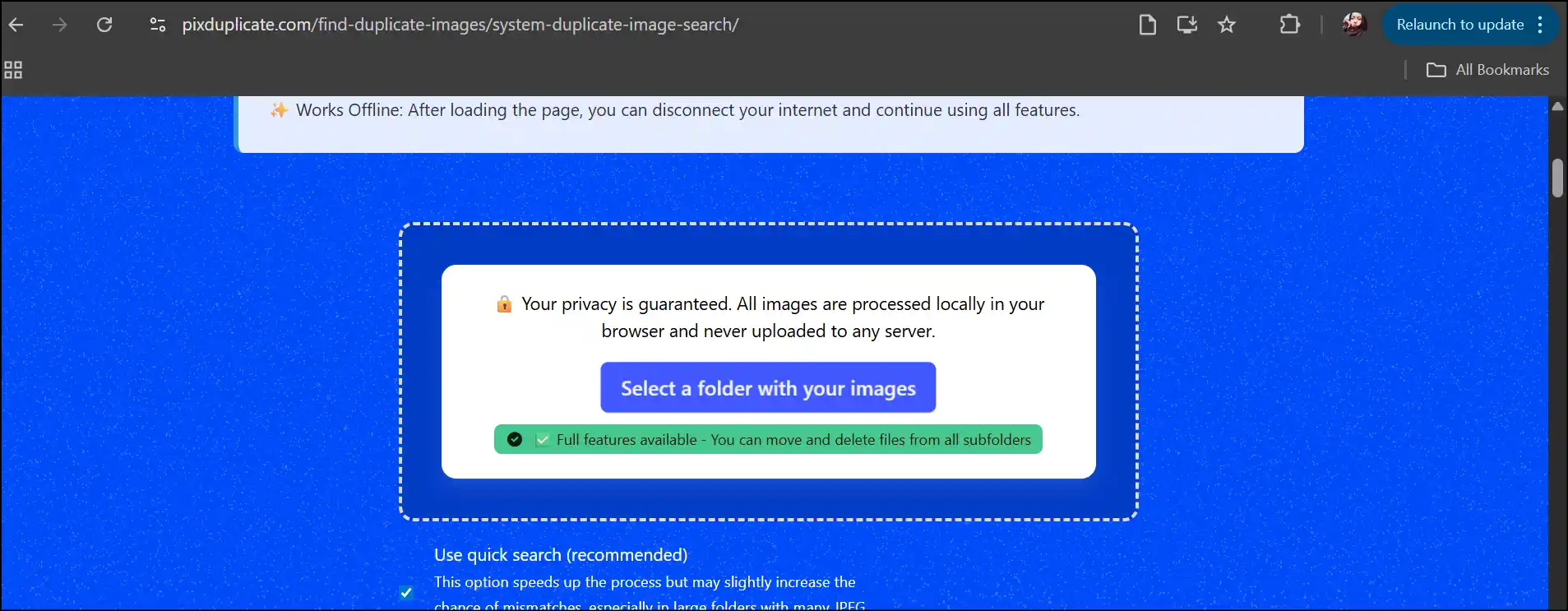
Pros:
- This online tool does not require installation, signup, or registration
- This tool can also work offline once the initial page loads
- Processing speed is pretty fast even when working with large photo libraries
Cons:
- The free version is not suitable for an extensive photo libraries
- There are limited features available in the free version
- It does not support the raw photo formats, making unsuitable for professional use
2. FileRev
URL: https://filerev.com/tools/duplicate-files-google-drive/photos/
FileRev is sleek, modern, and a powerful online tool to find and remove duplicate photos stored in Google Drive. It can identify 100% identical photos, but their filename, metadata, folder, or creation date may be different. This online tool offers batch deletion and is ideal for those who keep their photos in Google Drive.
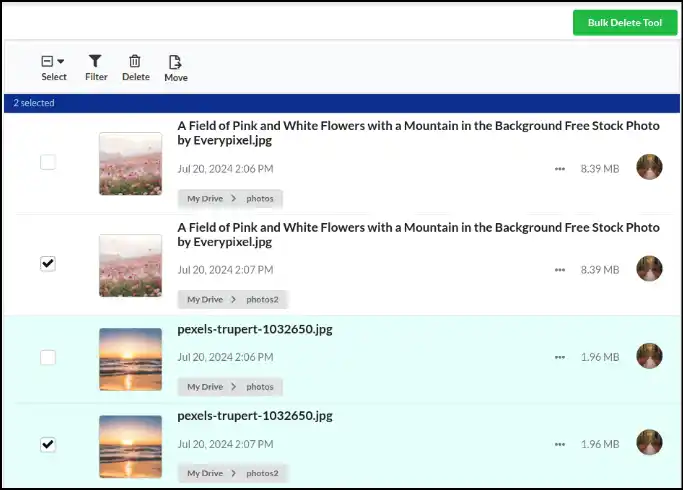
Pros:
- The users can delete multiple duplicate at once
- It provide detailed summary of all duplicate files, including duplicate photos
- It offers preview option to prevent accidental deletion
Cons:
- The interface is slightly complicated for first-time users
- This tool only supports Google Drive to detect duplicate photos
- It does not support raw image formats
3. Google Photos Duplicate Remover (Chrome Extension)
URL: https://chromewebstore.google.com/detail/google-photos-duplicate-r/baafhiocpgpaahonnkhkhbkggbhmefld
Google Photos Duplicate Remover is specially designed for Google Photos users, letting them quickly detect and remove duplicate and similar images directly in the browser. This duplicate photo cleaner freeware is a perfect choice for those who want to manage their Google Photos library efficiently, helping them keep their photo collection clean without even leaving Chrome.
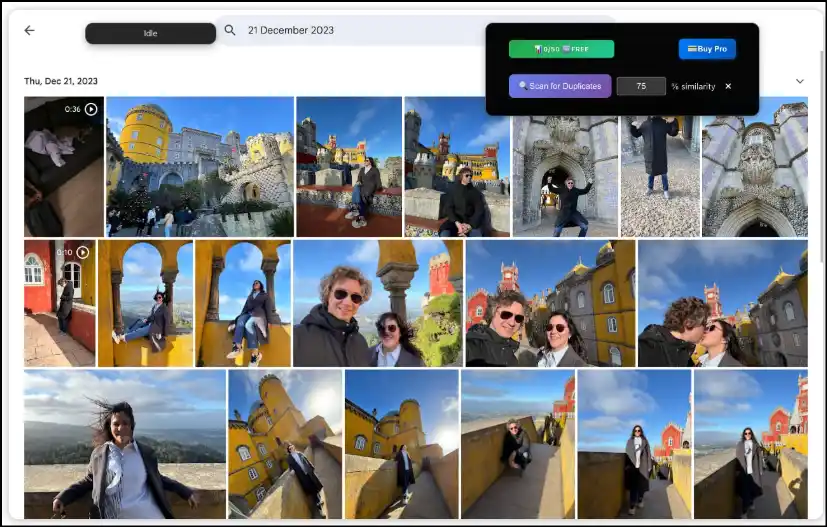
Pros:
- It offer auto-select option to choose all the duplicate and similar photos for easy deletion
- It works with your Chrome browser without needing any additional software
- Provide digital report that shows how much space duplicate photos are taking
Cons:
- The free version only analysis 100 photos at a time
- Restricted to Google Photos and can not scan local storage
- This tool is only compatible with Chrome browsers, limiting platform flexibility
Part 7: Learn Safe Workflow for Deleting Duplicate Photos
To prevent accidental loss of important memories or to maintain a well-organized photo library, implementing a safe workflow for deleting duplicate images is essential. Here are the steps that ensure a secure and smooth deletion process:
- Before staring to clean up, back up your photo library
- Use your duplicate photo cleanerwith caution
- First, begin with "exact" duplicates, and then move on to similar matches
- Give more attention to folders and albums that has most photos
- Review the detected duplicate or similar photos thoroughly before deletion
- Confirm to initiate deletion process while preventing accidental loss
- Schedule a routine cleanup to keep your photo library clean and sorted
Part 8: Tips to Keep Your Photos Library Clean
By cleaning unwanted photos, deleting duplicates and similar photos regularly, and using the right tool, you can save storage space and make your memories easier to find. Follow these tips for a cleaner and well-organized photo library:
- Clean Unwanted Images: Regularly remove blurry, duplicate, similar, and boring shots.
- Organize Photos: Keep photos in relevant folders or albums (year, month, or event).
- Routine Cleanup: Schedule cleanup with the auto-clean to keep the device optimized.
- Avoid Multiple Copies: Keep only one photo after edits and avoid multiple downloads.
- UseDuplicate photo cleaner: Use a reliable tool that auto-finds and erases duplicates.
- Back up your photos: Regularly back up photos to a cloud service or external drives.
Part 9: FAQs About Duplicate Photo Cleaners
Will a duplicate photo cleaner delete my original photos?
No, typically most duplicate cleaners are designed to offer a preview feature so that you can control which picture to keep and which duplicates or similar-like images to delete.
Can it handle RAW and professional formats?
Of course, most advanced duplicate photo cleaners support all major file types, RAW, and other professional formats. It means if you are a professional photographer, you can clean up your entire photo library that has high-end camera files.
Is AI‑based similar photo detection accurate?
Yes, duplicate photo cleaners that use smart AI-powered detection can identify exact as well as similar photos that may slip during manual checks. Remember, it is always a beneficial idea to review the detected results before hitting the delete button to prevent accidental deletion.
Will it work with external drives and NAS?
External drives can be scanned by most duplicate photo cleaners, but if you are using a network-attached storage, you should always make sure your chosen tool supports it. Although some duplicate photo cleaners need a bit of setup, it's totally worth it to clean your entire photo collection.
How safe is batch deletion?
It is super convenient to use the batch processing feature to delete duplicate photos. Remember, safety is the key, and you should always use the preview feature to check the detected image files before deleting them. Also, don't forget to back up your photos before initiating the deletion process.
Final Thoughts
Getting rid of duplicate photos can be challenging, but with the right tool, it becomes extremely simple. In this article, we have recommended the top 12 duplicate photo cleaners in 2026. From free options for Windows to powerful Mac tools and mobile apps, there is a solution for everyone. Remember, the goal is not just cleaning but also creating a well-organized, beautiful photo library you will love to browse.
For Windows users looking for a reliable, easy-to-use tool that can detect exact as well as similar-like photos precisely, WMaster Cleanup is worth trying. With its advanced detection algorithm, support for scanning over 40 duplicate file formats, and batch processing feature, it makes cleaning up your duplicate photos effortless. What’s more? This powerful tool is currently FREE for a limited time.


