


Are you frustrated with all those duplicate files taking over your computer's storage space? Duplicates, whether they are images, documents, videos, or audio files, can slow down your system and turn your file management tasks into a major headache. Here, the key is to choose an exemplary free duplicate file finder that keeps your system clean and organized without dropping any cash.
With all the options out there, you need to pick the right tool that quickly finds duplicate files and deletes them while saving your time and device space. Moreover, this tool should also have other features, like batch deletion, custom filtering, similar file detection, and a beginner-friendly interface.
In the following article, we are suggesting the 12 best free duplicate file finders for Windows and Mac in 2026. These tools are tried and tested personally so that you can choose the right software to make file management effortless.
In this article
Part 1: Which is the best free duplicate file finder?
According to my personal preference, I would definitely say that the best free duplicate file finder in 2026 is WMaster Cleanup. It is because of its powerful features, easy-to-use user interface, and efficient algorithms to detect duplicates and similar files. Moreover, this all-in-one tool fulfills all the standards, which I am going to tell you in this section to judge the best duplicate file finder.
Criteria to Judge the Best Free Duplicate File Finder:
- Accurate Detection: The best duplicate file finder precisely detects exact and similar duplicates.
- Processing Speed: Scanning speed to find duplicate files and delete them should be quick and efficient
- User Experience: The best free duplicate file finder and remover is easy to navigate-suitable for non-technical individuals.
- Supports File Format: The best duplicate finder supports various duplicate formats to detect Photos, videos, documents, archives, etc.
- Batch Processing: It has a batch processing feature to select and delete duplicate files in bulk.
- Personalization option: It has customizable filtering options to scan duplicates based on file name, size, data, and type
- Backup and Restore: The best duplicate finder offers backup and restore features to prevent accidental deletion.
- Price of the Software: The best duplicate finder and remover should be free or at least affordable for a common user.
- Performance: The duplicate cleanup tool should work offline or at least consume minimal system resources.
- Customer support: Assist users with queries and concerns regarding services or products to ensure customer satisfaction.
Part 2: Why I Choose These Duplicate File Finders?
Finding the best free duplicate finder and remover was a challenge for me, but after extensive research and testing, here I come up with the 12 best free duplicate cleaners. To judge these tools, my criteria were clear: the best duplicate file finders must be simple to navigate, deliver results fast and effectively, and prioritize data safety.
I have personally tried these tools on my home system (Windows 11 Pro), and I am sure these tools also work best for any Windows version. Other than that, I have also downloaded and tested 6 duplicate cleaners on my office system (iMac 2024) for Mac users so that you can trust my recommendations.
My standards to judge the best free software to find duplicate files:
- The free duplicate file finder should precisely detect both exact and similar duplicates, even if their metadata and filenames differ.
- The interface of the software should be user-friendly and suitable for all skill-level users.
- The scanning process to find duplicate files and delete them should be quick and efficient.
- The best duplicate file finder must have a batch processing feature to remove multiple duplicates at once.
- To prevent accidental data deletion, it should have a backup or restoring option.
- It should offer customizable filtering to find duplicates based on the file’s name, size, path, and modification date.
Part 3: The 6 Best Free Duplicate File Finders for Windows 10/11
To clean up disk space and boost my PC's performance, it was challenging for me to find the best duplicate file finder for my Windows 11 Pro. So, after trying and testing so many free duplicate cleaners that combine safety, efficiency, and usability, I have come up with the six best free duplicate file finders, especially for Windows 10 and Windows 11.
1. WMaster Cleanup
Website: https://www.wmastercleanup.com/
OS:Windows 7/8/10/11
Target Users:Casual users, professionals, students
WMaster Cleanup is an advanced duplicate file remover that uses the MD5 Message-Digest Algorithm to deeply scan every corner of your computer. It helps you automatically find and delete duplicate files, like images, videos, audio, documents, and archives, quickly and safely. What's best? With a beginner-friendly interface, customizable scanning, and a batch processing feature, this free duplicate file finder is currently free to use for a limited time.

WMaster Cleanup
All-in-One Windows Cleaner & Optimizer Tool
- · Safe Preview: See the file name, size, path, and modification date of detected duplicates to prevent accidental deletion.
- · Support over 40 major duplicate file types.
- · Cross-disk Scan: Deeply scan local and external drives using the MD5 Message-Digest Algorithm for a cleaner PC.
- · Batch Processing: Users can delete multiple duplicate files at once with just one click.
- · Smart Scan: Through content-based analysis, it scans not only exact but also similar images to free up storage.

How to Use WMaster Cleanup to Delete Duplicate Files:
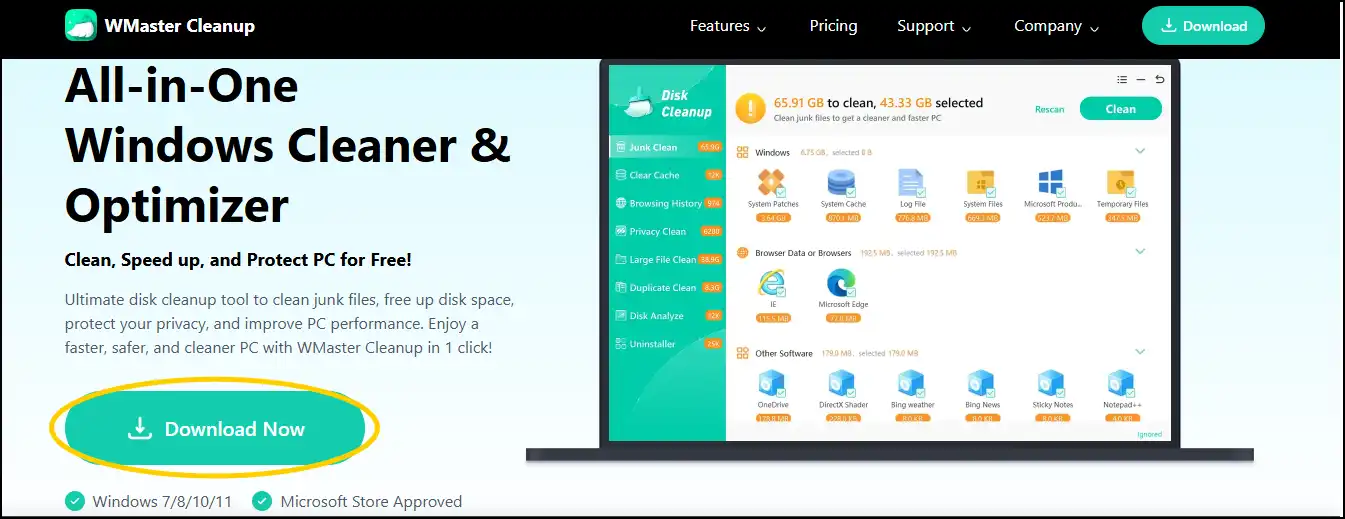
Step 1.Head over to the official website of WMaster Clean, press "Download Now", and then follow the instructions to initiate the installation process.
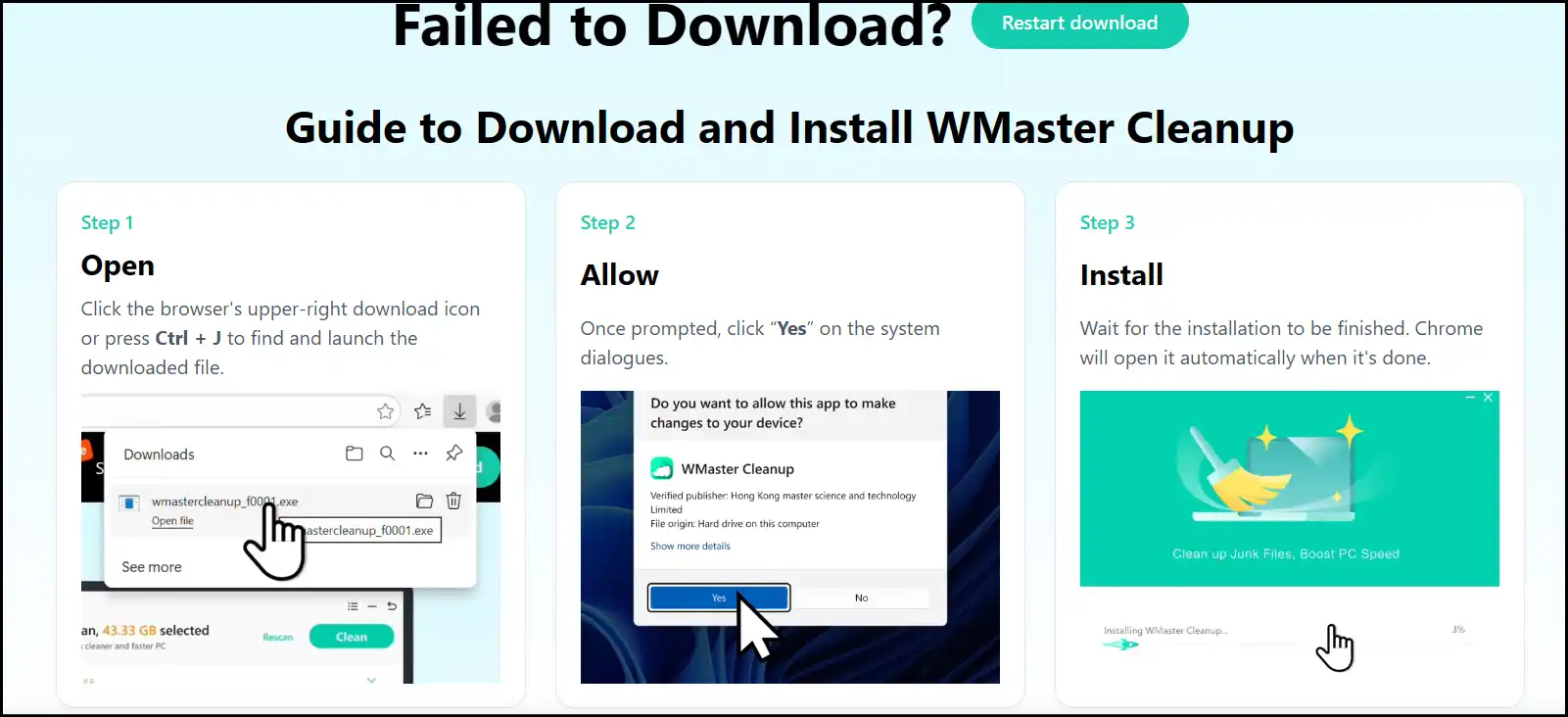
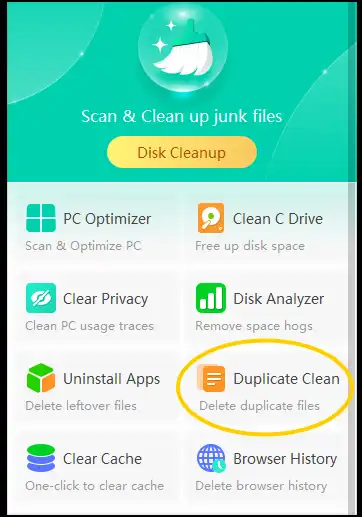
Step 2.Once the installation completes, launch the program and choose "Duplicate Clean" to open the duplicate cleaner interface.
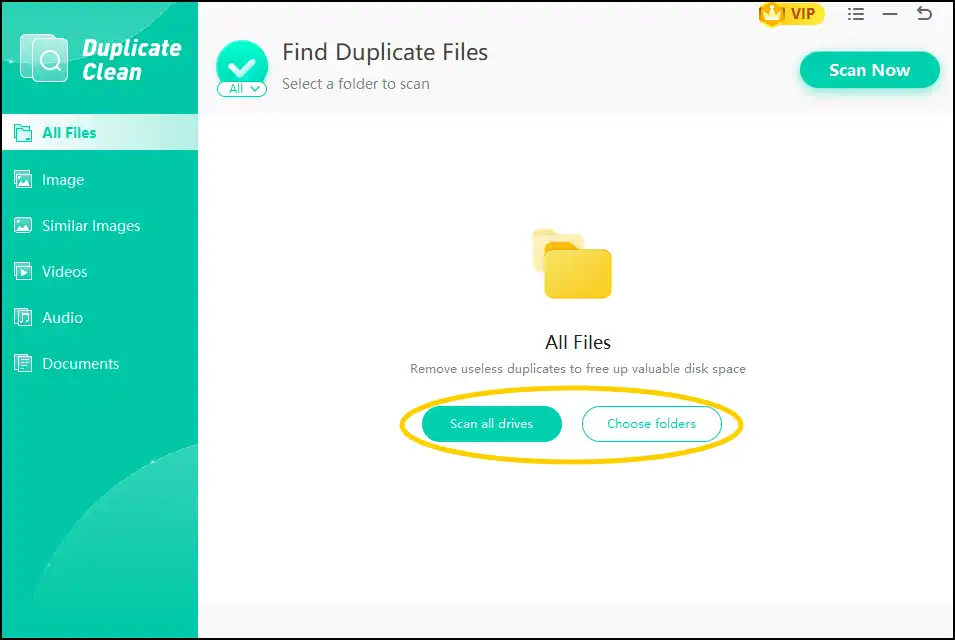
Step 3. Select scanning criteria to detect duplicates by clicking "Scan All Drives" or "Choose Folder". Once selected, the scanning process will start automatically.
Step 4. The interface will show all the duplicates in an organized manner. Select desired duplicates manually or auto-select all the duplicates to remove them by hitting "Remove to trash".
Tip: Duplicate Cleaner by WMaster Cleanup will also detect similar-looking images along with exact duplicates. So, preview them carefully to prevent accidental deletion.
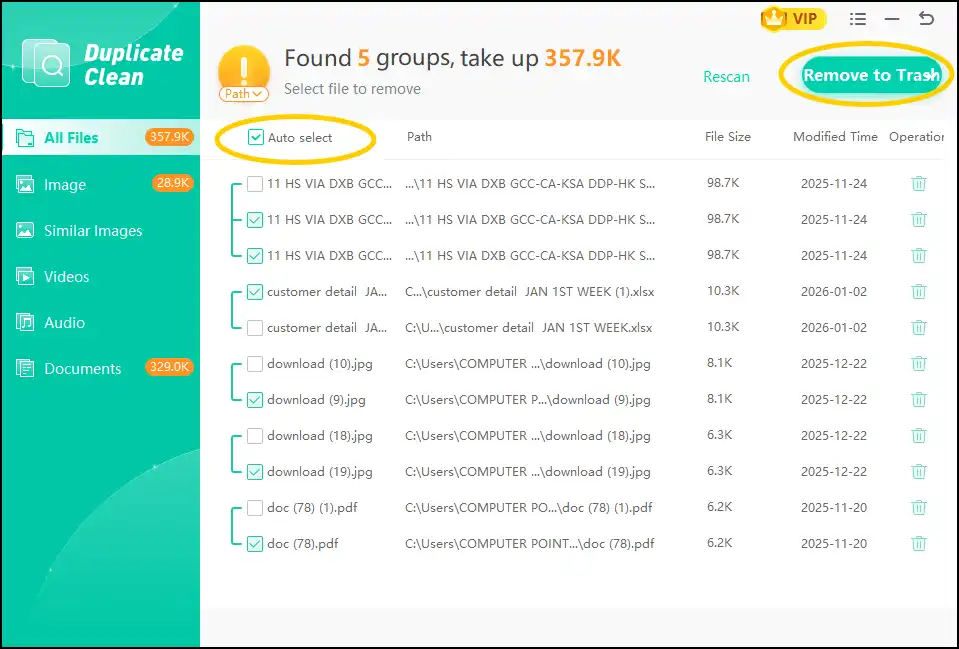
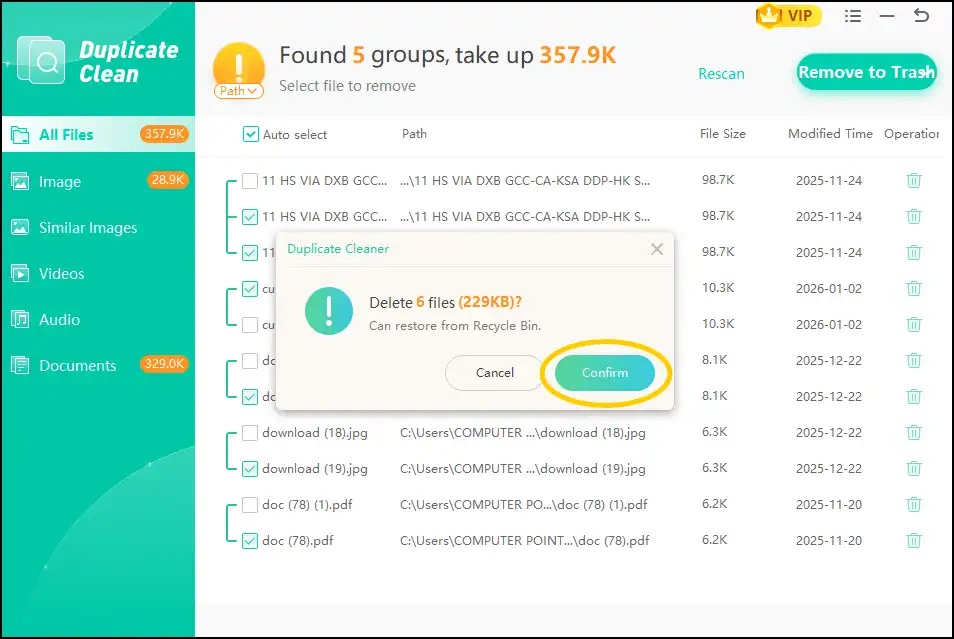
Step 5. Now click "Confirm" to delete unnecessary duplicates and similar files. By chance, if you delete any file by mistake, you can restore it from the Recycle Bin.
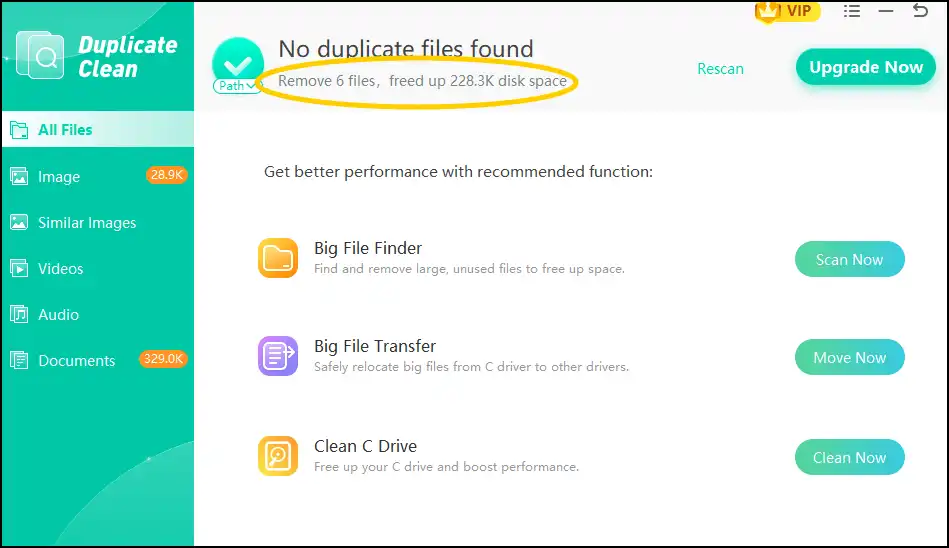
Tip: Once the deletion completes, you can find out how many files you have deleted and how much storage space you have freed up.
Want to learn more about WMaster Cleanup and how to clean your PC deeply to boost its efficiency? Visit ourUser Guide to learn more.
2. Fast Duplicate File Finder
Website: https://www.mindgems.com/products/Fast-Duplicate-File-Finder/
OS: Windows 11/10/8.1/8/7
Target Users: Casual users, small business
Rating: 4.0
The free version of this lightweight tool can quickly scan drives for exact duplicate files, supporting large datasets efficiently. It is a perfect tool for casual users who want a simple, effective solution to clean their PC without any complication. To use advanced features, like similar file detection and filtering options, users need to consider buying a pro version.
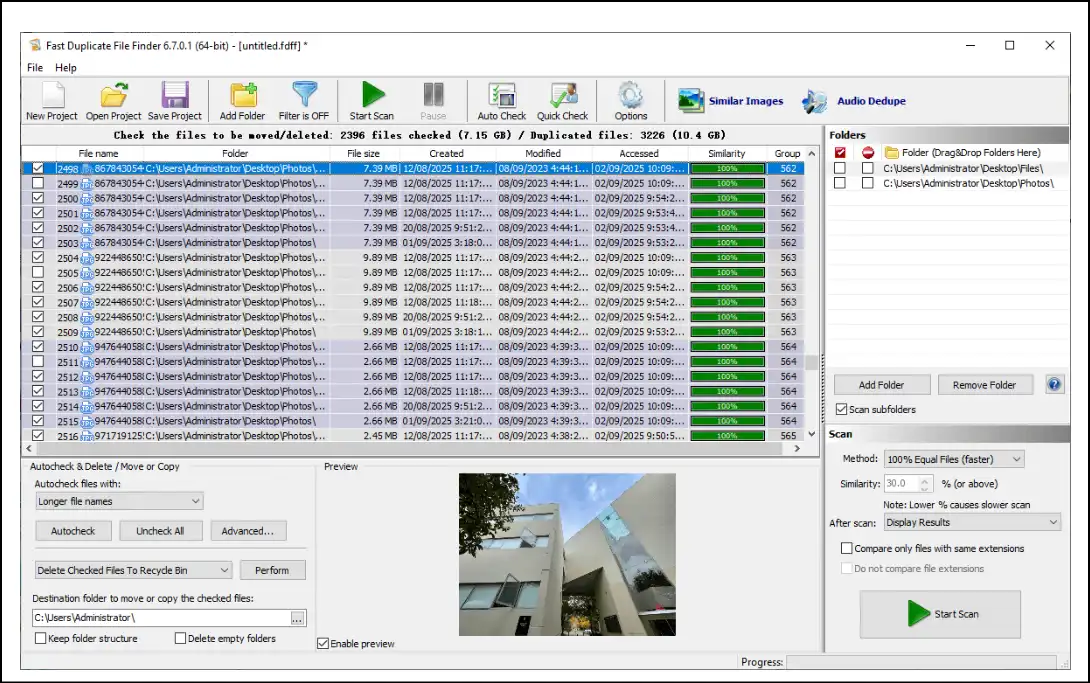
Pros:
- The process of scanning duplicate files is really quick
- It deeply scans drives, folders, and entire networks
- It can find exact duplicate even it is saved with different name
Cons:
- Limited features are available in a free version
- The software interface is old-fashioned for modern-day users
- The free version is not for commercial use
3. Anti-Twin Duplicate File Finder
Website: https://antitwin.org/en/
OS: Windows 10/11/8/7
Target Users: Photo enthusiasts, casual users
Rating: 4.0
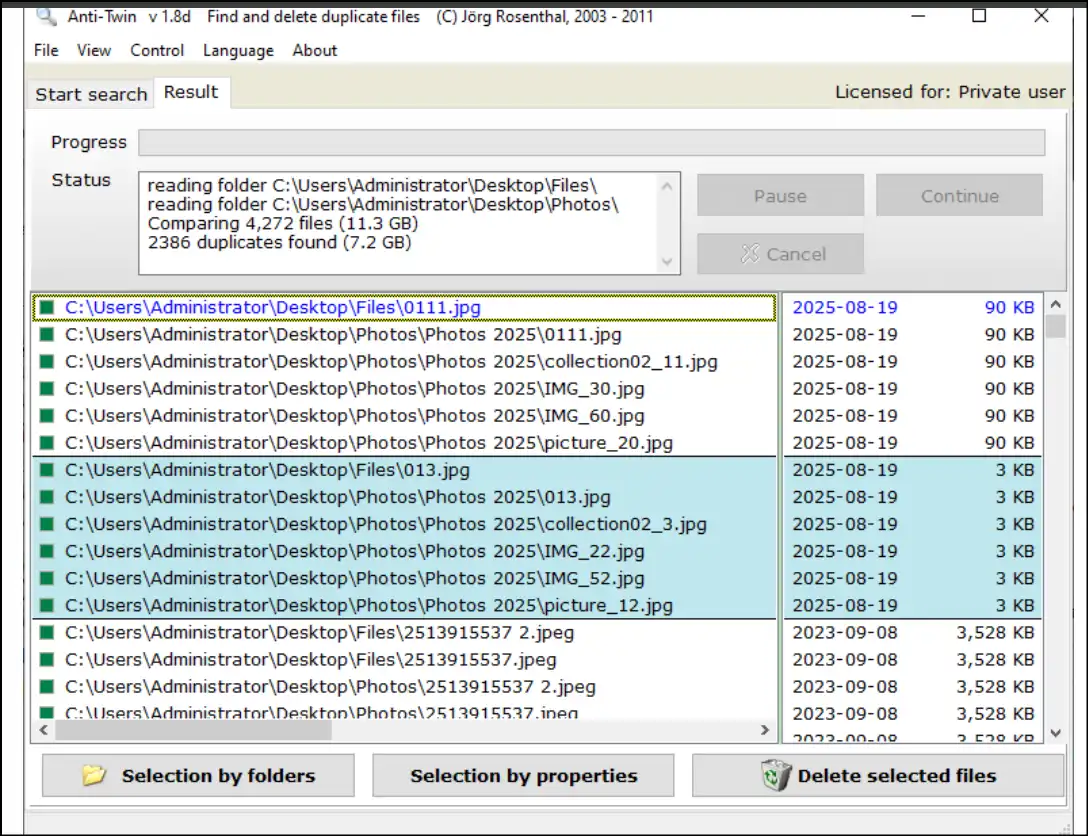
Anti-Twin is a lightweight and small tool that specializes in finding identical and similar images and files. It offers pixel-based comparison for images, making it an ideal tool to clear up large image libraries. It was last updated in 2012, but it is still usable for basic duplicate cleanup needs on current Windows.
Pros:
- Beginner-friendly interface to suit all skill-level users
- High detection accuracy to find similar images
- The software runs fast, efficient, and resource-friendly
Cons:
- The user interface design is outdated
- There is no schedule or auto-scan features available
- It offers limited support for non-image files
4. Auslogics Duplicate File Finder
Website: https://www.auslogics.com/en/software/duplicate-file-finder/
OS: Windows 7/8/10/11
Target Users: Photographers, casual users
Rating: 4.5
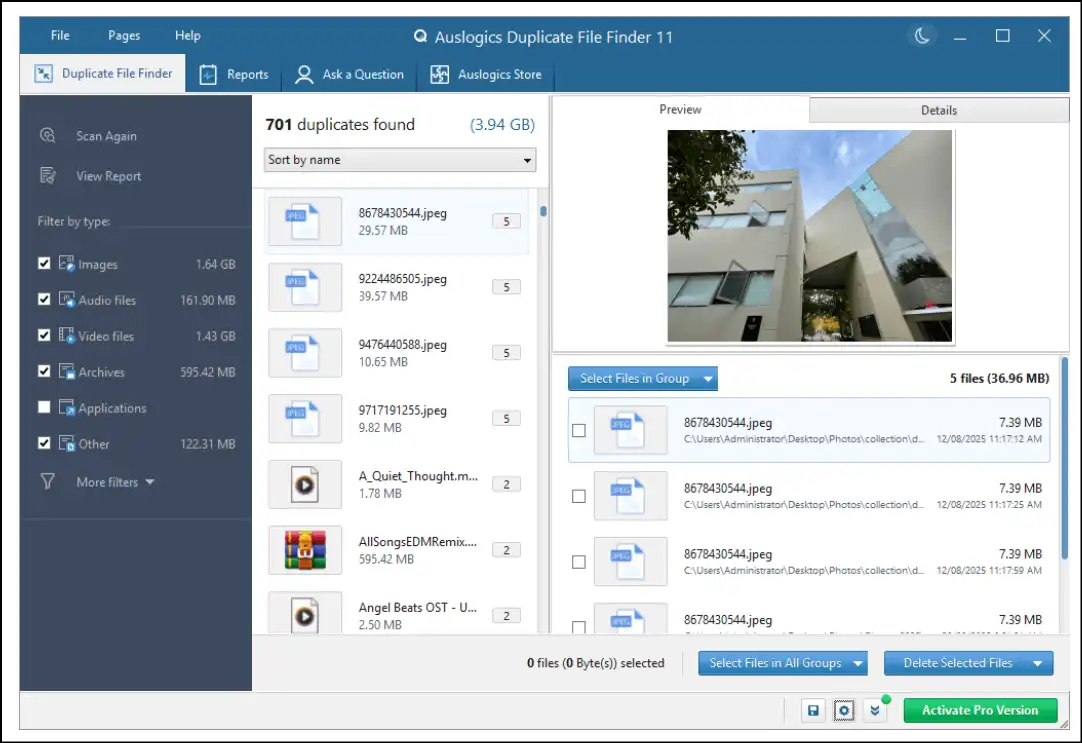
This powerful tool is designed to find, identify, and remove duplicate photos, videos, audio, and documents rapidly. By using this tool, you can also clear up your removable devices, like SD/flash drives, USB drives, and portable hard drives.
Pros:
- The software scans for both exact and similar duplicate files
- Remove duplicates and send them into Recycle Bin for easy recovery
- Easy-to-use interface that is suitable for non-techies
Cons:
- The free version lacks advanced duplicate cleanup features
- No support to scan duplicate files by their file type
- This free duplicate file finder does not scan duplicates from network drives
5. Wise Duplicate Finder
Website: https://www.wisecleaner.com/wise-duplicate-finder.html
OS: Windows 7/8/10/11
Target Users: Home users, students
Rating:4.1
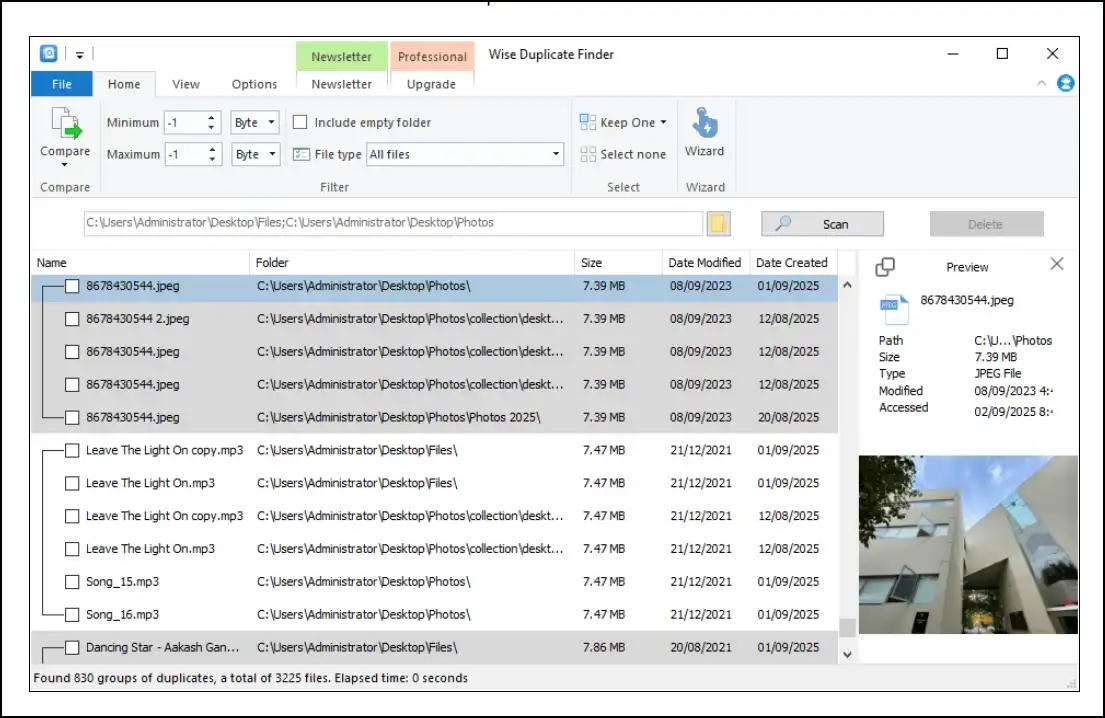
Wise Duplicate Finder has an intuitive interface and supports various duplicate formats. It is designed for casual users who want straightforward free software to find duplicate files. This file management tool can compare and find duplicates based on filename, file size, and file content.
Pros:
- The interface is user-friendly and easy to operate
- Users can restore removed files that were deleted by mistake
- The speed for scanning duplicates is excellent
Cons:
- Manual duplicates selection from each duplicate group in free version
- According to customers review, the app is not stable
- Advanced features are restricted for premium version
6. AllDup
Website: https://www.alldup.de/en_download_alldup.php
OS: Windows 7/8/10/11
Target Users: Professional users, IT professionals
Rating: 4.0
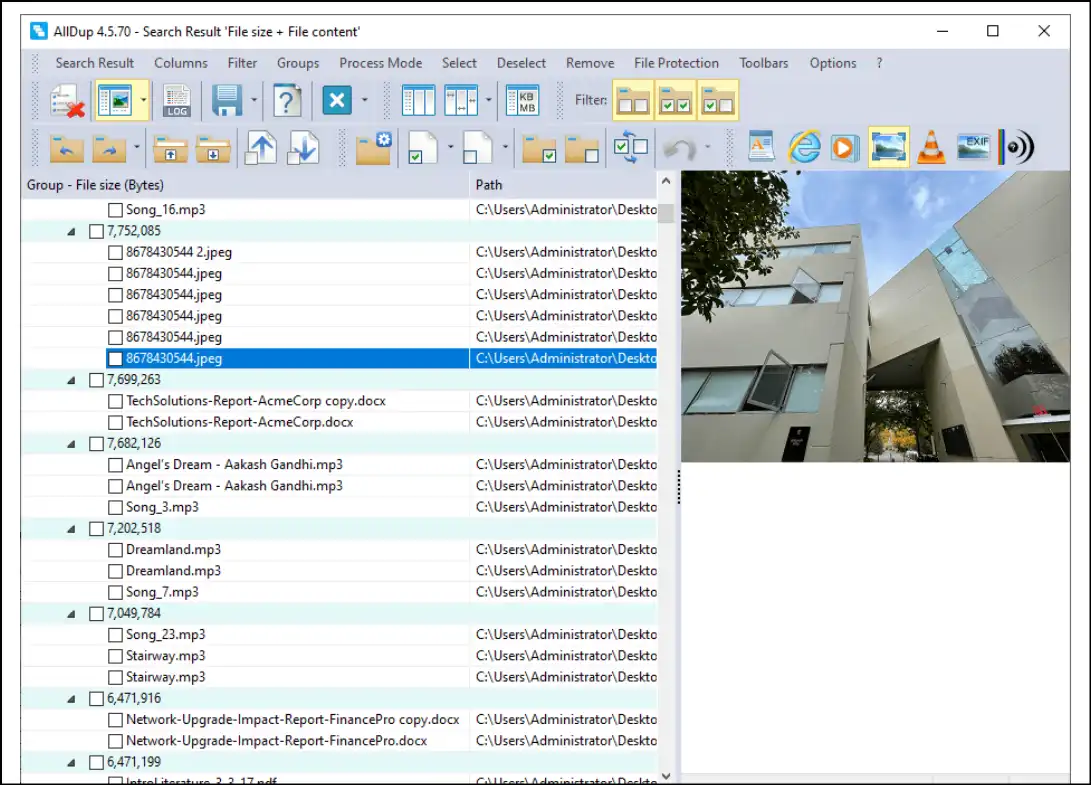
AllDup is one of the best free duplicate file finder software to find duplicate files because it is feature-rich and supports a wide range of file formats. It also offers multiple ways to compare files to find duplicates and requires some configurations-hence, it is suitable for those who want more detailed control. So, if you are tech-savvy and looking to manage files efficiently, this software is definitely for you!
Pros:
- It supports scan for exact and similar files through content-based analysis
- Deleted duplicates can be found in Recycle Bin for data safety
- Users can apply highly custom-based filtering options to scan duplicates
Cons:
- The software's interface is complex and full of tech terms.
- The software is confusing and not suitable for an average user
- The user interface is slightly antiquated
Part 4: The Best Free Duplicate File Finder Mac
I have been testing out some free duplicate cleaners on my iMac (24-inch, 2024) that efficiently find duplicate files and delete them without cluttering. These recommended duplicate cleaners are pretty awesome and can easily clean your Mac machine in 2026. These tools are easy to navigate, efficient, and totally secure-perfect for every user who wants a neat and clean-Mac!
1. Dupeguru
Website: https://dupeguru.voltaicideas.net/
Target Users: Tech-savvy users, IT professionals, experts
Price: Free
Rating: 3.6
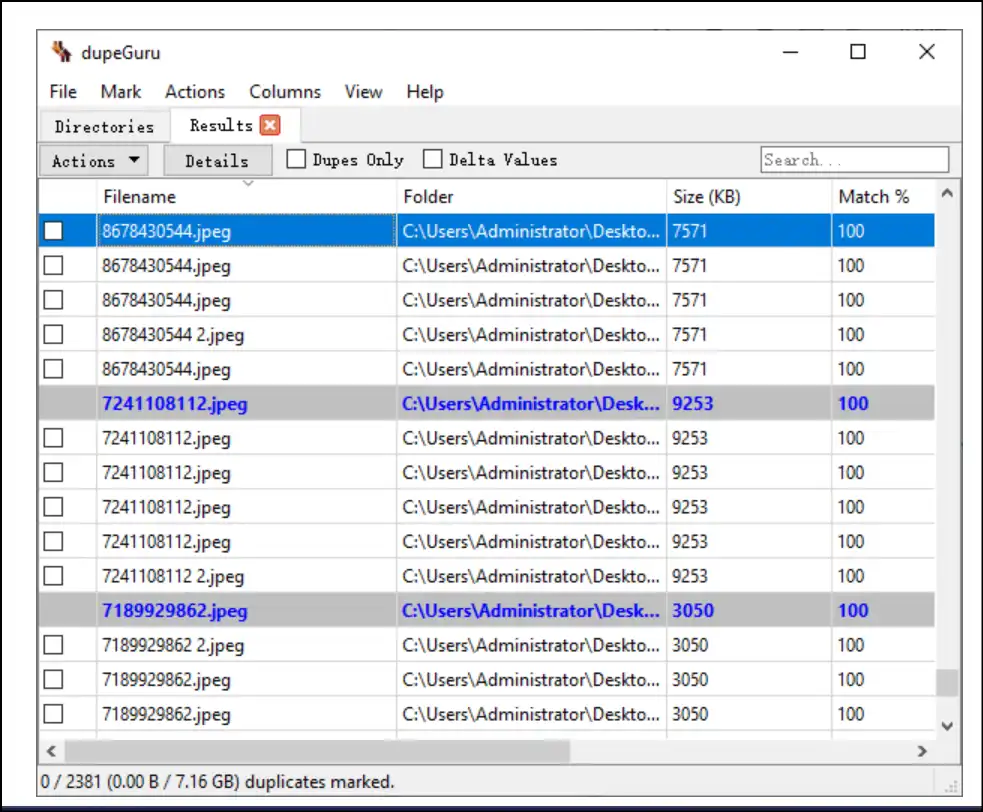
Dupeguru is an open-source and cross-platform GUI free file duplicate finder that can locate duplicates as well as similar files. This Mac app also offers multiple ways to filter scan results and then allows users to move, copy, or delete the duplicates. Moreover, it is designed to prevent you from accidentally deleting data by having features like a directory system and a grouping system.
Pros:
- The software is completely free and supports multiple platforms
- Users can detect duplicate and similar files through various ways
- Available in different languages, like English, French, Chinese, Italian and more
Cons:
- The user interface is slightly complex and technical for beginners
- Slows down the system during processing scans for large libraries
- Limited advanced features are available as compared to other tools
2. Cleaner One Pro
Website: https://duplicate-manager-pro.macupdate.com/
Target Users: Mac users who seek simple solutions
Price: Free with in-app purchases
Rating: 4.5
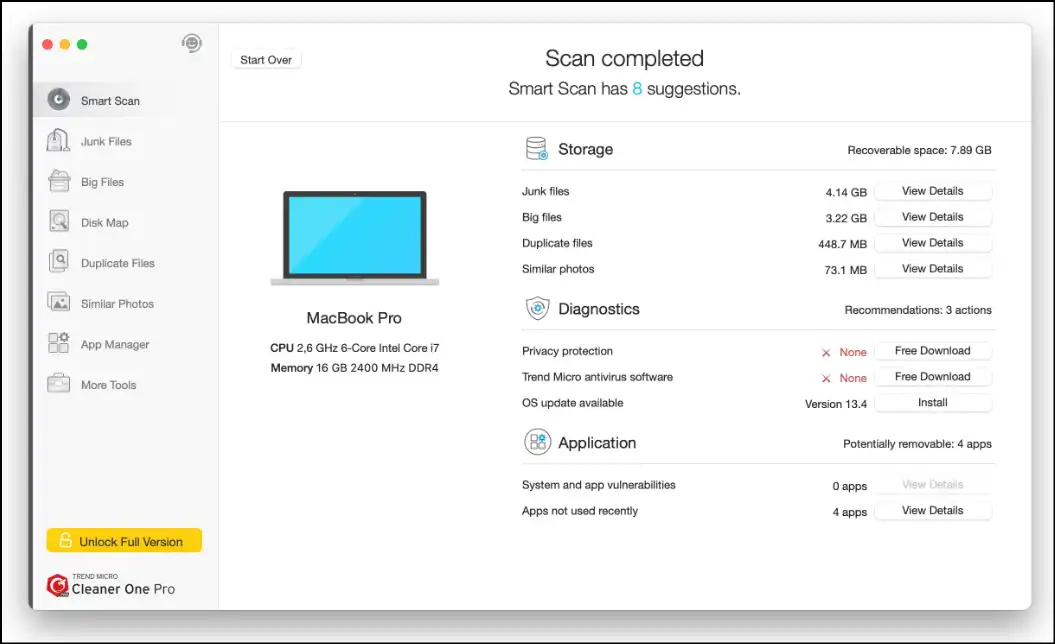
Optimize Mac OS with this all-in-one tool, Cleaner One Pro, which offers a straightforward solution to find duplicates and delete them. With its intuitive interface, users can delete multiple duplicate files at once to clean up their device quickly.
Pros:
- User experience is excellent, suitable for beginners
- This software supports multiple duplicate file types
- Offers batch processing to remove multiple files at once
Cons:
- Users need to pay for advanced cleanup features
- Customization options are limited for scanning process
- Potential risk to identify false duplicate files
3. czkawka
Website: https://czkawka.com/
Target Users: Advanced users, power users
Price: Free
Rating: 4.5
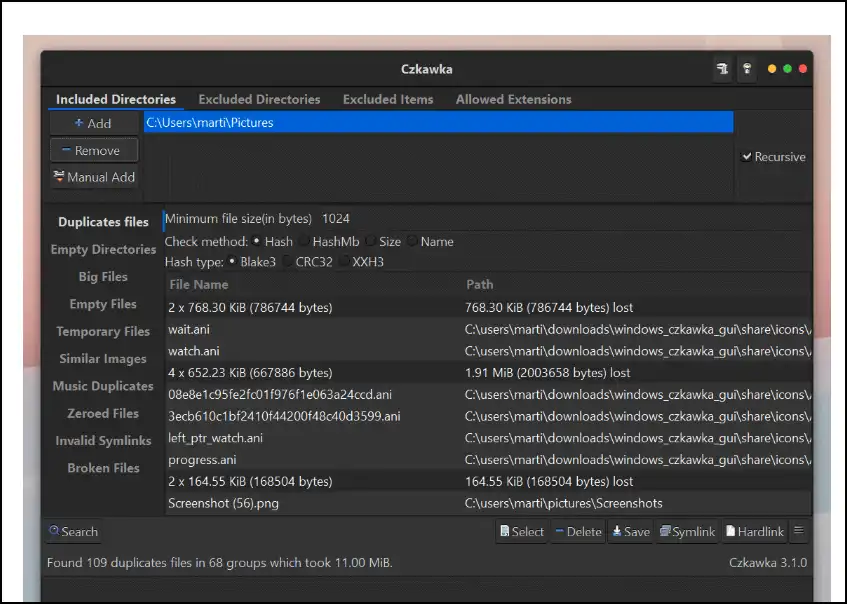
Czkawka is a multi-platform duplicate finder that is also accessible for macOS. It is lightweight, quick, and effective for deep scans-designed for both beginners and power users. The best advantage is that it entirely operates offline and does not send any user's data to external servers.
Pros:
- It offers efficient and multiple ways to detect duplicates and similar files
- New features are regularly updated by a dedicated team
- Works offline and does not track any user activity
Cons:
- The website is frustrating as it opens download link again and again
- Slightly complex UI and needs learning to use the software by newbies
- Misidentifies similar files-shows files that are actually not duplicates.
4. Nektony Duplicate Finder
Website: https://nektony.com/duplicate-finder-free
Target Users: Mac hobbyists, casual users
Price: Free with paid options
Rating: 4.5
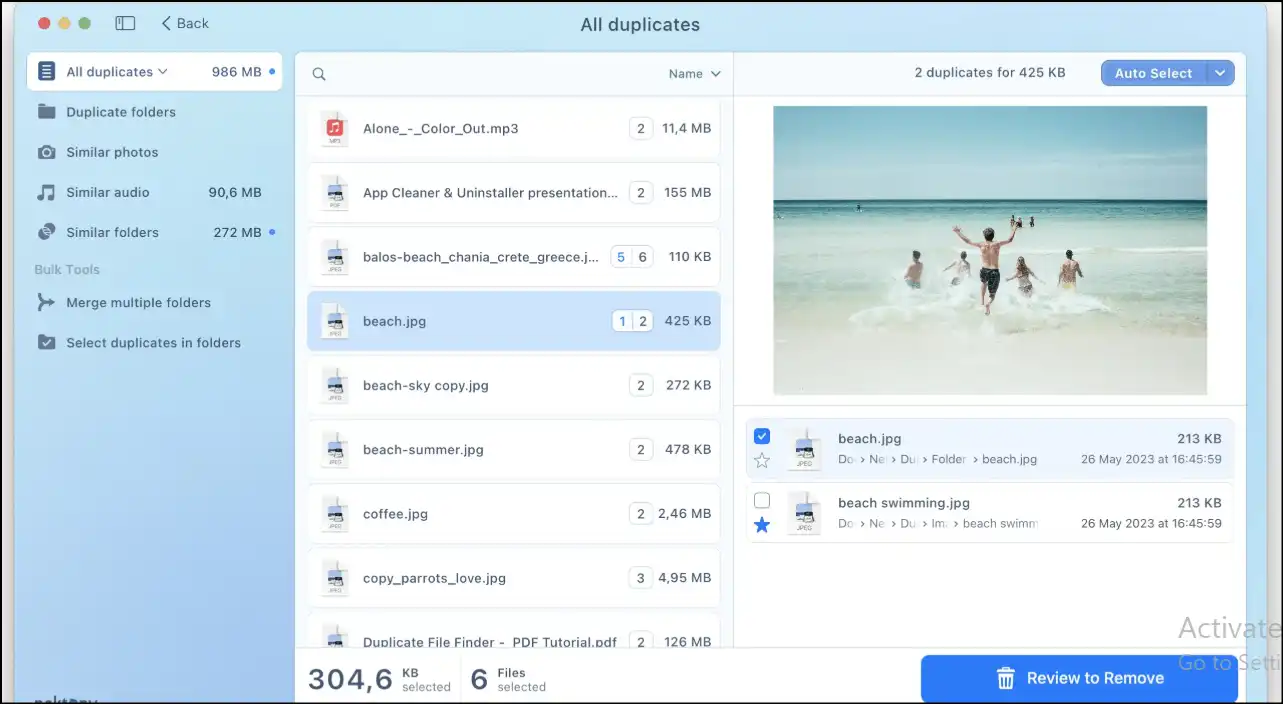
Nektony is a free duplicate file finder and remover that is simple to use, effective, and designed to locate and identify duplicates quickly. This software works best for casual users who operate large media files and need to clean up device storage.
Pros:
- The user interface is clean and easy to use
- It works efficiently by supporting multiple file formats
- It offers duplicates and similar files detection with high accuracy
Cons:
- The free version of the software has limited number of scans
- Users requires a paid version to use advanced features
- Does not support side-by-side preview options for images
5. Easy Duplicate Finder
Website: https://www.easyduplicatefinder.com/download-mac.html
Target Users: Home users, photographers
Price: Free trial, paid license
Rating: 3.6
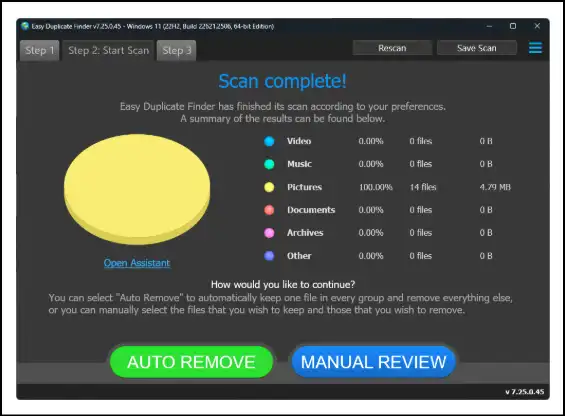
Use Easy Duplicate Finder to clean up gigabytes from your Mac's disk space! By following three easy steps, find and delete duplicate images, videos, and audios within seconds. This Mac tool offers a personalized user experience and batch processing feature to locate and remove duplicates.
Pros:
- This tool is modern and easy to use for non-techies
- Allows user to preview files regardless of file format
- Users can find duplicates and delete them in bulk
Cons:
- To use full features, paid version is needed
- The system may run slow during scan processing of large libraries
- In similar file detection, false positives occurs occasionally
6. Duplicate File Finder Remover
Website: https://apps.apple.com/us/app/duplicate-file-finder-remover/id1032755628?mt=12
Target Users: Average Mac users
Price: Free with in-app purchases
Rating: 4.7
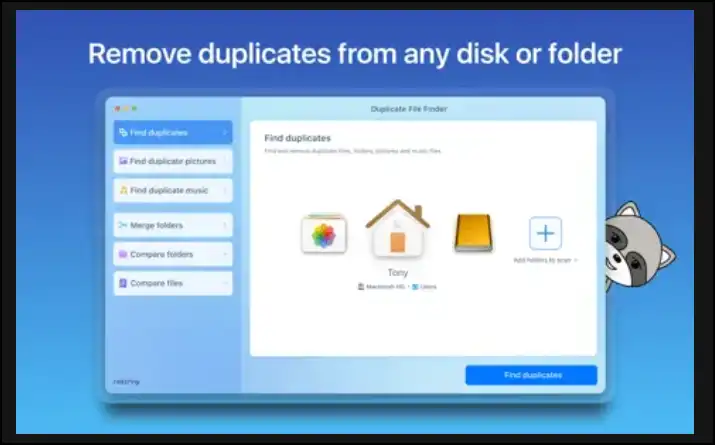
Duplicate File Finder Remover is a simple tool available on the Mac App Store, which is ideal for quickly cleaning up duplicates. With an intuitive user interface and basic duplicate cleanup features, it can remove duplicate and similar media files.
Pros:
- User experience is basic-best for casual Mac users
- It can scan duplicates in iCloud folder
- Available in various languages, like English, German, Italian, and more
Cons:
- Limited advanced duplicate cleanup features in free version
- The free version has ads which might be frustrating
- No bulk duplicate deletion in free version
Part 5: Comparison Table for Best 12 Free Duplicate File Finders in 2026
| Tool | Interface Design | Core Algorthm | Similar Photo Detection | One-Click Smart Detect | Duplicate File Types | Batch Clean Support |
|---|---|---|---|---|---|---|
| WMaster Cleanup (Windows) | Intuitive user-friendly | MD5 Message-Digest | Yes | Yes | Over 40 formats | Yes |
| Fast Duplicate File Finder (Windows) | Simple outdated | Hash-based | No | Yes | Over 40 Types | Yes |
| Anti-Twin (Windows) | Basic | Byte-by-byte | Yes | No | All | Yes |
| Auslogics Duplicate File Finder (Windows) | Easy-to-use | Smart Content-based | Yes | No | All | No |
| Wise Duplicate Finder (Windows) | User-friendly | Multi-layered | No | Yes | All | Yes |
| AllDup (Windows) | Moderate | Multiple Algorithms | Yes | Yes | All | Yes |
| Dupeguru (Mac) | Complex | Byte-by-byte | Yes | No | All | Yes |
| Cleaner One Pro (Mac) | Simple | Hash | No | Yes | All | Yes |
| Czkawka (Mac, Windows/Linux) | Moderate | Multiple | Yes | Yes | All | Yes |
| Nektony Duplicate Finder (Mac) | Easy | Intelligent | No | No | All | Yes |
| Easy Duplicate Finder(Mac) | Intuitive | Cryptographic hashing byte-by-byte | Yes | Yes | All | Yes |
| Duplicate File Finder Remover (Mac) | Simple | Hash & content-based | No | Yes | All | No |
Final Words: Which Duplicate File Finder and Remover Should You Choose?
Deciding on which duplicate file finder is best will rely on what you are looking for and how familiar you are with technology.
For Windows users, I recommend trying WMaster Cleanup once, as it is free for a limited time along with all its amazing features to clean and boost PC performance. It is an excellent option for both newbies and skilled users simply because it has the right mix of power, safety, and simplistic use. This all-in-one tool can find both exact and comparable image files and bulk file deletion, and it has security measures like data restores-making it an ideal choice.
If you want things to go quickly and effortlessly, Wise Duplicate Finder or Duplicate File Remover are also considerable to find duplicate files and delete them. Users who are tech-savvy and want a lot of customization could opt for AllDup or czkawka as these tools offer more control over scanning duplicates. People who are operating macOS are advised to try Dupeguru or Duplicate Manager, as they work together effectively and are easy to use.
Part 6: FAQs About Free Duplicate File Finder in 2026
1. How to remove duplicate files for free?
For Windows, I would recommend using WMaster Cleanup (free for a limited time) to remove duplicate files. Using MD5 Message-Digest, it can deep clean your PC by removing duplicates and similar files. Moreover, with its beginner-friendly interface, it offers scan filtering options, previews, restoring deleted files, and bulk deletion features. For Mac users, I would suggest Cleaner One Pro, with its simple interface, its free version can handle basic cleanup tasks, like bulk cleanup and similar file detection.
2. Can duplicate files be recovered after deletion?
To prevent accidental deletion, many tools, like WMaster Cleanup, offer backup and restoring options. If you are a Windows user, use this all-in-one tool so that if you make an accidental deletion, you can restore files from the Recycle Bin.
3. How do I find similar photos or videos?
To find similar photos or videos, you need to choose a duplicate finder that supports similar image detection, like Anti-twin or WMaster Cleanup. These tools use content-based and byte-to-byte comparison technology to identify similar images even if their metadata and filenames differ.
4. Is it safe to delete duplicate files?
Yes, deleting duplicate files is safe if you utilize reputable tools to find and remove duplicates. Make sure you carefully review the detected duplicate files and make a backup for important files before making mass deletion.
5. Do duplicate finders support batch processing?
Today, many modern tools like WMaster Cleanup, Wise Duplicate Finder, and AllDup offer a batch processing feature. Using this feature, you are able to delete multiple detected duplicate files at once effortlessly and without spending hours.


